Securing your home is more critical than ever, and outdoor cameras serve as vigilant sentinels, offering peace of mind whether you’re at home or away. With advancements in technology, these devices have evolved far beyond simple recording tools, integrating smart features that provide comprehensive surveillance and act as a significant deterrent to potential threats. Navigating the myriad of options available can be daunting, but understanding the core functionalities and key considerations will empower you to select the perfect outdoor camera system tailored to your unique security needs.
Outdoor Cameras: Your First Line of Essential Home Security
Outdoor security cameras are indispensable tools in safeguarding your property and loved ones. They offer a tangible layer of protection, allowing you to monitor activity, deter intruders, and collect crucial evidence should an incident occur. In an era where package theft and property crimes are concerns for many homeowners, a visible and effective outdoor camera system provides a powerful deterrent. Studies have even shown that visible camera installations can significantly reduce retail theft, highlighting their preventative power. Beyond deterrence, these cameras provide real-time alerts and recorded footage, ensuring you are always informed about your property’s perimeter.
Types of Outdoor Cameras Explained
The market offers a diverse range of outdoor cameras, each with distinct technologies, features, and form factors designed for specific surveillance needs. Understanding these types is the first step in making an informed decision.
Based on Technology:
- Wired Outdoor Cameras: These cameras connect directly to a power source and often to a Digital Video Recorder (DVR) or Network Video Recorder (NVR) via cables (e.g., Ethernet for IP cameras, coaxial for analog).
- Pros: Highly reliable connection, constant power, often better security against tampering, suitable for long-term, high-quality surveillance.
- Cons: More complex installation, requires drilling and professional setup, less flexible placement.
- Wireless Outdoor Cameras (Wi-Fi): These cameras connect to your home Wi-Fi network for data transmission and are typically powered by batteries or solar panels.
- Pros: Easy DIY installation, flexible placement, ideal for renters or temporary setups.
- Cons: Battery life can be a concern (requiring recharging or replacement), susceptible to Wi-Fi interference, potential for signal drops.
- IP (Internet Protocol) Cameras: These are digital cameras that send and receive video footage over an IP network. They can be wired (PoE – Power over Ethernet) or wireless.
- Pros: High resolution, advanced features (AI analytics), remote access via apps.
- Cons: Can consume more bandwidth, may require more technical setup.
- Analog Cameras (CCTV): These are traditional cameras that transmit video signals over coaxial cables to a DVR.
- Pros: Lower upfront cost, simple setup for basic surveillance.
- Cons: Lower resolution compared to IP cameras, limited features, no remote access without additional equipment.
Based on Features:
- Infrared (IR) Cameras: Equipped with IR LEDs for night vision, providing clear black-and-white footage in complete darkness.
- Color Night Vision Cameras: Utilize low-light sensors and sometimes supplemental lighting to produce full-color images even at night, offering enhanced detail.
- Zoom Cameras: Allow you to optically or digitally zoom in on specific areas for closer inspection.
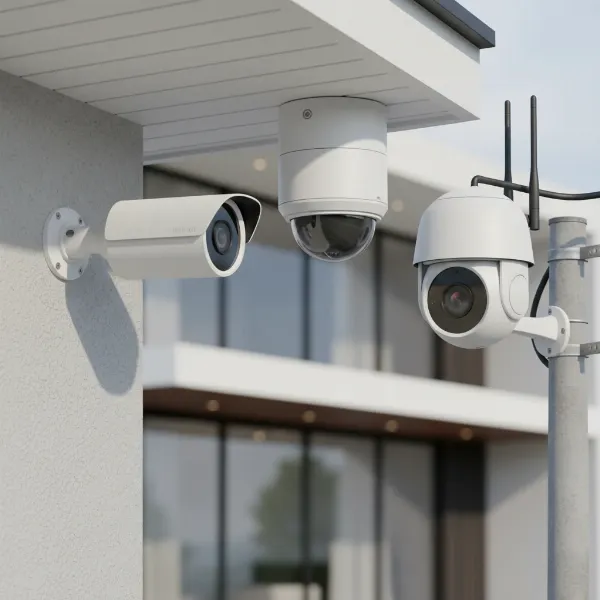
- PTZ (Pan-Tilt-Zoom) Cameras: Offer remote control over horizontal (pan), vertical (tilt), and zoom functions, providing 360-degree coverage for large areas.
- Cameras with Two-Way Audio: Include a microphone and speaker, enabling you to hear and speak to individuals on your property.
- Floodlight Cameras: Combine a security camera with powerful LED floodlights and often a siren, serving as both a deterrent and a recording device.
- Outdoor Doorbell Cameras: Specifically designed for entryways, incorporating a camera, doorbell button, and two-way audio.
Based on Shape/Design:
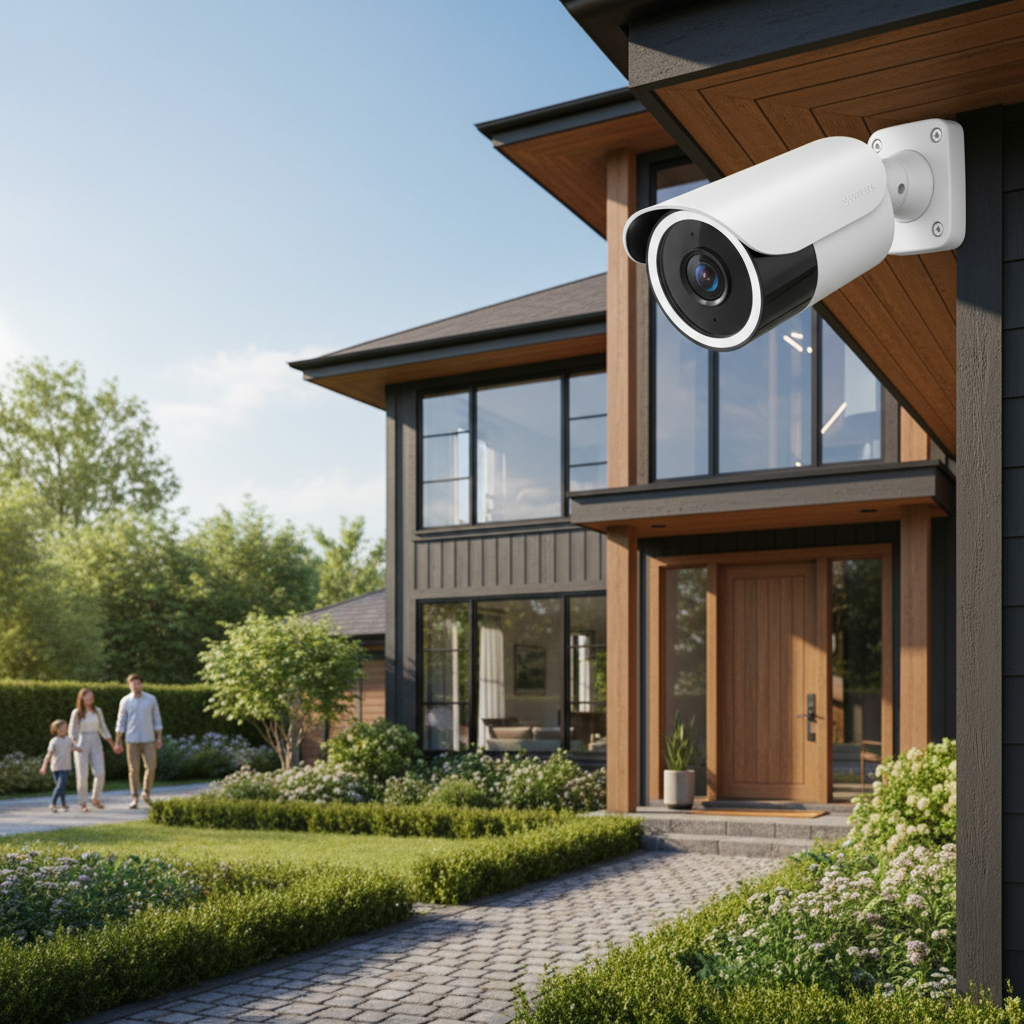
- Bullet Cameras: Cylindrical in shape, highly visible, and often used for long-range viewing in specific directions (e.g., driveways, building perimeters). They act as a strong visual deterrent.
- Dome Cameras: Housed within a dome-shaped casing, making them discreet and vandal-resistant. The tinted dome often obscures the camera’s exact viewing angle.
- Turret Cameras (Eyeball Cameras): A hybrid design, similar to a dome but without the protective plastic cover, featuring an adjustable eyeball-like lens. They are generally discreet and offer flexibility in aiming.
[image-1|diverse-outdoor-cameras|A collection of diverse outdoor security cameras, showcasing bullet, dome, PTZ, and floodlight designs with various features like night vision LEDs and two-way audio. The cameras are mounted on a mock wall under different weather conditions to emphasize their durability and varied applications.|
A realistic, high-angle shot showcasing a diverse collection of outdoor security cameras. Include a cylindrical bullet camera, a spherical dome camera, a pan-tilt-zoom (PTZ) camera, and a floodlight camera. Each camera should exhibit details like visible night vision LEDs and two-way audio grilles. The cameras are mounted on a weathered brick wall under mixed weather conditions, with hints of rain and sunlight, to convey durability and varied applications. The overall style is editorial and clear.]
Comparing Outdoor Camera Types: A Quick Overview
Choosing the best outdoor camera system involves weighing various factors against your specific security objectives and property layout. Here’s a comparative look at crucial criteria.
| Feature / Type | Wired Cameras | Wireless (Battery/Solar) Cameras | PTZ Cameras | Floodlight Cameras |
|---|---|---|---|---|
| Resolution | Often 1080p, 2K, 4K | Typically 1080p, some 2K/4K | 1080p, 2K, or 4K | 1080p to 4K |
| Field of View | Fixed wide-angle (e.g., 100° – 180°) | Fixed wide-angle (e.g., 100° – 160°) | Variable, often 360° pan, 90° tilt, optical zoom | Fixed wide-angle (e.g., 120° – 160°) |
| Weather Resistance | High (IP66/IP67 ratings common) | High (IP65/IP66 ratings common) | High (IP66/IP67 ratings common) | High (IP65/IP66 ratings common) |
| Night Vision | IR, Color Night Vision | IR, Color Night Vision | IR, Color Night Vision | IR, Color Night Vision, Enhanced by floodlights |
| Smart Features | AI detection, two-way audio, custom zones | AI detection, two-way audio, alerts | AI tracking, auto-pan, two-way audio | AI detection, two-way audio, siren, bright lights |
| Power Source | Constant wired (PoE or adapter) | Battery (rechargeable), Solar-powered | Wired (PoE or adapter) | Wired |
| Installation | Complex, often professional required | Easy DIY | Moderate to Complex | Moderate to Complex |
| Reliability | Very high (stable connection) | Good (can be affected by Wi-Fi/battery) | High (stable connection for wired models) | High (stable connection for wired models) |
| Typical Use | Continuous, critical surveillance | Flexible monitoring, temporary setups | Large area monitoring, active surveillance | Driveways, entryways, strong deterrence |
Key Factors for Choosing the Right Outdoor Camera
Selecting the ideal outdoor camera involves careful consideration of several technical specifications and practical features to ensure it meets your security demands and environmental conditions.
- Resolution: For clear and identifiable footage, aim for a minimum of 1080p HD resolution. Higher resolutions like 2K or 4K offer superior detail, which can be crucial for identifying faces or license plates, though they require more storage and bandwidth.
- Field of View (FOV): This specifies the angular extent of the scene captured by the camera. A wider field of view (e.g., 120-180 degrees) means fewer cameras are needed to cover an area, minimizing blind spots. Consider a camera with at least a 100° FOV for good coverage.
- Weather Resistance: Outdoor cameras must withstand the elements. Look for an Ingress Protection (IP) rating, with IP65 or IP66 being suitable for most climates, protecting against dust and strong water jets. For harsher conditions, IP67 offers protection against temporary submersion. Temperature tolerance (e.g., -20°F to 120°F) is also vital.
- Night Vision: Most crimes occur under the cover of darkness, making robust night vision capabilities essential. Infrared (IR) night vision provides clear black-and-white images. For more detail, color night vision uses low-light sensors or supplemental lighting to produce full-color footage. Ensure the night vision range is sufficient for your property, typically 30 to 100 feet.
- Smart Features: Modern cameras offer advanced intelligence.
- AI Detection: Differentiates between people, vehicles, and animals, reducing false alerts from mundane movements like swaying branches.
- Motion Detection: Triggers recording and alerts when movement is detected.
- Two-Way Audio: Allows you to communicate with visitors or deter intruders verbally.
- Built-in Sirens: Can be activated remotely or automatically to scare away unwanted guests.
- Activity Zones: Lets you define specific areas where motion detection should be active, preventing unnecessary alerts.
- Storage Options:
- Cloud Storage: Footage is uploaded to secure online servers, accessible from anywhere. Often requires a monthly subscription.
- Local Storage: Footage is saved to a microSD card in the camera or a local NVR/DVR. Offers privacy and no ongoing fees but has limited capacity and is vulnerable if the camera is stolen.
- Power Source:
- Wired: Offers constant power and reliability.
- Battery-Powered: Provides installation flexibility but requires periodic recharging or battery replacement.
- Solar-Powered: Eco-friendly and ideal for sunny locations, using a small panel to charge the battery, reducing maintenance.
- Smart Home Integration: If you have a smart home ecosystem (e.g., Amazon Alexa, Google Assistant), choose a camera that integrates seamlessly for voice control, automation routines, and centralized management.
Top 5 Outdoor Cameras to Consider in 2026
The outdoor security camera market is constantly evolving, with new models offering enhanced features and performance. Here are five highly-rated options that stand out for their reliability and advanced capabilities in 2026:
-
Eufy SoloCam S340:
- Pros: Features 3K resolution, 360-degree pan and tilt, dual cameras for wide and close-up views, solar-powered for continuous charge, and local storage (8GB built-in). It also integrates well with Eufy HomeBase 3 for expanded memory.
- Cons: Can be bulky due to dual cameras and solar panel.
- Price Range: Mid-to-High.
-
Google Nest Cam (Battery) 2nd Gen:
- Pros: Excellent overall performance, 1080p resolution with HDR, smart AI detection for people, vehicles, and animals, weatherproof design, three hours of free rolling video history, and easy magnetic installation. Integrates seamlessly with Google Home.
- Cons: Familiar face detection and extended video history require a Nest Aware subscription.
- Price Range: Mid.
-
Tapo MagCam 4K Solar Ultra HD Outdoor Security Camera:
- Pros: Impressive 4K resolution, solar panel for extended battery life (up to 300 days), magnetic base for flexible mounting, wide field of view, and local storage via microSD card. Offers good value for its features.
- Cons: Live view loading can sometimes be a bit slower than competitors.
- Price Range: Mid.
-
Blink Outdoor 4 Security Camera:
- Pros: Excellent budget-friendly option, runs on AA batteries for up to two years, improved night vision and wider field of view compared to previous generations, weatherproof. Very easy setup and fully wireless.
- Cons: Person detection requires a subscription, video resolution is 1080p.
- Price Range: Budget.
-
Reolink Argus 4 Pro (or similar newer Reolink PT/Floodlight models):
- Pros: Often features 4K resolution, full-color night vision without spotlights, powerful AI detection (person/vehicle/pet), and flexible power options (battery, solar, wired in some models). Reolink generally offers robust weatherproof builds and excellent optical zoom on PTZ models.
- Cons: Some models can be quite bulky.
- Price Range: Mid-to-High.
Note: Product availability and specific features may vary. Always check the latest models and reviews before purchase.
Step-by-Step Guide: Installing Your Outdoor Camera
Proper installation is key to your outdoor camera’s effectiveness and longevity. Follow these steps for a secure and functional setup:
- Create a Plan: Walk around your property and identify priority areas like main entry points, driveways, and vulnerable windows. Map out camera locations to ensure comprehensive coverage and minimize blind spots. Consider power access for wired cameras and optimal sunlight for solar-powered units.
- Gather Tools and Materials: You’ll typically need a drill, screwdriver, ladder, mounting template (usually included), rust-resistant screws and brackets, and potentially weatherproof cable covers or junction boxes for wired installations.
- Download the Camera App: Before mounting, download the camera’s smartphone app. Most modern cameras require app-based setup for initial configuration and testing.
- Preliminary Setup (App-based): Follow the in-app instructions to connect the camera to your home Wi-Fi network and ensure it’s functioning before physical installation. This allows you to check for signal strength at your chosen mounting spot.
- Choose the Mounting Location:
- Height: Mount cameras 8 to 10 feet above the ground to prevent tampering and provide a good viewing angle. Avoid placing them too high, which can compromise picture quality and motion detection.
- Coverage: Aim the camera so that approaching individuals are centered in the frame. For wide-angle cameras, place them where their broad view can be fully utilized, like above garage doors.
- Protection: Position cameras under eaves or rain gutters where possible to offer some protection from extreme weather, extending their lifespan.
- Mount the Camera: Use the provided mounting template to mark and drill pilot holes. Secure the mounting bracket firmly to the wall or ceiling with appropriate screws. For wired cameras, carefully run cables through walls or use weatherproof conduits.
- Connect Power and Network:
- Wired Cameras: Connect the Ethernet cable to a PoE switch/NVR or the power adapter to a weatherproof outlet.
- Wireless Cameras: Ensure batteries are charged, or the solar panel is positioned to receive ample sunlight.
- Configure and Adjust: Secure the camera onto the mount. Use the live feed on your smartphone app to adjust the camera’s angle and field of view. Define activity zones and set up notification preferences.
- Test Thoroughly: Conduct a walk-through of the monitored area to test motion detection, night vision capabilities, two-way audio quality, and alert functionality. Make any necessary adjustments to ensure optimal performance.
Maximizing Lifespan: Tips for Outdoor Camera Use and Maintenance
To ensure your outdoor security cameras provide reliable protection for years to come, regular maintenance and smart usage are essential.
- Regular Cleaning: Dust, dirt, cobwebs, and water spots can obstruct the lens, reducing image clarity. Gently clean the camera lens and housing with a soft, damp cloth every few months, or more frequently in dusty or pollen-heavy environments. Avoid abrasive cleaners.
- Check Connections and Power Periodically: For wired cameras, inspect cables for wear and tear, ensuring all connections are secure and weatherproofed. For battery-powered cameras, monitor battery levels regularly and recharge/replace as needed. For solar-powered units, keep the solar panel clean and free of obstructions (leaves, dirt) to ensure efficient charging.
- Update Software and Firmware: Manufacturers frequently release software and firmware updates that improve performance, add new features, and patch security vulnerabilities. Enable automatic updates or check for them manually through your camera’s app to keep your system current.
- Protect from Physical Impacts: While outdoor cameras are built tough, extreme physical impacts can damage them. If possible, consider installing a protective casing or strategically placing the camera in a location that offers some physical shielding without compromising its view.
- Monitor Storage: Regularly check your storage (local SD card or cloud) to ensure there’s enough space for new recordings. If using local storage, back up important footage periodically. If using cloud storage, ensure your subscription is active.
- Review Settings: Periodically review motion detection sensitivity, activity zones, and notification settings to ensure they still meet your needs and are not generating excessive false alerts.
“A well-maintained outdoor camera system isn’t just about capturing events; it’s about proactively deterring them and ensuring every detail is perfectly preserved when it matters most.” – Dr. Evelyn Reed, Security Technology Analyst.
Buying Guide: What to Know Before Your Purchase
Before investing in an outdoor security camera, arm yourself with this crucial knowledge to make a confident decision.
- Establish Your Budget: Outdoor cameras range widely in price. Determine how much you’re willing to spend, keeping in mind that initial cost isn’t the only factor. Consider ongoing subscription fees for cloud storage or advanced AI features, and factor in potential professional installation costs for wired systems.
- Identify Your Specific Needs:
- What areas do you need to monitor (front door, backyard, driveway)?
- How important is image clarity (identifying faces vs. general motion)?
- Do you need 24/7 continuous recording or event-triggered recording?
- Are advanced features like AI detection or two-way audio essential for you?
- What are the local weather conditions your camera will face?
- Prioritize Essential Features: Based on your needs, make a list of must-have features (e.g., 1080p+, good night vision, weather resistance). Then, consider desirable but not critical features (e.g., color night vision, specific smart home integration).
- Research Reputable Brands: Stick with well-known and trusted brands like Eufy, Google Nest, Ring, Arlo, Reolink, and Blink. These brands typically offer better product support, more reliable software, and stronger security measures. Check user reviews and professional ratings.
- Understand Warranty and Support: A good warranty provides peace of mind. Check the manufacturer’s warranty period and read reviews about their customer support. This is crucial if you encounter any issues down the line.
- Evaluate Subscription Models: Many cameras offer basic functionality for free but gate advanced features (like extended cloud storage, person detection, or familiar face recognition) behind monthly or annual subscriptions. Understand what’s included and what’s extra to avoid surprises.
- Consider Installation Type: Decide if you prefer a DIY-friendly wireless camera or a more permanent and reliable wired system, which might necessitate professional installation.
Conclusion
Outdoor cameras are more than just surveillance devices; they are an integral part of a comprehensive home security strategy, offering invaluable peace of mind. By carefully considering the different types, key features, and installation nuances, you can choose a system that effectively monitors your property, deters potential threats, and provides critical evidence. From high-resolution video and robust night vision to intelligent motion detection and two-way audio, the right outdoor camera equips you to stay connected and protected, no matter where you are.
What steps will you take today to secure your home with an outdoor camera system?
Frequently Asked Questions
What resolution is recommended for an outdoor security camera?
|
Our Picks for the Best Outdoor camera in 2026
As an Amazon Associate I earn from qualifying purchases.
|
||
| Num | Product | Action |
|---|---|---|
| 1 | Ring Outdoor Cam Plus, Battery (newest model), Home or business security, Wide-Angle 2K Video with Ring Vision, Low-Light Sight for full-color night vision, Mount-Anywhere Versatility, Black |

|
| 2 | 2026 Upgraded 2K Security Cameras Wireless Outdoor, Free Cloud Storage, 1-6 Months Battery Life, Waterproof, 2-Way Talk, AI Motion Detection Spotlight Siren Alarm Cameras for Home Security |
|
| 3 | GMK Security Cameras Wireless Outdoor 4 Pack, 2K Battery Powered Cameras for Home Security, Color Night Vision, Motion Detection, 2-Way Talk, IP65 Waterproof, Remote Access, Cloud/SD Storage |
|
| 4 | Security Cameras Wireless Outdoor 355° Pan Rotating 2K Color Night Vision Cameras for Home Security WiFi Battery Outdoor Camera Motion Detection 2-Way Talk IP65 Spotlight Siren SD/Cloud Storage 2 Pack |
|
| 5 | eufy Security 3K Dual Camera, SoloCam S340, Solar Security Cameras Wireless Outdoor, Cameras for Home Security, 360°Coverage, Pan & Tilt, No Blind Spots, No Monthly Fee, HomeBase S380 Compatible |
|
| 6 | aosu Security Cameras Outdoor Wireless, 4 Cam-Kit, No Subscription Required, Solar-Powered, Home Security Cameras System with 360° Pan & Tilt, Auto Tracking, 2K Color Night Vision, Easy Setup |
|
| 7 | WYZE Cam v4 (Latest Model), 2.5K AI Security Camera, Indoor/Outdoor Cameras for Home Security, Baby Monitor & Pet Camera, Vibrant Color Night Vision, No Subscription Required, Free Expert Help |
|
| 8 | All-new Blink Video Doorbell + Outdoor 4 – Wireless smart security cameras, head-to-toe HD view, two-year battery life. Sync Module Core included – 2 camera system + Video Doorbell |
|
| 9 | Blink Outdoor 4 – Wireless smart security camera, two-year battery life, 1080p HD day and infrared night live view, two-way talk. Sync Module Core included – 3 camera system |
|
| 10 | Ring Outdoor Cam (Stick Up Cam), Weather-resistant home or business security camera, outdoor ready, Live View, Color Night Vision, Two-Way Talk, motion alerts, Works with Alexa, White |
|
For effective outdoor surveillance, a minimum of 1080p (Full HD) resolution is highly recommended to ensure clear and identifiable footage. For even greater detail, especially for larger areas or critical identification, 2K or 4K Ultra HD resolutions offer superior image clarity.
How high should I mount my outdoor security camera?
It is generally recommended to mount outdoor security cameras 8 to 10 feet (2.4 to 3 meters) above the ground. This height helps prevent tampering by intruders while still providing an optimal viewing angle to capture faces and activities clearly.
Are wired or wireless outdoor cameras better?
Both wired and wireless outdoor cameras have advantages. Wired cameras offer more reliable connections and continuous power, ideal for critical, long-term surveillance. Wireless cameras are easier to install and more flexible in placement but require battery management or solar panel exposure. The “better” option depends on your specific installation needs and priorities.
Can outdoor security cameras work in extreme weather?
Yes, outdoor security cameras are designed to withstand various weather conditions. Look for an IP (Ingress Protection) rating of IP65, IP66, or IP67, which indicates resistance to dust and water. Also, check the camera’s specified operating temperature range to ensure it can handle your local climate.
Do I need a subscription for outdoor security cameras?
Many outdoor security cameras offer basic functionalities without a subscription, such as live viewing and motion alerts. However, advanced features like extended cloud storage, AI-powered person/vehicle detection, or familiar face recognition often require a paid monthly or annual subscription service from the manufacturer.
What is color night vision and why is it useful?
Color night vision is an advanced feature that allows outdoor cameras to capture full-color video footage in very low-light conditions, unlike traditional infrared (IR) night vision which produces black-and-white images. This provides more detailed and descriptive evidence, making it easier to identify individuals or vehicles at night.
How can I protect my outdoor camera from being stolen or tampered with?
To protect your outdoor camera, mount it 8 to 10 feet high and out of easy reach. Consider using tamper-resistant mounts or protective casings. For wired cameras, conceal or protect the cables. The visible presence of a camera itself can also act as a deterrent.