Ensuring the safety of your home and loved ones is paramount, and in today’s world, an effective security system is no longer a luxury but a necessity. Outdoor cameras play a critical role in providing constant surveillance, deterring potential intruders, and offering peace of mind. As a seasoned technician with over a decade of experience in surveillance, I’ve seen how advancements in technology have transformed outdoor security, making it more accessible and intelligent than ever before. From crystal-clear image quality and robust weather resistance to smart features like facial recognition and motion alerts, the right outdoor camera can be a powerful ally in protecting your property. Let’s delve into the world of outdoor cameras and uncover the ideal solution for your unique security needs.
Outdoor Cameras: Essential for Home Security
Outdoor security cameras are indispensable components of any modern surveillance system, acting as vigilant sentinels protecting your property. Unlike their indoor counterparts, these devices are specifically engineered to endure the rigors of various environmental conditions, providing unwavering, all-weather protection. Their visible presence alone often serves as a significant deterrent to criminal activity, with studies consistently showing a reduction in theft and vandalism in areas with visible camera installations. Beyond deterrence, outdoor cameras capture crucial evidence in the event of an incident, providing invaluable footage for identification and investigation.
Popular Outdoor Camera Types
The market offers a diverse range of outdoor cameras, each designed with specific functionalities and applications in mind. Understanding the different types available is the first step toward selecting a system that perfectly aligns with your home’s security requirements.
By Technology:
- Wired Cameras: These cameras offer a highly stable and reliable connection, often through Power over Ethernet (PoE) cables that deliver both power and data. They provide consistent video quality and eliminate concerns about battery life or Wi-Fi interference, making them ideal for long-term, high-quality surveillance.
- Wireless Cameras: Offering greater installation flexibility and easier setup, wireless cameras connect to your home’s Wi-Fi network. They are suitable for renters or temporary setups, though their performance can be affected by Wi-Fi signal strength and battery management is often required for wire-free models.
- IP Cameras: Internet Protocol (IP) cameras are digital cameras that send and receive footage over a network or the internet. They are known for high-resolution images, scalability, and remote accessibility, often supporting advanced features like AI analytics.
|
Our Picks for the Best Outdoor camera in 2026
As an Amazon Associate I earn from qualifying purchases.
|
||
| Num | Product | Action |
|---|---|---|
| 1 | aosu Security Cameras Outdoor Wireless, 4 Cam-Kit, No Subscription Required, Solar-Powered, Home Security Cameras System with 360° Pan & Tilt, Auto Tracking, 2K Color Night Vision, Easy Setup |

|
| 2 | 2026 Upgraded 2K Security Cameras Wireless Outdoor, Free Cloud Storage, 1-6 Months Battery Life, Waterproof, 2-Way Talk, AI Motion Detection Spotlight Siren Alarm Cameras for Home Security |
|
| 3 | All-new Blink Video Doorbell + Outdoor 4 – Wireless smart security cameras, head-to-toe HD view, two-year battery life. Sync Module Core included – 2 camera system + Video Doorbell |
|
| 4 | eufy Security 3K Dual Camera, SoloCam S340, Solar Security Cameras Wireless Outdoor, Cameras for Home Security, 360°Coverage, Pan & Tilt, No Blind Spots, No Monthly Fee, HomeBase S380 Compatible |
|
| 5 | WYZE Cam v4 (Latest Model), 2.5K AI Security Camera, Indoor/Outdoor Cameras for Home Security, Baby Monitor & Pet Camera, Vibrant Color Night Vision, No Subscription Required, Free Expert Help |
|
| 6 | Ring Outdoor Cam (Stick Up Cam), Weather-resistant home or business security camera, outdoor ready, Live View, Color Night Vision, Two-Way Talk, motion alerts, Works with Alexa, White |
|
| 7 | Blink Outdoor 4 – Wireless smart security camera, two-year battery life, 1080p HD day and infrared night live view, two-way talk. Sync Module Core included – 3 camera system |
|
| 8 | Ring Outdoor Cam Plus, Battery (newest model), Home or business security, Wide-Angle 2K Video with Ring Vision, Low-Light Sight for full-color night vision, Mount-Anywhere Versatility, Black |
|
| 9 | Security Cameras Wireless Outdoor 355° Pan Rotating 2K Color Night Vision Cameras for Home Security WiFi Battery Outdoor Camera Motion Detection 2-Way Talk IP65 Spotlight Siren SD/Cloud Storage 2 Pack |
|
| 10 | GMK Security Cameras Wireless Outdoor 4 Pack, 2K Battery Powered Cameras for Home Security, Color Night Vision, Motion Detection, 2-Way Talk, IP65 Waterproof, Remote Access, Cloud/SD Storage |
|
By Features:
- Infrared (IR) Night Vision Cameras: Equipped with IR LEDs, these cameras capture clear black-and-white footage in total darkness, crucial for 24/7 monitoring. The range and quality of IR LEDs determine their effectiveness.
- Color Night Vision Cameras: More advanced models utilize low-light sensors or integrated spotlights to provide full-color images even in dimly lit or dark conditions, offering richer detail than traditional IR.
- Zoom Cameras: Allowing for optical or digital magnification, these cameras help capture finer details from a distance, useful for identifying faces or license plates.
- PTZ (Pan-Tilt-Zoom) Cameras: These highly versatile cameras enable users to remotely pan (move horizontally), tilt (move vertically), and zoom the lens. They are excellent for monitoring large areas or tracking moving subjects, offering comprehensive coverage without needing multiple fixed cameras.
- Cameras with Microphones and Speakers (Two-Way Audio): This feature allows you to listen to audio from the camera’s location and speak back through the camera, enabling real-time communication with visitors or deterring unwanted guests.
- Floodlight Cameras: Combining a security camera with motion-activated LED floodlights and often a siren, these cameras are powerful deterrents. The bright lights illuminate areas and can startle intruders, while the camera records the event.
By Shape:
- Bullet Cameras: Easily recognizable by their cylindrical shape, bullet cameras are typically mounted on walls or ceilings and are often visible, serving as a deterrent. They offer a fixed field of view and are robust.
- Dome Cameras: Characterized by their discreet, spherical housing, dome cameras are vandal-resistant and often blend seamlessly into their surroundings. Their wide-angle lenses make them suitable for expansive coverage.
- Turret Cameras (Eyeball Cameras): A hybrid between bullet and dome, turret cameras have an adjustable ball-and-socket design within a compact, often flat-faced dome. They are easy to adjust and lack the IR reflection issues sometimes seen with true dome cameras.
Outdoor Camera Comparison Table
Choosing the right outdoor camera involves weighing various attributes to find the perfect match for your security needs and environmental conditions. This table provides a quick overview of critical features to consider across different camera types and capabilities.
| Feature | Basic Wired Camera | Wireless Battery Camera | PTZ Camera | Floodlight Camera |
|---|---|---|---|---|
| Resolution | 1080p – 2K HD | 1080p – 2K HD | 2K – 4K UHD | 2K – 4K UHD |
| View Angle | Fixed (60°-120°) | Fixed (100°-160°) | Wide (360° pan, 90° tilt) | Wide (120°-180°) |
| Weather Resistance | IP66 | IP65 – IP67 | IP66 – IP67 | IP65 – IP67 |
| Night Vision | IR (Black & White) | IR or Basic Color | Advanced IR & Color | Color (via built-in lights) |
| Smart Features | Motion Detection | Motion Detection, Person/Vehicle Detection | Advanced AI (Tracking, Facial Recognition) | Motion Detection, Two-Way Audio, Siren |
| Storage | NVR/DVR, MicroSD | MicroSD, Cloud | NVR/DVR, Cloud, MicroSD | MicroSD, Cloud |
| Power Source | PoE, AC Wired | Battery, Solar | PoE, AC Wired | AC Wired |
| Pros | Reliable, stable connection | Easy DIY, flexible placement | Extensive coverage, tracking | Strong deterrent, illumination |
| Cons | Complex installation | Battery changes, Wi-Fi dependency | Higher cost, professional setup | Requires AC power, prominent |
| Typical Price Range | $50 – $150 | $80 – $250 | $200 – $600 | $150 – $400 |
[image-1|outdoor-camera-types|An illustrative image showcasing various outdoor camera types like bullet, dome, PTZ, and floodlight cameras in a home security setting.|
An illustrative image of different outdoor security camera types (bullet, dome, PTZ, floodlight) mounted around a modern home, with lines indicating their fields of view. The style is clear, slightly technical infographic with a realistic render.]
Key Criteria When Choosing an Outdoor Camera
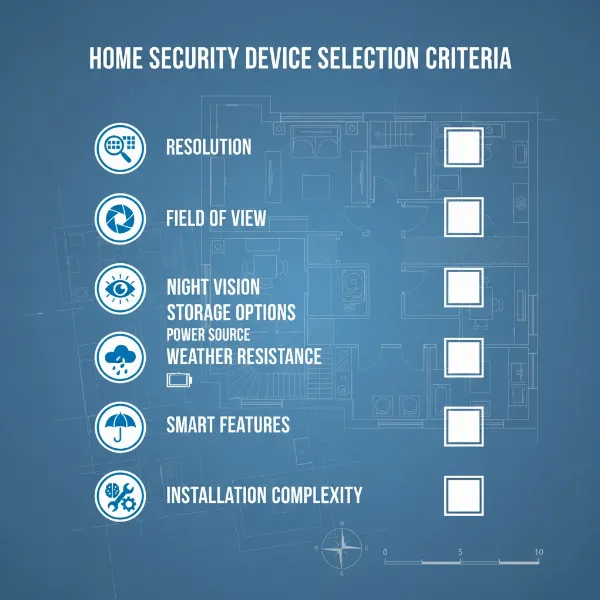
Selecting the perfect outdoor camera requires careful consideration of several technical specifications and features to ensure it meets your specific security objectives and environmental challenges.
Resolution
The clarity of your camera’s footage is paramount for identification. Higher resolution cameras, such as 1080p (Full HD), 2K, or 4K Ultra HD, provide sharper images, making it significantly easier to discern crucial details like facial features, license plates, and distinctive clothing. While 1080p is sufficient for general monitoring, 2K or 4K offers superior detail that can be critical for investigations and evidence gathering. You should balance resolution with storage capacity and network bandwidth to avoid performance issues.
View Angle
The camera’s field of view (FoV) dictates the area it can cover. A wider view angle, typically between 120 to 180 degrees, minimizes blind spots and reduces the number of cameras needed to cover a specific zone. For expansive areas like driveways or backyards, a wide-angle lens or a PTZ camera is highly beneficial. Conversely, a narrower angle (45-75 degrees) might be suitable for focused monitoring, such as an entryway.
Weather Resistance
Given their outdoor placement, cameras must be built to withstand diverse weather conditions, including heavy rain, snow, extreme heat, and cold. Look for an Ingress Protection (IP) rating, which indicates the camera’s resistance to dust and moisture. An IP66 rating means it’s dust-tight and protected against powerful water jets, making it suitable for exposed locations. For areas prone to submersion or extremely harsh conditions, an IP67 rating offers even greater protection. Most cameras can reliably operate between -40ºF to 140ºF (-40ºC to 60ºC).
Night Vision
Criminal activity often escalates after dark, making robust night vision an essential feature. Cameras with infrared (IR) LEDs provide clear black-and-white footage in total darkness. More advanced options include color night vision, which uses low-light sensors or integrated spotlights to produce full-color images at night, enhancing the ability to identify critical details. Ensure the night vision range is adequate for your monitoring area, typically 30-100 feet.
Smart Features
Modern outdoor cameras come equipped with intelligent features that significantly enhance their effectiveness and user experience.
- Motion Detection: Triggers recording and alerts only when movement is detected, conserving storage and reducing false alarms.
- AI-Powered Detection: Advanced cameras can differentiate between people, animals, vehicles, and packages, minimizing irrelevant notifications and focusing on genuine threats.
- Facial Recognition: Some high-end systems can identify known individuals and alert you to unrecognized faces, enhancing personalized security.
- Two-Way Audio: Allows for verbal interaction with individuals on your property.
- Activity Zones: Define specific areas within the camera’s view for motion detection, ignoring non-critical zones like public sidewalks.
Storage
How your footage is stored is a critical consideration for both accessibility and data security.
- MicroSD Card: Many cameras feature a built-in slot for local storage, offering a cost-effective solution without recurring fees.
- Network Video Recorder (NVR) / Digital Video Recorder (DVR): These dedicated devices provide on-site recording and storage, giving you complete control over your data. NVRs are used with IP cameras, while DVRs are for analog systems.
- Cloud Storage: Footage is uploaded to remote servers, providing easy remote access from anywhere and offering a backup in case the camera is damaged or stolen. Often requires a subscription fee.
- Hybrid Storage: Some systems combine local storage (e.g., microSD or NVR) with cloud backup, offering the best of both worlds.
Power Options
The power source impacts installation complexity and placement flexibility.
- Wired (AC Powered / PoE): Offers consistent power and reliability, eliminating battery concerns. PoE (Power over Ethernet) cameras use a single Ethernet cable for both power and data, simplifying wiring.
- Wireless (Battery-Powered): Provides maximum placement flexibility as no power outlet is needed nearby. However, batteries require periodic recharging or replacement.
- Solar-Powered: Eco-friendly and cost-effective for long-term solutions, solar panels continuously charge the camera’s battery, making it ideal for locations without easy access to power.
“When investing in outdoor security, prioritizing weather resistance and reliable night vision is non-negotiable. These two features determine the camera’s ability to perform consistently when it matters most.” – Alex Chen, Security Systems Expert
Top Outdoor Cameras on the Market
The outdoor security camera market is rich with innovative options, each boasting unique strengths. While specific product recommendations can change rapidly, understanding the qualities of top-performing models helps you make an informed decision. The best outdoor cameras typically offer a combination of high resolution (2K to 4K), advanced night vision (color or enhanced IR), and smart AI-driven detection features. Look for models with robust weatherproofing (IP66 or IP67 ratings) to ensure durability against the elements. Many top contenders also include convenient power options like solar compatibility or long-lasting rechargeable batteries. User reviews consistently highlight brands known for reliable connectivity, user-friendly mobile applications, and strong customer support. Features such as two-way audio, integrated spotlights, and local storage options (e.g., microSD card or NVR compatibility) without mandatory cloud subscriptions are also highly valued by consumers.
[image-2|top-outdoor-cameras|A collage showcasing various top-rated outdoor security camera models with their key features highlighted, in a clean, modern design.|
A collage image featuring multiple top-rated outdoor security cameras. Each camera has a small overlay highlighting a key feature like ‘4K Resolution’, ‘Color Night Vision’, ‘IP67 Weatherproof’, and ‘AI Motion Detection’. The cameras are arranged aesthetically with a clean, digital product photography style.]
How to Install Outdoor Security Cameras
Proper installation is crucial for maximizing the effectiveness and longevity of your outdoor security cameras. While some systems offer easy DIY setup, others may benefit from professional installation.
1. Choose Optimal Placement
Before drilling, meticulously plan your camera locations.
- Height: Mount cameras at least 9 feet off the ground to prevent tampering while still capturing clear details.
- Coverage: Ensure cameras cover high-traffic areas, entry points (doors, windows), and any blind spots. Use a wide field of view effectively.
- Lighting: Prefer shaded areas to avoid sun glare, though good cameras can compensate.
- Signal (for Wireless): Choose spots that maintain a strong Wi-Fi signal to your router or hub. Test the signal strength with a temporary setup before mounting.
2. Gather Necessary Tools and Materials
You’ll typically need:
- Power drill with masonry bits (for exterior walls).
- Screwdriver (electric recommended).
- Ladder or step stool.
- Chalk or pencil for marking.
- Waterproof junction boxes (for wired connections).
- Cable ties or conduits (for cable management).
- Silicone sealant for weatherproofing drilled holes.
3. Prepare for Wiring (for Wired Systems)
- Mark Locations: Use chalk to mark screw points and cable entry/exit points.
- Drill Holes: For wired cameras, drill the necessary holes for mounting screws and a larger hole for the cable to pass through the wall. Use appropriate masonry bits.
- Run Cables: Carefully route Ethernet or power cables from your indoor recording device (NVR/DVR) or power source to each camera location. Fish tape can assist in guiding cables through walls. Use waterproof RJ45 couplers for outdoor cable extensions.
4. Install Junction Boxes (for Wired Systems)
Mount weatherproof junction boxes to house cable connections and protect them from the elements. This keeps connections dry and secure, preventing corrosion and signal loss.
5. Mount the Camera
- Secure Brackets: Attach the camera’s mounting bracket securely to the wall or junction box using screws.
- Connect Wires: For wired cameras, connect the camera’s pigtail to the Ethernet cable inside the junction box.
- Attach Camera: Secure the camera to its mount.
6. Connect to Power and Network
- Wired (PoE): Connect the Ethernet cable directly to a PoE switch or NVR.
- Wired (Non-PoE): Use weatherproof power adapters near outdoor outlets, ensuring connections are protected.
- Wireless: Install batteries (if applicable) and follow the manufacturer’s app instructions to connect the camera to your Wi-Fi network.
7. Configure and Test
- Power On: Turn on the system.
- Live Feed Check: Access the live feed via your NVR/DVR or mobile app.
- Adjust Angle: Fine-tune the camera angle to ensure optimal coverage.
- Test Features: Verify night vision, motion detection, and two-way audio (if applicable) are functioning correctly.
Tips for Using and Maintaining Outdoor Cameras
To ensure your outdoor cameras provide reliable security for years to come, regular care and maintenance are essential. A proactive approach will extend their lifespan and guarantee optimal performance.
Regular Cleaning
Over time, dust, dirt, pollen, and even spiderwebs can accumulate on camera lenses and housings, leading to blurry or obstructed footage.
- Lenses: Gently clean lenses with a soft, microfiber cloth and a dedicated lens cleaner or a small amount of diluted dish soap. Avoid abrasive materials or harsh chemicals that can scratch protective coatings.
- Body: Wipe the camera body with a damp microfiber cloth to remove dirt. For hard-to-reach areas, use a cotton swab.
- Frequency: Clean exterior cameras at least every three to four months, or more frequently in dusty or pollution-heavy environments.
Check Connections and Power
Regularly inspect all connections to ensure they are secure and free from damage.
- Cables: For wired systems, check cables for any signs of wear, fraying, or damage that could disrupt power or signal. Ensure all weatherproof seals are intact.
- Wireless Batteries: For battery-powered cameras, monitor battery levels regularly through the mobile app and recharge or replace them as needed. Many apps provide low-battery reminders.
- Solar Panels: Keep solar panels clean and free of obstructions (leaves, dirt) to ensure efficient charging.
Update Firmware and Software
Manufacturers frequently release firmware updates for cameras and software updates for accompanying mobile apps. These updates often include performance enhancements, bug fixes, new features, and critical security patches. Always keep your camera’s firmware and app software up to date to ensure optimal operation and protection against vulnerabilities.
Protect from Physical Damage and Pests
- Vandalism Protection: Position cameras out of arm’s reach (at least 9 feet high). Consider protective housings if cameras are in easily accessible or high-risk areas.
- Weather Shields: While outdoor cameras are weatherproof, additional sun shields or overhangs can offer extra protection from direct sun, heavy rain, or snow, reducing lens fogging and extending life.
- Pest Control: Spiders and insects are attracted to the heat or light emitted by cameras, often building webs that obstruct the view. Use insect repellents around (but not directly on) the camera housing, or regularly brush away webs. Some advanced cameras have features to deter insects or reduce IR reflection.
Buying Guide: What to Know Before You Buy
Before making a final decision on your outdoor camera system, equip yourself with a clear understanding of your needs and the market landscape. This strategic approach ensures your investment delivers optimal security and peace of mind.
- Budget Alignment: Define your budget upfront. While high-end cameras offer advanced features, many mid-range options provide excellent security without breaking the bank. Consider the total cost of ownership, including potential cloud storage subscriptions.
- Specific Security Needs: What precisely do you want to monitor? Entrances, a large yard, or specific vulnerable spots? Your answer will guide decisions on camera types (fixed, PTZ), resolution, and field of view. Do you need to identify faces or just detect presence?
- Essential Features Checklist: Prioritize features critical for your environment. High-resolution video, robust night vision, and reliable weather resistance (IP66 or higher) are fundamental for outdoor use. Smart features like advanced motion detection or two-way audio add significant value.
- Reputable Brands and Reviews: Stick to well-known brands with a track record of reliability and good customer support. Read expert and user reviews to gauge real-world performance, especially regarding connectivity, app usability, and long-term durability.
- Integration with Smart Home: If you have an existing smart home ecosystem (e.g., Alexa, Google Assistant), choose cameras that integrate seamlessly for centralized control and enhanced automation.
- Warranty and Support: Check the manufacturer’s warranty and customer support options. A solid warranty provides peace of mind, and accessible support is invaluable for troubleshooting any issues.
- Privacy and Data Security: Understand how your footage is stored and protected. Local storage offers maximum privacy, while cloud storage requires trust in the provider’s security measures. Look for encryption and secure access protocols.
Frequently Asked Questions
What is the ideal height to mount an outdoor security camera?
It is generally recommended to mount outdoor security cameras at least 9 feet (approximately 2.7 meters) off the ground. This height makes them difficult for intruders to tamper with or disable while still providing a clear and comprehensive view of the area you wish to monitor.
Can outdoor cameras record continuously, or only when motion is detected?
Most modern outdoor cameras offer both continuous recording and motion-activated recording. Continuous recording provides a complete timeline of events but consumes more storage space. Motion-activated recording is more efficient, saving storage and sending alerts only when activity occurs, though it may miss brief events before motion is fully detected.