Securing your business premises extends beyond its interior walls. The exterior of your workspace, encompassing parking lots, entrances, loading docks, and perimeters, is often the first line of defense against theft, vandalism, and unauthorized access. Investing in robust outdoor surveillance is not just a precautionary measure; it’s a strategic decision that enhances safety, deters criminal activity, and provides invaluable evidence should an incident occur. Navigating the myriad of options can be daunting, but understanding the specific needs of your workspace and the features available will empower you to select the ideal outdoor camera system for long-term protection and peace of mind.
Outdoor Cameras: Essential Security for Workspaces
In today’s dynamic business environment, outdoor security cameras have transitioned from a luxury to a fundamental necessity. These vigilant sentinels offer 24/7 monitoring, acting as a powerful deterrent to potential wrongdoers while safeguarding valuable assets and ensuring the safety of employees and visitors. Beyond merely recording events, advanced outdoor cameras provide real-time alerts and high-quality footage crucial for investigations and liability protection. They bridge surveillance gaps, monitoring areas often overlooked, like dimly lit pathways or remote storage units. For any business, understanding the critical role these cameras play in a comprehensive security strategy is the first step toward a safer operational landscape.
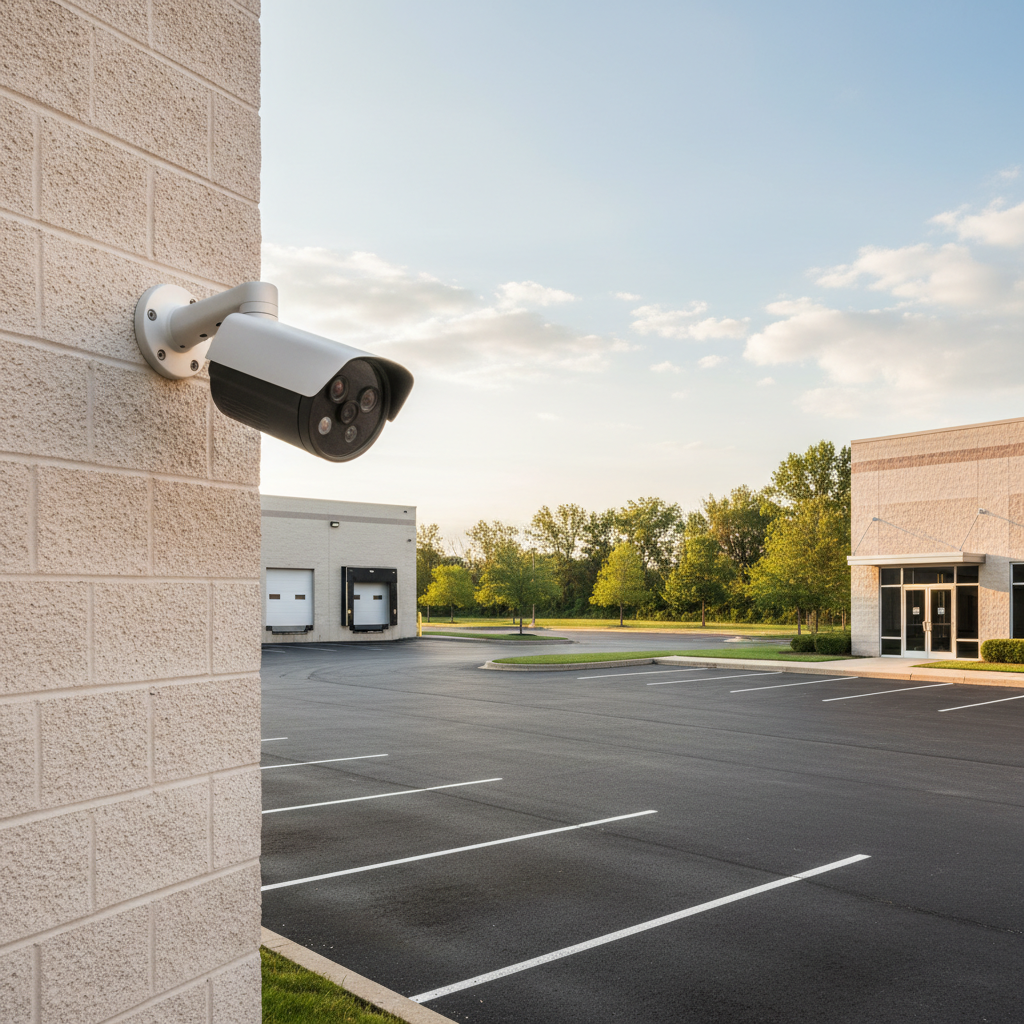
[image-1|workspace-outdoor-camera-security|A high-angle shot showing a modern outdoor security camera monitoring a commercial parking lot at dusk, with clear visibility and professional installation.|
A sleek, modern bullet-style outdoor security camera is mounted high on a building, clearly monitoring a commercial parking lot and entrance during the early evening. The camera’s lens is visible, suggesting high resolution, and the lighting is a mix of natural dusk and subtle artificial light, showcasing good low-light performance. The style is realistic and professional.]
Common Types of Outdoor Cameras for Businesses
Choosing the right camera begins with understanding the different types available and their optimal applications for a workspace environment. Each category offers distinct advantages in terms of coverage, features, and durability.
By Technology:
- Analog Cameras: These traditional cameras transmit video signals over coaxial cables to a Digital Video Recorder (DVR). While often more affordable, their resolution is typically lower than IP cameras, making them suitable for basic surveillance needs where ultra-high detail isn’t paramount. They are a reliable choice for smaller businesses with existing coaxial infrastructure.
- IP (Internet Protocol) Cameras: IP cameras transmit digital video over a network (Ethernet or Wi-Fi) to a Network Video Recorder (NVR) or cloud storage. They offer superior resolution, often up to 4K, and support advanced features like AI analytics. PoE (Power over Ethernet) IP cameras are particularly popular for businesses as they receive both power and data through a single cable, simplifying installation and enhancing reliability.
- Wireless Cameras: These cameras connect to your network via Wi-Fi, offering flexible placement without the need for extensive cabling. While convenient, their reliability can be affected by signal interference and battery life, though some models feature solar panels for continuous charging. They are often best for smaller areas or temporary installations where running cables is impractical.
By Features and Form Factor:
- Bullet Cameras: Easily recognizable by their cylindrical shape, bullet cameras are highly visible and serve as an effective deterrent. They are excellent for long-range surveillance, making them ideal for monitoring parking lots, perimeters, and building entrances. Many come with weatherproof housings and integrated infrared (IR) night vision.
- Dome Cameras: Designed with a discreet, often vandal-resistant dome housing, these cameras are popular for their wide-angle coverage and ability to be mounted on ceilings or walls without being overly conspicuous. They offer robust protection against tampering and harsh weather.
- PTZ (Pan-Tilt-Zoom) Cameras: These advanced cameras allow operators to remotely pan horizontally, tilt vertically, and zoom in optically on specific areas. A single PTZ camera can cover a vast area, significantly reducing the number of cameras needed for large workspaces like warehouses or expansive outdoor lots. They often feature active tracking and preset patrol functions.
- Turret Cameras: Sometimes called “eyeball” cameras, turret cameras combine the discrete mounting of a dome with the adjustable lens of a bullet camera. They offer excellent flexibility for aiming and often avoid the IR reflection issues sometimes seen with dome covers.
- Cameras with Microphones and Speakers: Offering two-way audio, these cameras allow for communication with individuals on the premises, serving as both an active deterrent (e.g., issuing verbal warnings) and a tool for managing deliveries or answering questions.
- Infrared (IR) Cameras: Most outdoor cameras incorporate IR LEDs for night vision, enabling them to capture clear black-and-white images in complete darkness.
- Color Night Vision Cameras: Some advanced cameras use specialized sensors and/or integrated spotlights to provide full-color video even in very low-light conditions, offering richer detail than traditional IR.
Each type has unique strengths. Bullet cameras provide clear directional coverage for long distances, while dome cameras offer discreet, wide-angle monitoring. PTZ cameras are unmatched for dynamic, expansive site surveillance.
Key Features to Consider When Selecting Outdoor Cameras
Choosing the optimal outdoor camera for your workspace requires a careful evaluation of several critical features. These factors will directly impact the effectiveness, reliability, and longevity of your surveillance system.
Resolution
The clarity of your video footage is paramount. Higher resolution means more detail, which is essential for identifying faces, license plates, and other critical information.
- 1080p (Full HD): A good baseline, offering clear images for general surveillance.
- 2K (Quad HD): Provides significantly more detail than 1080p, ideal for areas where moderate detail is needed.
- 4K (Ultra HD): The highest resolution commonly available for commercial cameras, delivering exceptional detail. This is particularly beneficial for monitoring large areas, allowing you to digitally zoom in on footage without significant pixelation.
|
Our Picks for the Best Outdoor camera in 2026
As an Amazon Associate I earn from qualifying purchases.
|
||
| Num | Product | Action |
|---|---|---|
| 1 | GMK Security Cameras Wireless Outdoor 4 Pack, 2K Battery Powered Cameras for Home Security, Color Night Vision, Motion Detection, 2-Way Talk, IP65 Waterproof, Remote Access, Cloud/SD Storage |

|
| 2 | All-new Blink Video Doorbell + Outdoor 4 – Wireless smart security cameras, head-to-toe HD view, two-year battery life. Sync Module Core included – 2 camera system + Video Doorbell |
|
| 3 | eufy Security 3K Dual Camera, SoloCam S340, Solar Security Cameras Wireless Outdoor, Cameras for Home Security, 360°Coverage, Pan & Tilt, No Blind Spots, No Monthly Fee, HomeBase S380 Compatible |
|
| 4 | Security Cameras Wireless Outdoor 355° Pan Rotating 2K Color Night Vision Cameras for Home Security WiFi Battery Outdoor Camera Motion Detection 2-Way Talk IP65 Spotlight Siren SD/Cloud Storage 2 Pack |
|
| 5 | Blink Outdoor 4 – Wireless smart security camera, two-year battery life, 1080p HD day and infrared night live view, two-way talk. Sync Module Core included – 3 camera system |
|
| 6 | aosu Security Cameras Outdoor Wireless, 4 Cam-Kit, No Subscription Required, Solar-Powered, Home Security Cameras System with 360° Pan & Tilt, Auto Tracking, 2K Color Night Vision, Easy Setup |
|
| 7 | WYZE Cam v4 (Latest Model), 2.5K AI Security Camera, Indoor/Outdoor Cameras for Home Security, Baby Monitor & Pet Camera, Vibrant Color Night Vision, No Subscription Required, Free Expert Help |
|
| 8 | 2026 Upgraded 2K Security Cameras Wireless Outdoor, Free Cloud Storage, 1-6 Months Battery Life, Waterproof, 2-Way Talk, AI Motion Detection Spotlight Siren Alarm Cameras for Home Security |
|
| 9 | Ring Outdoor Cam (Stick Up Cam), Weather-resistant home or business security camera, outdoor ready, Live View, Color Night Vision, Two-Way Talk, motion alerts, Works with Alexa, White |
|
| 10 | Ring Outdoor Cam Plus, Battery (newest model), Home or business security, Wide-Angle 2K Video with Ring Vision, Low-Light Sight for full-color night vision, Mount-Anywhere Versatility, Black |
|
Field of View and Optical Zoom
The area a camera can cover is crucial for minimizing blind spots.
- Wide-Angle Lenses: Cameras with a broad field of view (e.g., 100 degrees or more) can monitor larger areas with fewer cameras.
- Optical Zoom: Unlike digital zoom, optical zoom uses the camera’s lens to magnify an image without losing clarity. This is essential for focusing on distant objects or specific details in a large workspace. PTZ cameras excel in this area.
Weather Resistance and Durability
Outdoor cameras must endure harsh environmental conditions year-round.
- IP Rating (Ingress Protection): Look for cameras with an IP66 or IP67 rating. IP66 indicates complete protection against dust and strong water jets, while IP67 adds protection against temporary immersion in water.
- Operating Temperature Range: Ensure the camera can function reliably in both the highest and lowest temperatures experienced in your region.
- Corrosion Resistance: For coastal or industrial areas, models made from materials like stainless steel or reinforced polyamides offer better protection against corrosive elements.
- Anti-Vandal Features: Robust housings and tamper-resistant designs are vital in areas prone to vandalism or deliberate obstruction.
Night Vision and Low-Light Performance
Most incidents occur under the cover of darkness, making night vision indispensable.
- Infrared (IR) Illumination: Standard for most outdoor cameras, IR LEDs provide black-and-white vision in complete darkness.
- Color Night Vision: Achieved through advanced sensors or integrated spotlights, this feature provides more detailed, full-color images at night.
- Wide Dynamic Range (WDR): Essential for handling challenging lighting conditions, such as strong backlighting or glare, ensuring clear images where there are extreme differences in light and shadow.
Smart Features and AI Analytics
Modern cameras offer intelligent functionalities that enhance security and operational efficiency.
- Motion Detection: Triggers recording or alerts when movement is detected. Advanced systems offer
human and vehicle detectionto minimize false alarms from animals or environmental factors. - Line Crossing & Zone Detection: Configures virtual boundaries that trigger alerts when crossed or when activity occurs within a defined zone.
- Active Deterrence: Features like built-in strobe lights, sirens, and two-way audio can actively ward off intruders in real-time.
- AI Tracking: Some PTZ cameras can automatically follow moving subjects, ensuring continuous surveillance of a target.
Storage Options
How your footage is stored impacts accessibility, retention, and cost.
- Local Storage (NVR/DVR or MicroSD): Network Video Recorders (NVRs) are common for IP systems, offering robust on-site storage with significant capacity. Digital Video Recorders (DVRs) are used with analog cameras. Many individual cameras also offer MicroSD card slots for edge storage.
- Cloud Storage: Provides off-site storage, accessible remotely, and protects footage even if the camera or NVR is compromised. This typically involves a recurring subscription fee.
- Hybrid Solutions: Combine local storage for continuous recording with cloud backup for critical events, offering the best of both worlds.
Power and Connectivity
Reliable power and network connection are crucial for uninterrupted surveillance.
- Power over Ethernet (PoE): Highly recommended for commercial installations, PoE delivers both power and data through a single Ethernet cable, simplifying wiring and enhancing stability compared to Wi-Fi.
- Wireless (Wi-Fi/LTE): Offers installation flexibility. Wi-Fi is suitable where a strong signal is available, while LTE/4G cameras are ideal for remote locations without wired internet access, often supplemented with solar power.
- Wired Connections: Provide the most stable and reliable data transmission, essential for high-resolution streams and critical applications.
Guide to Outdoor Camera Installation
Proper installation is as crucial as selecting the right camera. A well-planned and executed installation ensures optimal performance, reliability, and coverage for your workspace.
1. Select Optimal Installation Positions
Carefully identify the key areas requiring surveillance, such as entry points, loading docks, parking areas, and vulnerable perimeters. Consider mounting cameras high enough to prevent tampering but low enough to capture clear facial recognition and other details. Aim for locations that minimize obstructions from trees, vehicles, or architectural elements. For broad coverage, consider corner placements or strategic use of PTZ cameras.
2. Prepare Tools and Materials
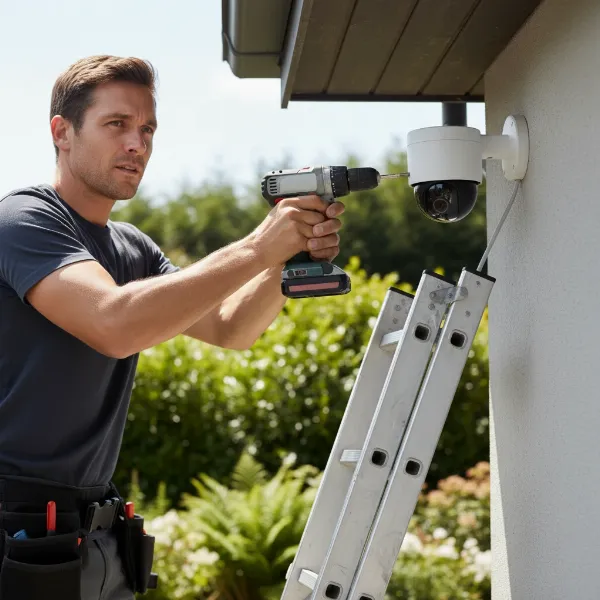
Gather all necessary equipment before you begin. This typically includes a drill, various drill bits, screwdrivers, mounting brackets, appropriate screws and anchors, cable ties, weatherproof junction boxes (if needed), network cables (Ethernet for PoE/IP, coaxial for analog), power cables, and a ladder. If working with wired systems, a cable tester and crimping tool might also be required.
3. Connect Camera to Power and Network
- PoE Cameras: Run a single Ethernet cable from your PoE switch or NVR to the camera. This cable provides both power and data.
- Wireless Cameras: Mount the camera, ensuring it’s within range of your Wi-Fi network. Connect it to a power source (either a nearby outlet or a solar panel if applicable).
- Analog Cameras: Run a coaxial cable for video and a separate power cable to the camera, connecting them to a DVR.
Ensure all cable connections are secure and weatherproofed to prevent damage from moisture or tampering.
4. Configure Camera Settings and Features
Once physically installed, access the camera’s interface (via a computer or mobile app) to configure its settings. This includes:
- Network Setup: Assigning IP addresses (if not using DHCP) and ensuring network connectivity.
- Resolution and Frame Rate: Adjusting these to balance image quality with storage capacity.
- Night Vision Settings: Optimizing IR or color night vision performance.
- Motion Detection and AI Analytics: Defining activity zones, setting sensitivity levels for human/vehicle detection, and configuring alert notifications.
- Recording Schedules: Setting when cameras should record (e.g., continuous, motion-triggered).
- Firmware Updates: Always ensure the camera firmware is up to date for optimal performance and security.
5. Test and Adjust Field of View
After initial configuration, thoroughly test each camera. View the live feed and recorded footage to confirm that the desired areas are adequately covered and there are no blind spots. Adjust the camera’s angle and focus as needed. For PTZ cameras, test pan, tilt, and zoom functionalities, and set up any necessary preset tours. This final testing phase is crucial to ensure your surveillance system operates effectively.
Maximizing Performance: Tips for Using and Maintaining Outdoor Cameras
To ensure your outdoor cameras consistently deliver optimal performance and a long lifespan, regular use and maintenance are essential. These simple practices can prevent common issues and extend the utility of your investment.
Clean Cameras Regularly
Dust, dirt, cobwebs, and water spots can accumulate on camera lenses and housings, degrading image quality. Gently wipe lenses with a soft, clean cloth and a specialized lens cleaner to avoid scratches. Clear away any debris from the camera body and housing, paying attention to IR LEDs or spotlights that could be obscured. The frequency of cleaning depends on your environment; more dusty or humid areas may require monthly cleaning, while others might be fine quarterly.
Periodically Check Connections and Power
Loose cables or compromised power sources can lead to intermittent recording or complete system failure. Regularly inspect all cable connections, especially for wired and PoE systems, to ensure they are secure and weatherproofed. For wireless cameras, check Wi-Fi signal strength and battery levels (if applicable), and ensure solar panels are clean and unobstructed to maintain efficient charging. Address any signs of wear or damage to cabling promptly.
Keep Software and Firmware Updated
Manufacturers frequently release firmware updates that improve camera performance, add new features, patch security vulnerabilities, and fix bugs. Make it a routine to check for and install these updates. Outdated software can expose your system to security risks and lead to compatibility issues or suboptimal operation. Follow the manufacturer’s instructions carefully when performing updates.
Protect Cameras from Physical Impact
While many outdoor cameras are built with durable, vandal-resistant housings, additional protection can further extend their life. Consider installing cameras in locations that naturally offer some shelter from extreme weather, such as under eaves or awnings. If cameras are in high-traffic or accessible areas, consider adding protective cages or shrouds to deter tampering and physical damage. Ensure mounting hardware remains tight and secure to prevent dislodging.
Legal and Ethical Considerations for Workplace Surveillance
Implementing outdoor security cameras in a workspace involves more than just technical decisions; it also requires careful consideration of legal and ethical implications. Adhering to regulations and respecting privacy rights is paramount to avoid legal repercussions and maintain trust.
Privacy Expectations
In the U.S., there is no single federal law governing workplace surveillance, leaving many specifics to state legislation. However, a general rule is that cameras are prohibited in areas where individuals have a “reasonable expectation of privacy.” This typically includes restrooms, locker rooms, and changing areas. Some states may extend this to employee lounges or break rooms. For outdoor areas, while privacy expectations are generally lower, it’s crucial to consider the scope of surveillance and avoid capturing private residences or areas outside your property line unnecessarily.
Disclosure Requirements
Most jurisdictions and legal experts strongly recommend, and often require, that employers clearly disclose the presence of security cameras to employees, customers, and visitors. This typically involves:
- Clear Signage: Placing visible signs at entrances and around the monitored premises to inform individuals that surveillance is in progress.
- Employee Handbook: Outlining the workplace surveillance policy, including camera locations, purposes, and footage handling protocols, in an employee handbook or similar document. Obtaining written acknowledgment from employees is a best practice.
Legitimate Business Reasons
Employers must have legitimate business reasons for installing surveillance cameras. These commonly include:
- Security and Theft Prevention: Protecting property, equipment, and inventory from theft, vandalism, and unauthorized access.
- Employee Safety: Ensuring a safe working environment and providing evidence in case of accidents or emergencies.
- Liability Protection: Documenting events for insurance claims or legal disputes.
- Productivity Monitoring (with caveats): While productivity can be a factor, it should not be the sole or primary reason, especially if it infringes on privacy or protected activities (e.g., union organization).
State-Specific Laws
Surveillance laws vary significantly by state. Some states have specific statutes regarding video and audio recording in the workplace. For example, some states may have stricter requirements for notifying employees or prohibitions on hidden cameras. Furthermore, federal wiretap laws may restrict the use of audio recording in conjunction with video surveillance. It is highly advisable to consult with a legal professional familiar with your state’s specific surveillance laws to ensure full compliance before installing any cameras.
“The landscape of workplace surveillance is complex. Businesses must balance their legitimate security needs with the fundamental privacy rights of individuals. Transparency, clear policies, and strict adherence to local regulations are non-negotiable for responsible camera deployment.” – Jane Doe, Corporate Security Legal Advisor
Conclusion
Choosing the right outdoor camera for your workspace is a critical decision that significantly impacts the safety, security, and operational integrity of your business. By carefully assessing your specific needs, understanding the various camera types, and prioritizing essential features like high resolution, robust weather resistance, advanced night vision, and intelligent analytics, you can build a resilient surveillance system. Remember to consider crucial aspects such as power and connectivity options, diverse storage solutions, and the vital legal and ethical considerations surrounding privacy and disclosure. Investing time in this decision will yield long-term benefits, providing unparalleled peace of mind and an ironclad defense for your business assets and personnel. What steps will you take today to fortify your workspace’s exterior security?
Frequently Asked Questions
What is the ideal resolution for outdoor cameras in a commercial setting?
For commercial outdoor surveillance, a resolution of at least 1080p (Full HD) is recommended for clear images. However, 2K or 4K (Ultra HD) cameras offer significantly more detail, which is crucial for identifying faces and license plates over larger areas, and provide better digital zoom capabilities for post-event analysis.
What IP rating should an outdoor camera have for harsh weather?
An outdoor camera for a workspace should ideally have an IP66 or IP67 rating. IP66 ensures protection against dust ingress and strong jets of water, suitable for most weather conditions. IP67 offers even greater protection, including temporary immersion, making it suitable for extremely challenging environments.
Should I choose wired or wireless outdoor cameras for my business?
For most commercial applications, wired cameras, particularly Power over Ethernet (PoE) IP cameras, are preferred due to their superior reliability, stability, and security. They also simplify installation by delivering both power and data through a single cable. Wireless cameras offer flexibility but can be susceptible to signal interference and battery limitations.
Are there specific features to look for to deter crime effectively?
Yes, features such as visible bullet camera designs, active deterrence (built-in strobe lights and sirens), and two-way audio can effectively deter potential criminals. AI-powered motion detection that distinguishes between humans and vehicles also helps in generating timely and relevant alerts.
Can outdoor cameras integrate with existing security systems?
Many modern outdoor cameras, especially IP-based systems, are designed for integration. Look for cameras that support open standards like ONVIF, which allows cross-vendor compatibility. This enables seamless integration with existing Network Video Recorders (NVRs), alarm panels, access control systems, and centralized monitoring software.