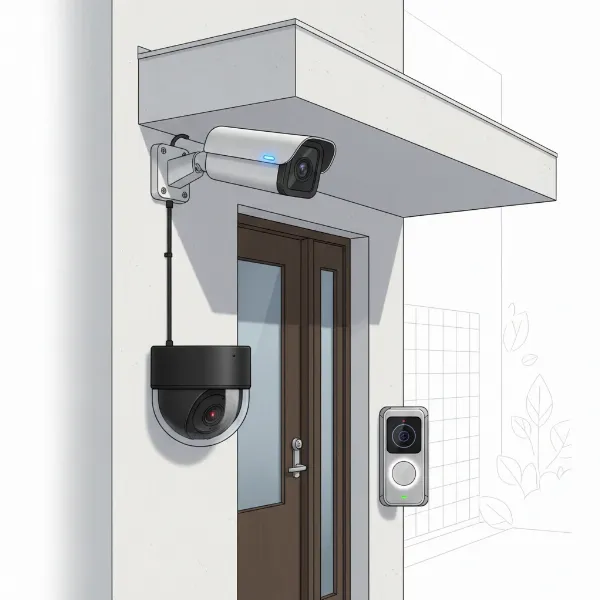
Investing in an outdoor camera can transform how you protect your property and family, offering a constant watchful eye and unparalleled peace of mind. In a world where security concerns are ever-present, these devices move beyond simple surveillance, acting as proactive deterrents and invaluable tools for safeguarding your home or business. With rapid advancements in technology, today’s outdoor cameras boast features from crystal-clear resolution and robust weather resistance to intelligent AI detection and seamless smart home integration. This comprehensive guide will navigate you through the world of outdoor cameras, helping you understand their types, crucial features, top models, installation best practices, and essential maintenance, ensuring you make the best choice for your unique security needs.
Outdoor Cameras: Your Essential Security Solution
Outdoor security cameras are no longer a luxury but a fundamental component of modern home and business security systems. They serve as the first line of defense, providing visual deterrence to potential intruders and capturing critical evidence should an incident occur. Studies suggest that visible camera installations can significantly deter criminal activity, with some showing retail theft decreasing by as much as 25% due to their presence. Beyond deterring crime, these cameras offer constant vigilance, allowing you to monitor your property remotely from anywhere in the world. Whether it is keeping an eye on package deliveries, supervising children playing in the yard, or simply ensuring everything is safe while you are away, outdoor cameras provide an invaluable sense of security and control.
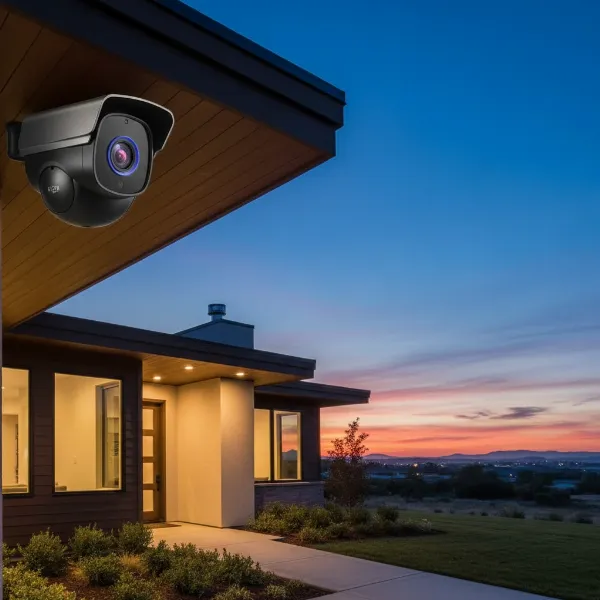 An outdoor security camera mounted on a modern house facade, illustrating home protection and peace of mind at dusk.
Exploring Outdoor Camera Types
The market offers a diverse range of outdoor cameras, each with distinct technologies, features, and form factors designed to meet various security demands. Understanding these differences is key to selecting the right system for your property.
By Technology
- Analog Cameras: These traditional cameras connect to a Digital Video Recorder (DVR) via coaxial cables. While generally less expensive, they offer lower resolution compared to modern IP cameras.
- IP (Internet Protocol) Cameras: Utilizing your home network, IP cameras transmit video digitally over Ethernet cables or Wi-Fi. They offer higher resolutions (1080p, 2K, 4K), advanced features, and remote access. Wired IP cameras often use Power over Ethernet (PoE) for simplified installation with a single cable for both power and data.
- Wireless Cameras: These cameras transmit video wirelessly over Wi-Fi, offering flexible placement and easier installation as they don’t require extensive wiring for data. Many are battery-powered, some with solar charging options, further simplifying setup.
|
Our Picks for the Best Outdoor camera in 2026
As an Amazon Associate I earn from qualifying purchases.
|
||
| Num | Product | Action |
|---|---|---|
| 1 | eufy Security 3K Dual Camera, SoloCam S340, Solar Security Cameras Wireless Outdoor, Cameras for Home Security, 360°Coverage, Pan & Tilt, No Blind Spots, No Monthly Fee, HomeBase S380 Compatible |

|
| 2 | Ring Outdoor Cam Plus, Battery (newest model), Home or business security, Wide-Angle 2K Video with Ring Vision, Low-Light Sight for full-color night vision, Mount-Anywhere Versatility, Black |
|
| 3 | aosu Security Cameras Outdoor Wireless, 4 Cam-Kit, No Subscription Required, Solar-Powered, Home Security Cameras System with 360° Pan & Tilt, Auto Tracking, 2K Color Night Vision, Easy Setup |
|
| 4 | WYZE Cam v4 (Latest Model), 2.5K AI Security Camera, Indoor/Outdoor Cameras for Home Security, Baby Monitor & Pet Camera, Vibrant Color Night Vision, No Subscription Required, Free Expert Help |
|
| 5 | 2026 Upgraded 2K Security Cameras Wireless Outdoor, Free Cloud Storage, 1-6 Months Battery Life, Waterproof, 2-Way Talk, AI Motion Detection Spotlight Siren Alarm Cameras for Home Security |
|
| 6 | Blink Outdoor 4 – Wireless smart security camera, two-year battery life, 1080p HD day and infrared night live view, two-way talk. Sync Module Core included – 3 camera system |
|
| 7 | GMK Security Cameras Wireless Outdoor 4 Pack, 2K Battery Powered Cameras for Home Security, Color Night Vision, Motion Detection, 2-Way Talk, IP65 Waterproof, Remote Access, Cloud/SD Storage |
|
| 8 | Security Cameras Wireless Outdoor 355° Pan Rotating 2K Color Night Vision Cameras for Home Security WiFi Battery Outdoor Camera Motion Detection 2-Way Talk IP65 Spotlight Siren SD/Cloud Storage 2 Pack |
|
| 9 | Ring Outdoor Cam (Stick Up Cam), Weather-resistant home or business security camera, outdoor ready, Live View, Color Night Vision, Two-Way Talk, motion alerts, Works with Alexa, White |
|
| 10 | All-new Blink Video Doorbell + Outdoor 4 – Wireless smart security cameras, head-to-toe HD view, two-year battery life. Sync Module Core included – 2 camera system + Video Doorbell |
|
By Features
- Infrared (IR) Cameras: Equipped with IR LEDs, these cameras provide clear black-and-white night vision in total darkness, crucial for 24/7 surveillance.
- Color Night Vision Cameras: More advanced models use low-light sensors or integrated spotlights to capture full-color video even at night, enhancing detail and identification.
- Zoom Cameras: Allowing you to optically or digitally zoom in on specific areas without losing much clarity, these are useful for monitoring larger distances.
- PTZ (Pan-Tilt-Zoom) Cameras: These cameras offer mechanical control, allowing you to remotely pan horizontally, tilt vertically, and zoom in or out, providing a dynamic and expansive view of your property.
- Two-Way Audio Cameras: Featuring built-in microphones and speakers, these cameras enable real-time communication with visitors or deter intruders through audible warnings.
By Form Factor
- Bullet Cameras: Characterized by their cylindrical shape, bullet cameras are highly visible and often used as a deterrent. They are typically mounted outdoors and offer a fixed, long-range view, ideal for perimeters and parking lots.
- Dome Cameras: Encased in a protective dome, these cameras are more discreet and vandal-resistant. While some models are fixed, many offer wide-angle views and can be mounted on walls or ceilings, suitable for broader area coverage.
- Turret Cameras (Eyeball Cameras): Similar to dome cameras but without the protective outer dome, turret cameras offer flexibility in aiming the lens while maintaining a somewhat discreet profile. They are known for better IR performance by avoiding IR reflection from the dome cover.
Each type has its own set of advantages and disadvantages. For instance, wired IP cameras offer superior reliability and uninterrupted power, making them ideal for long-term security setups. In contrast, wireless battery-powered cameras provide ease of installation and placement flexibility, though they may require periodic battery recharging.
Outdoor Camera Comparison: Key Features at a Glance
Choosing the right outdoor camera involves balancing various specifications to match your security priorities and budget. Here’s a comparison of essential features to consider:
| Feature | Description | Key Considerations |
|---|---|---|
| Resolution | The clarity and detail of the video footage (e.g., 1080p, 2K, 4K). | Higher resolution (2K/4K) offers sharper images, better for identifying faces and license plates, but requires more storage and bandwidth. 1080p is a good standard. |
| Field of View (FoV) | The width of the area the camera can capture. | A wider FoV (120-180 degrees) covers more ground, potentially reducing the number of cameras needed. Pan-tilt-zoom (PTZ) features offer dynamic adjustment. |
| Weather Resistance | Ability to withstand outdoor elements (rain, dust, extreme temperatures). | Look for an IP (Ingress Protection) rating, typically IP65 or IP66, indicating dust-tight and water-jet resistant capabilities. |
| Night Vision | How well the camera sees in low-light or darkness. | Infrared (IR) provides clear black-and-white footage. Color night vision, often aided by spotlights, offers more detail. Ensure the range is sufficient (e.g., 30-100 feet). |
| Smart Features | AI-powered detection, customizable zones, alerts. | Intelligent motion detection (differentiating humans, vehicles, pets from wind-blown branches) reduces false alarms. Activity zones focus monitoring on critical areas. |
| Storage Options | Where recorded video is saved. | Local: MicroSD cards or NVR/DVR for privacy and no subscription. Cloud: Remote access, sharing, and off-site backup, often requires subscription fees. Hybrid options offer both. |
| Power Source | How the camera receives power. | Wired (PoE): Stable, continuous power, but harder to install. Battery: Flexible placement, easier installation, requires recharging. Solar: Eco-friendly, minimal maintenance for sunny locations. |
| Cost | Upfront camera price and potential subscription fees. | Balance initial cost with ongoing subscription fees for cloud storage and advanced AI features. Consider total cost of ownership over time. |
Crucial Criteria for Selecting Your Outdoor Camera
Choosing the best outdoor camera for your home or business requires a careful evaluation of several critical features. Prioritizing these criteria will help you find a system that offers reliable surveillance and maximum peace of mind.
- Resolution: The clarity of your video footage is paramount for identification. While 1080p (Full HD) is a good baseline, many newer models offer 2K or even 4K (Ultra HD) resolution, providing significantly sharper images where details like facial features and license plates are much clearer. Higher resolution, however, demands more storage space and robust network bandwidth for streaming.
- Field of View (FoV): A wider field of view means a single camera can cover a larger area, potentially reducing the total number of cameras you need. Look for cameras with an FoV between 120 to 180 degrees. For dynamic coverage, PTZ (Pan-Tilt-Zoom) cameras allow you to remotely adjust the viewing angle and zoom.
- Weather Resistance and Durability: Outdoor cameras must withstand diverse environmental conditions, from heavy rain and snow to intense heat and cold. An Ingress Protection (IP) rating is essential; aim for IP65 or IP66, which ensures the camera is protected against dust ingress and water jets from any direction. Durable housing materials like high-grade metals or impact-resistant plastics also contribute to longevity and protection against vandalism.
- Night Vision Capability: Most criminal activity occurs under the cover of darkness, making strong night vision a non-negotiable feature. Cameras typically use infrared (IR) LEDs for black-and-white night video, but advanced models offer color night vision, which uses low-light sensors or built-in spotlights to capture more detailed, colorful images at night. Ensure the night vision range is adequate for your property, usually 30 to 100 feet.
- Smart Features and Motion Detection: Basic motion detection triggers recording and alerts when movement is detected. However, intelligent AI-powered features are crucial for peace of mind, as they can distinguish between humans, vehicles, and animals, significantly reducing false alarms from swaying branches or passing wildlife. Customizable motion zones allow you to focus monitoring on specific areas, ignoring irrelevant activity outside critical zones.
- Storage Options: How your footage is stored impacts accessibility and privacy.
- Local Storage: Often via a microSD card slot or network video recorder (NVR)/digital video recorder (DVR), this keeps recordings private and accessible without subscription fees. However, local storage can be vulnerable if the device is stolen or damaged.
- Cloud Storage: Offers off-site backup, easy video sharing, and extended recording histories, usually requiring a monthly or yearly subscription. Many systems provide limited free cloud storage (e.g., 7 days) before requiring a paid plan.
- Hybrid Solutions: Many cameras offer a combination of both, providing the best of both worlds.
- Power Options and Battery Life: Consider the convenience and reliability of power.
- Wired Cameras (PoE): Deliver a constant power supply and reliable connection, ideal for permanent installations, but require running cables.
- Battery-Powered Cameras: Offer maximum flexibility in placement and easy installation, but require periodic recharging (typically every 3-12 months).
- Solar-Powered Cameras: Combine battery power with a solar panel for continuous operation, reducing maintenance for sunny locations.
- Two-Way Audio: A built-in microphone and speaker allow you to hear what’s happening and speak through the camera. This is useful for interacting with delivery personnel or deterring unwanted visitors. Look for noise-cancellation technology for clearer communication in noisy environments.
- Smart Home Integration: Seamless integration with existing smart home ecosystems (like Amazon Alexa, Google Assistant, Apple HomeKit) enhances control and automation. You can view camera feeds on smart displays or trigger other smart devices (e.g., lights) based on camera activity.
- Privacy and Data Security: With increased connectivity, digital security is paramount. Look for cameras offering end-to-end encryption to protect your footage from hackers. Reputable manufacturers regularly provide firmware updates to address vulnerabilities, so choosing brands known for strong security practices is essential.
Top Outdoor Cameras for 2026
The market for outdoor security cameras is robust, with several models standing out for their features, reliability, and user satisfaction. Here are some of the top contenders for 2026:
- Eufy SoloCam S340: This model is highly praised for its dual cameras, offering both a wide-angle lens for detection and a telephoto lens for detailed identification, alongside impressive 3K resolution. It includes mechanical pan, tilt, and zoom capabilities, solar charging for continuous power, and local storage, minimizing subscription needs. AI subject recognition intelligently tracks people, vehicles, and pets.
- Aqara Camera Hub G5 Pro: Earning accolades for its comprehensive smart home connectivity, the G5 Pro supports Matter, Thread, and Zigbee, integrating seamlessly with Amazon Alexa, Google Home, Apple HomeKit, and Samsung SmartThings. It delivers sharp 2K video with AI-driven motion detection and offers built-in video storage.
- SimpliSafe Outdoor Camera: Known for its robust security features, the SimpliSafe outdoor camera offers 1080p resolution and a 140-degree field of view. Its standout feature is Active Guard Outdoor Protection, which allows monitoring agents to actively deter threats using the camera’s siren, spotlight, and two-way audio (with a premium plan).
- Google Nest Cam (Battery): This camera is lauded for its ease of installation, elegant design, and effective detection of people, vehicles, and animals. It offers clear video and can save several hours of video locally even if the internet goes down, making it an excellent choice for Google Home users.
- Arlo Pro 4 / Arlo Essential Pan Tilt (2025): Arlo cameras are frequently recommended for their 2K HDR resolution, wide field of view (up to 160 degrees), color night vision, and strong smart home integration. The Arlo Essential Pan Tilt provides mechanical pan and tilt, a spotlight, and a siren, offering a comprehensive feature set in a weatherproof package.
- Blink Outdoor 4 / Blink Outdoor 2K+: Ideal for budget-conscious users and those seeking easy setup, the Blink Outdoor 4 (and 2K+ version) offers 1080p (or 2K) resolution, a wide field of view, and impressive battery life (up to two years on AA batteries). It’s particularly suited for Alexa users due to seamless integration.
- Wyze Cam Outdoor v2 / Wyze Cam Pan V3: Wyze offers compelling value with its affordable cameras. The Wyze Cam Outdoor v2 is recognized for local video storage and remote monitoring, while the Wyze Cam Pan V3 provides 360-degree pan and 180-degree tilt functionality, making it a versatile option for maximizing coverage.
Step-by-Step Outdoor Camera Installation Guide
Proper installation is crucial for your outdoor camera system to be effective. While many modern cameras are designed for DIY installation, careful planning and execution are key.
- Site Assessment and Placement: Walk around your property to identify critical monitoring zones such as main entry points (front door, back door, ground-floor windows), driveways, garages, and secluded areas. Position cameras strategically, ideally 8 to 10 feet above the ground to prevent tampering and provide a broad view. Ensure there are no blind spots and avoid pointing cameras directly at direct sunlight or bright lights to prevent glare. Remember to consider your neighbors’ privacy and local regulations, ensuring cameras are focused on your property.
- Gather Tools and Materials: Before you begin, collect all necessary tools: a drill, ladder, screwdriver, cable clips or conduits (for wired cameras), and mounting hardware (usually included with the camera). For wired installations, you might need weatherproof junction boxes and silicone caulk to seal entry points.
- Mounting the Camera: Securely mount the camera according to the manufacturer’s instructions. For wireless cameras, this often involves a few screws. For wired cameras, you’ll need to drill holes for mounting and to route cables. Ensure the mounting surface is sturdy enough to hold the camera.
- Connect Power and Network:
- Wired Cameras: If using PoE, run an Ethernet cable from your router/switch to the camera. If using a separate power cable, connect it to a weatherproof outdoor outlet. Use rubber grommets and silicone caulk to seal any holes where cables enter walls or junction boxes to prevent moisture ingress.
- Wireless Cameras (Battery/Solar): Simply mount the camera. Ensure it’s within range of your Wi-Fi network. For solar-powered cameras, position the solar panel in an area that receives ample sunlight.
- Configuration and App Setup: Download the camera’s dedicated mobile app. Follow the in-app instructions to connect the camera to your Wi-Fi network, create an account, and configure initial settings. This usually involves scanning a QR code on the camera or connecting to its temporary Wi-Fi hotspot.
- Test and Adjust: Once installed and configured, thoroughly test your camera system. Check the live feed on your app to ensure the camera is covering the intended area without obstructions or blind spots. Adjust the camera’s angle as needed. Test motion detection and alerts to ensure they are functioning correctly and that you are receiving timely notifications.
- Secure Your System: Change default passwords immediately and enable two-factor authentication (2FA) for added security. Keep the camera’s firmware updated to benefit from the latest security patches and features.
Maximizing Your Camera’s Lifespan: Usage and Maintenance Tips
To ensure your outdoor camera continues to provide optimal performance and lasting peace of mind, regular usage and maintenance are essential.
- Regular Cleaning: Over time, dust, dirt, pollen, spiderwebs, and water spots can accumulate on the camera lens, degrading image quality. Gently clean the lens and housing regularly with a soft, damp cloth, avoiding harsh chemicals that could damage the coating.
- Check Connections and Power: Periodically inspect all physical connections. For wired cameras, ensure cables are securely plugged in and free from damage or fraying, especially after extreme weather conditions. For battery-powered units, monitor battery life through the app and recharge or replace batteries as needed. For solar-powered cameras, keep the solar panel clean and free of debris to maximize charging efficiency.
- Firmware Updates: Manufacturers frequently release firmware updates to improve performance, add new features, and patch security vulnerabilities. Always keep your camera’s firmware updated through the mobile app to ensure you have the latest protections and functionalities.
- Protect from Physical Damage: While outdoor cameras are designed to be durable, consider their exposure to potential impacts from strong winds, falling branches, or even vandalism. Ensure mounting is secure and, if possible, position cameras in slightly sheltered locations without compromising their field of view.
- Cable Management: For wired installations, neatly route cables using protective covers or conduits. This not only makes the installation look cleaner but also protects cables from environmental damage and prevents potential tampering.
- Review Settings: Occasionally review your camera’s settings. Adjust motion sensitivity to minimize false alarms, refine activity zones to focus on specific areas, and check notification preferences to ensure you’re receiving relevant alerts without being overwhelmed.
Buying Guide: What to Know Before You Buy Outdoor Cameras
Purchasing an outdoor camera is a significant investment in your property’s security. Before making a decision, consider these crucial factors to ensure you choose a system that perfectly aligns with your needs and provides the maximum peace of mind.
- Budget Assessment: Outdoor cameras vary widely in price, from affordable entry-level models to premium systems with advanced features. Determine your budget, but also factor in potential ongoing costs like cloud storage subscriptions, which can add up over time. Some brands offer free local storage or limited free cloud plans, which can be more cost-effective in the long run.
- Identify Specific Needs: What exactly do you want to monitor? Are you concerned about a specific entryway, a large backyard, or package deliveries? Do you need 24/7 continuous recording, or are motion-triggered clips sufficient? Your specific security concerns will dictate the features you prioritize, such as high resolution for identification, wide-angle lenses for broad coverage, or two-way audio for communication.
- Essential Features Checklist: Based on your needs, create a checklist of non-negotiable features. This might include a minimum resolution (e.g., 2K), specific weather resistance (IP66), color night vision, intelligent person/vehicle detection, preferred power options (battery, wired, solar), and smart home integration. Avoid getting swayed by features you don’t truly need, which can unnecessarily increase costs.
- Reputable Brands and Reviews: Stick to well-known brands with a track record of reliability, good customer support, and strong privacy policies. Research current reviews and expert recommendations for specific models to gauge real-world performance and user satisfaction. Be wary of overly cheap cameras from unknown brands, as they may compromise on security, durability, or software support.
- Warranty and Support: Check the warranty period offered by the manufacturer. A longer warranty indicates confidence in product quality. Also, consider the availability and quality of customer support. Accessible support can be invaluable for troubleshooting installation issues or technical problems that may arise.
“A security camera is more than just a lens; it’s a shield that brings calm to your everyday life.” – Admin, ReviewMagz.com
In essence, the right outdoor camera is one that not only meets your technical requirements but also seamlessly integrates into your lifestyle, offering effortless monitoring and genuine peace of mind without constant worry about its operation or vulnerabilities.
Conclusion
Choosing the best outdoor camera for maximum peace of mind involves a thoughtful consideration of clarity, durability, intelligent features, and ease of use. Modern outdoor cameras, with their high-resolution video, robust weather resistance, advanced AI detection, and flexible power and storage options, provide an indispensable layer of security for any property. By prioritizing features like crisp 2K/4K resolution, reliable night vision, and smart alerts that filter out false alarms, you can confidently monitor your surroundings and deter potential threats. Remember, a well-placed and properly maintained outdoor camera does more than just record events; it empowers you with knowledge and a profound sense of security. Take control of your property’s safety today—what steps will you take to secure your home with the right outdoor camera?
Frequently Asked Questions
What is the ideal resolution for an outdoor security camera?
For an outdoor security camera, a minimum of 1080p (Full HD) resolution is recommended to clearly identify objects and people. However, 2K or 4K Ultra HD cameras offer significantly more detail, which can be crucial for identifying facial features and license plates, providing a higher level of security and peace of mind.
How important is weather resistance for an outdoor camera?
Weather resistance is critically important for an outdoor camera. It must withstand diverse elements like rain, snow, dust, and extreme temperatures. Look for an IP (Ingress Protection) rating of IP65 or IP66, which ensures comprehensive protection against environmental factors, ensuring continuous and reliable operation year-round.
Can outdoor cameras integrate with smart home systems?
Yes, many modern outdoor cameras are designed for seamless integration with popular smart home ecosystems such as Amazon Alexa, Google Assistant, and Apple HomeKit. This integration allows for voice control, viewing live feeds on smart displays, and creating automated security routines, enhancing convenience and overall home security management.
Is a subscription necessary for outdoor security cameras?
Not always. While many outdoor cameras offer optional cloud storage and advanced AI features through paid subscriptions, many models also provide free local storage options via microSD cards. Some cameras offer limited free cloud storage for a short period before requiring a subscription, allowing you flexibility based on your storage and feature needs.
How high should an outdoor camera be mounted?
Outdoor cameras should ideally be mounted 8 to 10 feet above the ground. This height offers a wide field of view, reduces blind spots, and makes the camera less accessible to potential tampering or vandalism. Proper placement is essential to maximize coverage and deterrence while maintaining camera safety.