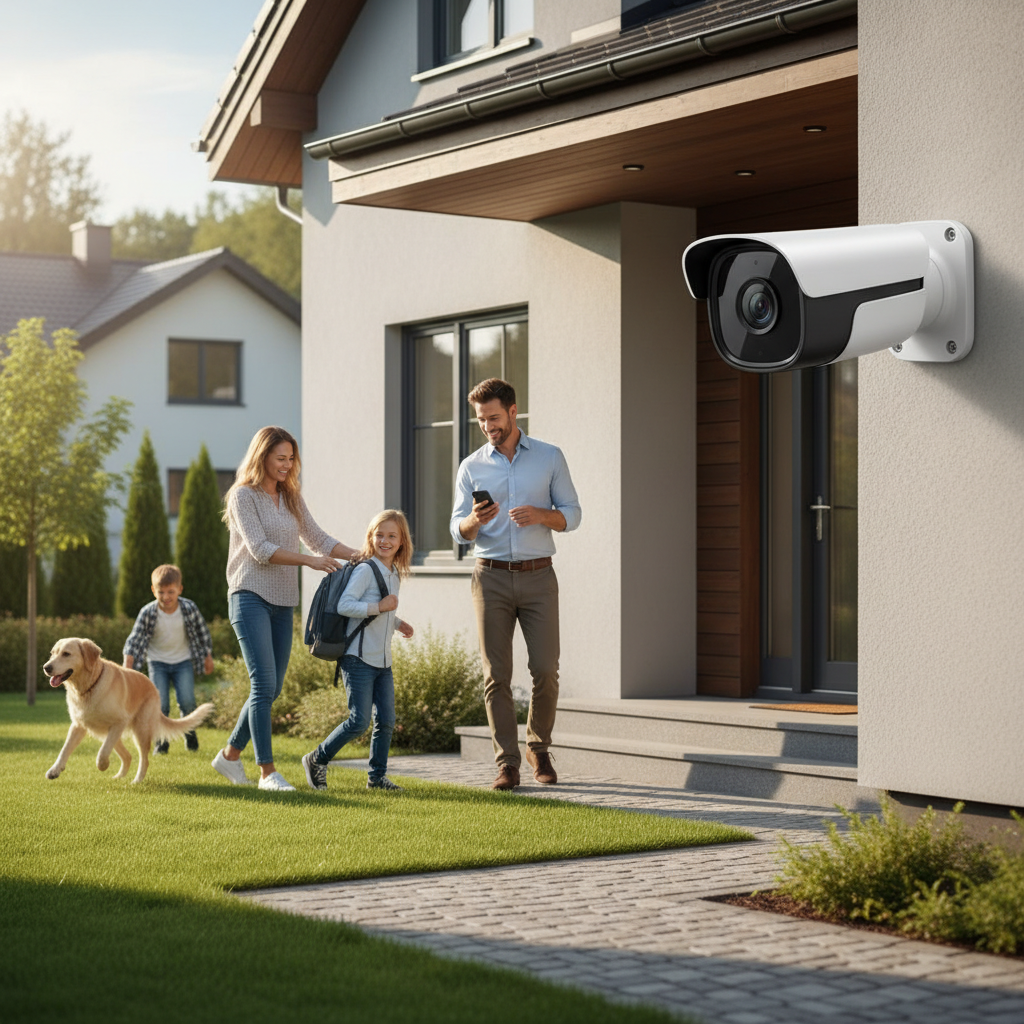
For busy working families, the quest for home security often feels like another item on an already overflowing to-do list. The good news is that advancements in outdoor camera technology now offer robust, user-friendly solutions that provide peace of mind without demanding constant attention. Investing in the right outdoor camera system means you can monitor your property, deter potential threats, and stay connected to your home from anywhere, ensuring your family and belongings are safe even when you’re away.
Outdoor Cameras: Essential Security Solutions
Outdoor cameras are a critical first line of defense, playing a pivotal role in safeguarding your property and loved ones. These devices act as a vigilant eye, offering surveillance around the clock and serving as a strong deterrent to potential intruders. Statistics consistently show that the visible presence of security cameras significantly reduces criminal activity, making them an indispensable tool in modern home security strategies.
By providing real-time monitoring and recorded evidence, outdoor cameras empower busy families to address security concerns proactively. Whether it’s confirming a package delivery, checking on children arriving home from school, or simply ensuring everything is in order while you’re at work or on vacation, these systems offer invaluable connectivity and control over your home’s exterior environment. This continuous oversight contributes significantly to a stronger sense of security for every household member.
Popular Types of Outdoor Cameras
The market offers a diverse range of outdoor cameras, each designed with specific functionalities and applications in mind. Understanding these variations can help families pinpoint the best fit for their security needs and lifestyle. These cameras often differ in their core technology, advanced features, and physical form, each presenting unique advantages and considerations.
When exploring the options, it’s helpful to categorize them based on how they operate and what specific capabilities they bring to the table. From traditional wired systems to cutting-edge wireless models, and from basic monitoring to advanced AI-powered detection, the choices are extensive.
-
Technology:
- Analog Cameras: These traditional systems transmit video over coaxial cables to a DVR. They are generally more affordable but offer lower resolution compared to IP cameras. Installation can be more involved due to extensive wiring.
- IP Cameras (Network Cameras): Utilizing internet protocol, these cameras transmit digital video over an IP network, often via Wi-Fi or Ethernet. They provide superior image quality, advanced features, and easier remote access.
- Wireless Cameras: These typically connect to your home Wi-Fi, offering flexible placement without the need for video cables. Many are battery-powered, simplifying installation, though battery life can vary.
-
Features:
- Infrared (IR) Night Vision Cameras: Equipped with IR LEDs, these cameras capture clear black-and-white images in low-light or complete darkness. Many modern cameras also offer color night vision in certain conditions.
- Zoom Cameras: Allow users to optically or digitally zoom into specific areas for more detail, useful for monitoring distant objects or faces.
- PTZ (Pan-Tilt-Zoom) Cameras: These offer remote control over the camera’s horizontal (pan) and vertical (tilt) movement, alongside zoom capabilities, providing a wide area of coverage with a single device.
- Cameras with Two-Way Audio: Featuring a built-in microphone and speaker, these enable real-time conversation with visitors or intruders through a mobile app. This feature is excellent for package deliveries or deterring unwanted guests.
- Spotlight/Floodlight Cameras: Integrate powerful LED lights that illuminate an area upon motion detection, enhancing night vision, deterring trespassers, and providing clear color video at night.
-
Form Factor:
- Bullet Cameras: Long, cylindrical cameras typically mounted on walls or ceilings, offering a fixed, directional view. Their prominent design can also act as a visible deterrent.
- Dome Cameras: Housed in a dome-shaped casing, these cameras are more discreet and vandal-resistant, often chosen for their aesthetic appeal and broad field of view.
- Turret Cameras (Eyeball Cameras): A hybrid between bullet and dome cameras, they offer a flexible lens that can be manually adjusted, providing a wide viewing angle while being less conspicuous than bullet cameras.
Each type offers distinct advantages and disadvantages, from installation complexity and cost to specific monitoring capabilities. For instance, wireless battery-powered cameras offer unparalleled ease of installation for busy families, while wired IP cameras may provide more consistent reliability for continuous recording. PTZ cameras offer extensive coverage, but fixed cameras might be more suitable for specific high-traffic areas.
Comparison Table of Outdoor Camera Types
Choosing an outdoor camera system involves balancing desired features, installation preferences, and budget. This table provides a quick overview of how common camera types stack up against key considerations. Understanding these distinctions is essential for making an informed decision that aligns with a busy family’s specific requirements.
| Feature | Wireless Battery Camera | Wired IP Camera | PTZ Camera | Spotlight/Floodlight Camera |
|---|---|---|---|---|
| Resolution | Typically 1080p to 2K (some 4K) | Often 2K to 4K+ | 1080p to 4K | 1080p to 4K |
| Field of View | 110-160 degrees (fixed) | 110-180 degrees (fixed) | Up to 360-degree pan, 180-degree tilt (variable) | 120-160 degrees (fixed) |
| Weatherproof | High (IP65/IP66) – designed for outdoor exposure | High (IP65/IP66) – designed for outdoor exposure | High (IP65/IP66) | High (IP65/IP66) |
| Night Vision | IR, sometimes color night vision with ambient light | IR, often advanced color night vision | IR, sometimes color night vision | Excellent color night vision with active lighting |
| Smart Features | Person/vehicle detection, activity zones, two-way audio | Advanced AI detection, smart home integration, two-way audio | Motion tracking, auto-zoom, presets, two-way audio | AI motion detection, siren, two-way audio, smart home integration |
| Installation | Easiest (no wires, mount anywhere) | Moderate (requires power and network cable) | Moderate to Complex (power, network, careful aiming) | Moderate (requires electrical wiring for floodlight) |
| Power Source | Battery (rechargeable, sometimes solar-powered) | Wired (PoE or power adapter) | Wired (PoE or power adapter) | Wired (electrical wiring) |
| Cost Range | Mid to High | Mid to High | High | Mid to High |
| Ideal Use | Flexible placement, DIY installation, remote spots | Continuous recording, high-resolution surveillance | Large area coverage, active monitoring | Deterrence, enhanced night vision, entryways |
Key Criteria for Choosing an Outdoor Camera
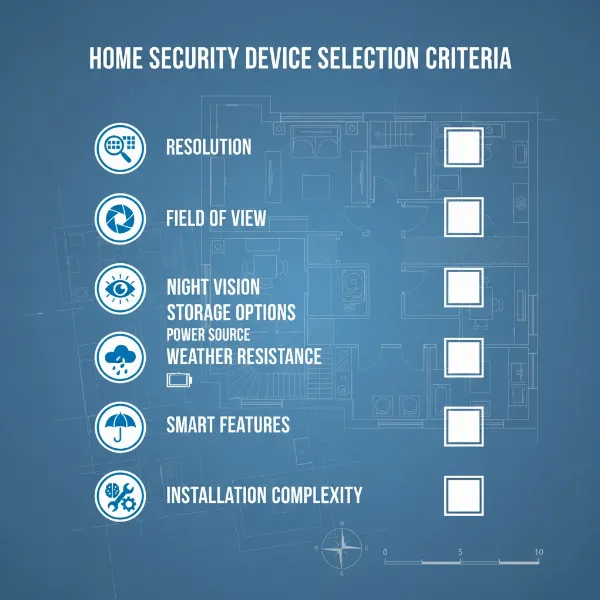
Selecting the ideal outdoor camera for a busy working family requires careful consideration of several crucial factors. Focusing on these criteria will help ensure the chosen system not only meets security needs but also integrates seamlessly into a hectic lifestyle. From image clarity to weather resilience, each element plays a significant role in the overall effectiveness and usability of the camera.
Resolution: Capturing Clear Details
|
Our Picks for the Best Outdoor camera in 2026
As an Amazon Associate I earn from qualifying purchases.
|
||
| Num | Product | Action |
|---|---|---|
| 1 | Ring Outdoor Cam Plus, Battery (newest model), Home or business security, Wide-Angle 2K Video with Ring Vision, Low-Light Sight for full-color night vision, Mount-Anywhere Versatility, Black |

|
| 2 | aosu Security Cameras Outdoor Wireless, 4 Cam-Kit, No Subscription Required, Solar-Powered, Home Security Cameras System with 360° Pan & Tilt, Auto Tracking, 2K Color Night Vision, Easy Setup |
|
| 3 | eufy Security 3K Dual Camera, SoloCam S340, Solar Security Cameras Wireless Outdoor, Cameras for Home Security, 360°Coverage, Pan & Tilt, No Blind Spots, No Monthly Fee, HomeBase S380 Compatible |
|
| 4 | WYZE Cam v4 (Latest Model), 2.5K AI Security Camera, Indoor/Outdoor Cameras for Home Security, Baby Monitor & Pet Camera, Vibrant Color Night Vision, No Subscription Required, Free Expert Help |
|
| 5 | GMK Security Cameras Wireless Outdoor 4 Pack, 2K Battery Powered Cameras for Home Security, Color Night Vision, Motion Detection, 2-Way Talk, IP65 Waterproof, Remote Access, Cloud/SD Storage |
|
| 6 | All-new Blink Video Doorbell + Outdoor 4 – Wireless smart security cameras, head-to-toe HD view, two-year battery life. Sync Module Core included – 2 camera system + Video Doorbell |
|
| 7 | Ring Outdoor Cam (Stick Up Cam), Weather-resistant home or business security camera, outdoor ready, Live View, Color Night Vision, Two-Way Talk, motion alerts, Works with Alexa, White |
|
| 8 | Blink Outdoor 4 – Wireless smart security camera, two-year battery life, 1080p HD day and infrared night live view, two-way talk. Sync Module Core included – 3 camera system |
|
| 9 | Security Cameras Wireless Outdoor 355° Pan Rotating 2K Color Night Vision Cameras for Home Security WiFi Battery Outdoor Camera Motion Detection 2-Way Talk IP65 Spotlight Siren SD/Cloud Storage 2 Pack |
|
| 10 | 2026 Upgraded 2K Security Cameras Wireless Outdoor, Free Cloud Storage, 1-6 Months Battery Life, Waterproof, 2-Way Talk, AI Motion Detection Spotlight Siren Alarm Cameras for Home Security |
|
The clarity of video footage is paramount for identification and evidence. A camera with at least 1080p (Full HD) resolution is generally recommended, providing sufficiently clear images to distinguish faces and license plates. For even finer details and larger areas, 2K or 4K Ultra HD cameras offer significantly enhanced clarity, which can be invaluable for identifying intruders or capturing crucial event specifics. While higher resolution often means larger file sizes and potentially more bandwidth, the benefits of clear footage often outweigh these considerations for serious security.
Field of View: Covering Your Property
The camera’s field of view (FoV) dictates how much area it can see. A wider FoV means fewer cameras are needed to cover a large space, reducing overall costs and complexity. Look for cameras with at least a 100-degree viewing angle for general surveillance. For expansive areas like backyards or driveways, cameras offering 130-160 degrees or even panoramic capabilities are highly beneficial. Some cameras also offer pan and tilt functions, allowing you to adjust the view remotely and effectively cover a broader scope.
Weather Resistance: Built for the Outdoors
Given their outdoor placement, cameras must withstand various environmental conditions. An Ingress Protection (IP) rating indicates the camera’s resistance to dust and water. Look for an IP rating of at least IP65, which signifies protection against dust ingress and low-pressure water jets from any direction. IP66 offers protection against powerful water jets, making it suitable for areas exposed to heavy rain or sprinklers. For extreme climates, consider models with a wider operating temperature range to ensure year-round reliability.
Night Vision: Seeing in the Dark
Effective night vision is essential for 24/7 security. Most outdoor cameras feature infrared (IR) night vision, producing clear black-and-white footage in complete darkness. The range of IR night vision can vary, so check for models that cover the required distance (e.g., 20-30 feet for residential use). Increasingly, cameras offer color night vision, which uses advanced sensors or integrated spotlights to capture full-color video even at night, providing more detailed and useful evidence.
Smart Features: Intelligent Monitoring
Modern outdoor cameras come equipped with intelligent features that enhance their security capabilities and reduce false alarms.
- Motion Detection: Essential for triggering recordings and alerts when movement is detected.
- Person/Vehicle Detection: AI-powered algorithms can differentiate between humans, animals, and vehicles, sending more relevant notifications and filtering out trivial events.
- Activity Zones: Allows users to define specific areas within the camera’s view to monitor for activity, ignoring motion outside these zones (e.g., ignoring a busy street).
- Two-Way Audio: Enables real-time communication through the camera, useful for package deliveries or deterring trespassers.
- Smart Home Integration: Compatibility with platforms like Amazon Alexa or Google Assistant allows for voice control and integration into a broader smart home ecosystem.
Storage Options: Keeping Your Footage Safe
How your camera stores video footage is critical. Common options include:
- Local Storage: MicroSD cards or DVRs/NVRs keep recordings on-site, offering subscription-free storage. This is reliable even during internet outages.
- Cloud Storage: Footage is uploaded to secure remote servers, accessible from anywhere. This typically requires a subscription but provides off-site backup, protecting footage even if the camera is damaged or stolen. Many cameras offer a blend of both.
Power Source: Installation Flexibility
The power source impacts installation ease and reliability.
- Wired Cameras: Offer continuous power and often more stable connectivity, but require running power cables.
- Battery-Powered Cameras: Provide maximum installation flexibility as they can be placed almost anywhere. Battery life varies, and recharging or replacing batteries is necessary.
- Solar-Powered Cameras: Combine battery power with a solar panel, offering an eco-friendly solution that minimizes the need for manual recharging. This is ideal for locations without easy access to power outlets.
“For busy families, the true value of an outdoor camera lies in its ability to provide reliable monitoring and smart alerts without constant manual intervention. Look for features that simplify your life, not complicate it.” – Sarah Chen, Security Technology Analyst
Top Outdoor Cameras for Busy Working Families
Finding a reliable outdoor camera that fits a busy family’s needs involves balancing robust security features with ease of use and smart functionalities. The following models consistently rank high for their performance, intelligent alerts, and family-friendly designs, offering solutions that cater to various budgets and preferences. Each camera brings distinct advantages to the table, from simple DIY installation to advanced AI-driven security.
1. Google Nest Cam (Battery) 2nd Gen
The Google Nest Cam (Battery) is a popular choice for its seamless integration with the Google ecosystem and impressive smart features. It offers 1080p HDR video with a 130-degree field of view and excellent night vision. What sets it apart for busy families are its free smart alerts for people, animals, and vehicles, which reduce false notifications, and three hours of free video event history. Its magnetic mount makes installation straightforward, and the battery operation allows for flexible placement without wiring hassles. While its advanced features like continuous recording require a Nest Aware subscription, its fundamental smart alerts are highly valuable.
2. Arlo Pro 4 Spotlight Camera
Arlo cameras are renowned for their truly wireless design and high-quality video. The Arlo Pro 4 captures 2K HDR video with a wide 160-degree field of view, ensuring crisp details. It includes an integrated spotlight and siren for active deterrence, along with color night vision. Its battery-powered operation and easy magnetic mount make DIY installation a breeze. The Arlo app provides intuitive control, and with an Arlo Secure plan, families benefit from cloud storage, advanced object detection, and activity zones. Its robust weather resistance ensures durability in various climates.
3. Blink Outdoor 4
For families seeking a budget-friendly yet reliable option, the Blink Outdoor 4 stands out. This compact, wireless camera runs on two AA batteries for up to two years, minimizing maintenance. It offers 1080p HD video, improved night vision, and a 135-degree field of view. Its simple setup involves connecting to a Sync Module, which allows for local storage. With a Blink Subscription Plan, users gain access to person detection and cloud storage. Its robust weatherproofing and minimal fuss make it an excellent choice for straightforward outdoor monitoring.
4. Eufy SoloCam S340
The Eufy SoloCam S340 redefines convenience with its dual-camera lenses and solar-powered charging. It delivers sharp 3K resolution from one lens and a 2K pan-and-tilt view from the other, offering unparalleled coverage. Its built-in solar panel keeps the battery charged, virtually eliminating the need for manual recharging. It boasts color night vision, AI person/vehicle detection, two-way audio, and a spotlight. Eufy prides itself on subscription-free local storage, making it a cost-effective long-term solution for busy families who want advanced features without ongoing fees.
5. Ring Spotlight Cam Plus Battery
The Ring Spotlight Cam Plus offers robust protection with its 1080p HD video, built-in spotlights, and siren. It provides a 140-degree horizontal and 80-degree vertical field of view, ensuring ample coverage. Its battery operation allows for flexible placement, and it easily integrates with the Ring ecosystem and Alexa. Families appreciate its customizable motion detection, Live View on demand, and two-way talk. A Ring Protect Plan unlocks video history recording, saving and sharing options, and person detection. The combination of active deterrence and easy connectivity makes it a solid security choice.
Installing Your Outdoor Camera
Installing an outdoor camera might seem daunting, but many modern systems are designed for straightforward DIY setup, especially battery-powered or wireless models. A proper installation ensures optimal performance and coverage, giving busy families the confidence that their security system is functioning effectively. Following a few key steps can make the process smooth and secure.
1. Choosing the Right Location
Strategic placement is crucial for maximum effectiveness.
- High Vantage Point: Mount cameras high enough (e.g., 8-10 feet) to prevent tampering but low enough to capture clear facial features.
- Entry Points: Prioritize areas like front doors, back doors, and ground-level windows where intruders might gain access.
- Blind Spots: Identify and cover any areas not visible from existing cameras or windows.
- Lighting: Ensure the camera has adequate lighting at night (if not using color night vision) or avoid direct sunlight which can cause glare.
- Wi-Fi Signal: For wireless cameras, confirm a strong Wi-Fi signal at the chosen spot using your smartphone or the camera’s app.
2. Gathering Your Tools
Most cameras come with basic mounting hardware, but you may need:
- Drill and drill bits appropriate for your mounting surface (wood, brick, siding).
- Screwdriver (Phillips head is common).
- Ladder or step stool for high placements.
- Pencil for marking drill holes.
- Measuring tape to ensure proper spacing or height.
- Cable clips or conduit if you’re running wired connections for a neat installation.
3. Connecting and Powering Your Camera
The process varies depending on your camera type:
- Battery-Powered: Charge the battery fully before installation. Once charged, insert it into the camera.
- Wired (Power Adapter): Connect the camera to its power adapter and plug it into an outdoor-rated electrical outlet. If no outlet is nearby, consider an electrician for new wiring.
- Wired (PoE – Power over Ethernet): Connect an Ethernet cable from a PoE-enabled router or switch directly to the camera. This provides both power and data through a single cable.
4. Configuring Your Camera
After physically mounting, the next step is connecting it to your home network and setting it up:
- Download the App: Install the manufacturer’s dedicated mobile app on your smartphone.
- Account Setup: Create an account and follow the in-app instructions to add your new camera. This usually involves scanning a QR code on the camera or manually entering a device ID.
- Wi-Fi Connection: Connect the camera to your home Wi-Fi network through the app.
- Customization: Configure settings like motion detection sensitivity, activity zones, alert preferences, and recording schedules.
5. Testing and Adjusting
Finally, verify that your camera is working correctly:
- Live View: Use the app to check the live feed.
- Motion Detection: Walk in front of the camera to ensure motion alerts are triggered and recordings are initiated.
- Angle Adjustment: Fine-tune the camera’s angle to cover the desired area without blind spots.
- Night Vision Check: Test the night vision capability in low light conditions to ensure clarity.
“A well-installed camera isn’t just about functionality; it’s about maximizing your peace of mind. Take the time to get the placement and setup right, and your camera will serve you reliably for years.” – David Lee, Home Security Expert
Tips for Using and Maintaining Outdoor Cameras
To ensure your outdoor cameras provide continuous, reliable security, regular use and maintenance are essential. For busy working families, implementing a few simple practices can extend the lifespan of their devices and maintain optimal performance without requiring excessive effort. These tips help keep your camera system in top shape, providing consistent protection.
Regularly Clean Your Camera Lens
Dust, dirt, cobwebs, and water spots can accumulate on the camera lens, degrading image quality over time. Make it a habit to gently wipe the lens with a soft, microfiber cloth every few months. Avoid abrasive cleaners, which can scratch the lens. Keeping the lens clear ensures that your footage remains crisp and detailed, crucial for identification.
Check Connections and Power Periodically
For wired cameras, ensure all cables are securely connected and free from damage, corrosion, or animal chewing. For battery-powered cameras, monitor battery levels regularly through the app and recharge or replace them as needed. If your camera is solar-powered, ensure the solar panel is clean and free from obstructions (like leaves) to maximize charging efficiency. Loose connections or power issues can lead to intermittent recording or complete system failure.
Keep Software Updated
Manufacturers frequently release firmware updates that improve performance, add new features, and patch security vulnerabilities. Most smart cameras allow for over-the-air (OTA) updates via their mobile app. Enable automatic updates if available, or check for new firmware versions periodically and install them promptly. Running outdated software can leave your system vulnerable and may cause compatibility issues.
Protect Against Physical Damage
While outdoor cameras are built to be durable, extreme weather events or accidental impacts can still cause damage.
- Mount Securely: Ensure cameras are firmly mounted to prevent them from being knocked down by strong winds or falling branches.
- Consider Overhangs: If possible, install cameras under eaves or overhangs to offer some protection from direct rain, snow, and harsh sunlight, which can extend the life of the device.
- Cable Management: Securely fasten any exposed wires to prevent them from being cut or pulled, and use conduit for added protection in vulnerable areas.
By dedicating a small amount of time to these maintenance routines, busy families can significantly enhance the reliability and longevity of their outdoor camera systems, ensuring continuous security coverage.
Buying Guide: What to Know Before You Buy
Before making a final decision on an outdoor camera, busy working families should consider a few overarching points to ensure they choose a system that truly aligns with their lifestyle and security goals. This final checklist helps solidify your choice, making sure your investment provides long-term value and peace of mind. Being clear on these aspects upfront can prevent future frustrations and unexpected costs.
- Budget Alignment: Determine your realistic budget. Remember to factor in not just the camera’s upfront cost but also any recurring subscription fees for cloud storage or advanced AI features. Sometimes, a slightly higher upfront cost for a camera with local storage or free smart alerts can save money in the long run.
- Specific Security Needs: Clearly define what you want the camera to achieve. Is it general deterrence, monitoring specific entry points, package delivery surveillance, or keeping an eye on pets? Your primary needs will guide feature prioritization. For instance, if you have a large property, a PTZ camera might be more cost-effective than multiple fixed cameras.
- Essential Features for Your Family: Prioritize features that directly benefit your busy schedule. Easy installation (like battery-powered models), reliable person/vehicle detection to minimize false alerts, and seamless remote access via a user-friendly app are often non-negotiable for working families. Two-way audio and integration with existing smart home devices can also be highly convenient.
- Reputable Brands: Stick to well-known and trusted brands (e.g., Google Nest, Arlo, Ring, Eufy, Lorex, SimpliSafe, Blink). These companies typically offer better product support, more frequent software updates, and more robust security for your data.
- Warranty and Customer Support: Check the warranty period and read reviews about the brand’s customer service. Good support is invaluable if you encounter technical issues or need assistance with installation or configuration. A strong warranty indicates the manufacturer’s confidence in their product’s durability and performance.
By approaching the purchase with these considerations in mind, busy working families can confidently select an outdoor camera system that provides effective security, integrates seamlessly into their daily lives, and offers lasting peace of mind.
Conclusion
For busy working families, selecting the right outdoor camera is a vital step toward establishing a secure and connected home environment. From deterring potential threats to enabling remote monitoring, these devices offer invaluable peace of mind, allowing you to stay informed about your property’s safety no matter where your day takes you. Focusing on key features such as high-resolution video, robust weather resistance, and intelligent motion detection ensures that your investment truly serves your family’s needs.
The advancements in outdoor camera technology, including easy installation options and smart home integration, mean that enhanced home security is more accessible than ever before. With careful consideration of your specific requirements and an understanding of the available options, you can find a reliable system that seamlessly fits into your busy lifestyle, providing a vigilant eye over your property 24/7. What specific feature do you value most in an outdoor camera for your family’s daily routine?
Frequently Asked Questions
Which outdoor camera is easiest to install for busy working families?
Battery-powered wireless cameras, such as the Google Nest Cam (Battery) or Arlo Pro 4, are generally the easiest to install. They require no electrical wiring, offering flexible placement, and often feature magnetic mounts for simple setup.
Do I need a subscription for outdoor security cameras?
While many outdoor cameras offer basic functionalities without a subscription, services like cloud video storage, advanced AI detection (e.g., person/vehicle recognition), and extended video history often require a paid monthly plan. Cameras like Eufy often provide subscription-free local storage.
How important is weather resistance for an outdoor camera?
Weather resistance is extremely important for outdoor cameras. Look for an IP (Ingress Protection) rating of at least IP65 or IP66, which ensures the camera can withstand dust, rain, and other environmental elements, crucial for reliable year-round operation.
Can I monitor my outdoor camera from work or vacation?
Yes, most modern smart outdoor cameras are designed for remote viewing. They connect to your home Wi-Fi and allow you to access live feeds, receive alerts, and review recorded footage via a dedicated mobile app on your smartphone from anywhere with an internet connection.
What resolution is best for an outdoor security camera?
For effective outdoor security, a camera with at least 1080p (Full HD) resolution is recommended to capture clear details. For superior clarity and the ability to zoom in on specific areas, 2K or 4K Ultra HD cameras offer significantly enhanced image quality, which can be beneficial for identification purposes.