Owning rental property comes with its unique set of challenges, and ensuring the safety and security of your investment and tenants is paramount. In today’s dynamic environment, where property protection is more critical than ever, navigating the options for robust outdoor surveillance can feel overwhelming. This comprehensive guide will illuminate the world of outdoor security cameras, offering insights into the latest technologies, essential features, and top recommendations tailored specifically for rental property owners. Discover how smart outdoor camera solutions can deter crime, provide invaluable peace of mind, and safeguard your assets without compromising tenant privacy.
Outdoor Cameras: Essential Security Solutions
Outdoor security cameras serve as a vital first line of defense, offering proactive deterrence against potential threats and crucial evidence should an incident occur. For rental property owners, these devices are not just about surveillance; they are about creating a safer environment for tenants and protecting a significant financial asset. Studies consistently show that visible security cameras can significantly reduce the likelihood of burglaries and vandalism, contributing to a more secure community. Implementing a well-placed outdoor camera system can lead to reduced insurance premiums, faster resolution of disputes, and ultimately, higher tenant satisfaction and retention by demonstrating a commitment to safety.
Common Types of Outdoor Cameras
The landscape of outdoor security cameras is diverse, offering various technologies and designs to suit different needs and preferences. Understanding these types is the first step in selecting the ideal system for your rental properties.
Based on their core technology, cameras can be categorized into:
- Analog Cameras: These older systems transmit video over coaxial cables to a DVR. While typically more affordable, they offer lower resolution and less flexibility compared to modern options.
- IP (Internet Protocol) Cameras: Utilizing network cables or Wi-Fi, IP cameras deliver high-resolution digital video. They often include advanced features like intelligent analytics and can be accessed remotely via the internet.
- Wireless Cameras: These are often battery-powered and connect via Wi-Fi, offering immense flexibility in placement without the need for complex wiring. They are particularly attractive for rental properties as they minimize installation impact.
When considering features, outdoor cameras vary widely:
- Infrared (IR) Night Vision Cameras: Equipped with IR LEDs, these cameras capture clear black-and-white footage in complete darkness.
- Color Night Vision Cameras: Using advanced sensors or integrated spotlights, these cameras can record full-color video even in low-light conditions, providing richer detail.
- Zoom Cameras: Offer optical or digital zoom capabilities to focus on specific areas or details from a distance.
- PTZ (Pan-Tilt-Zoom) Cameras: These allow remote control over the camera’s horizontal (pan), vertical (tilt), and zoom functions, enabling a single camera to monitor a large area dynamically.
- Cameras with Microphones and Speakers (Two-Way Audio): Facilitate real-time communication, allowing property owners to speak to visitors or deter intruders directly through the camera.
- Spotlight/Floodlight Cameras: Integrate powerful lights that can be motion-activated, illuminating areas and acting as a visible deterrent.
In terms of physical shape, common designs include:
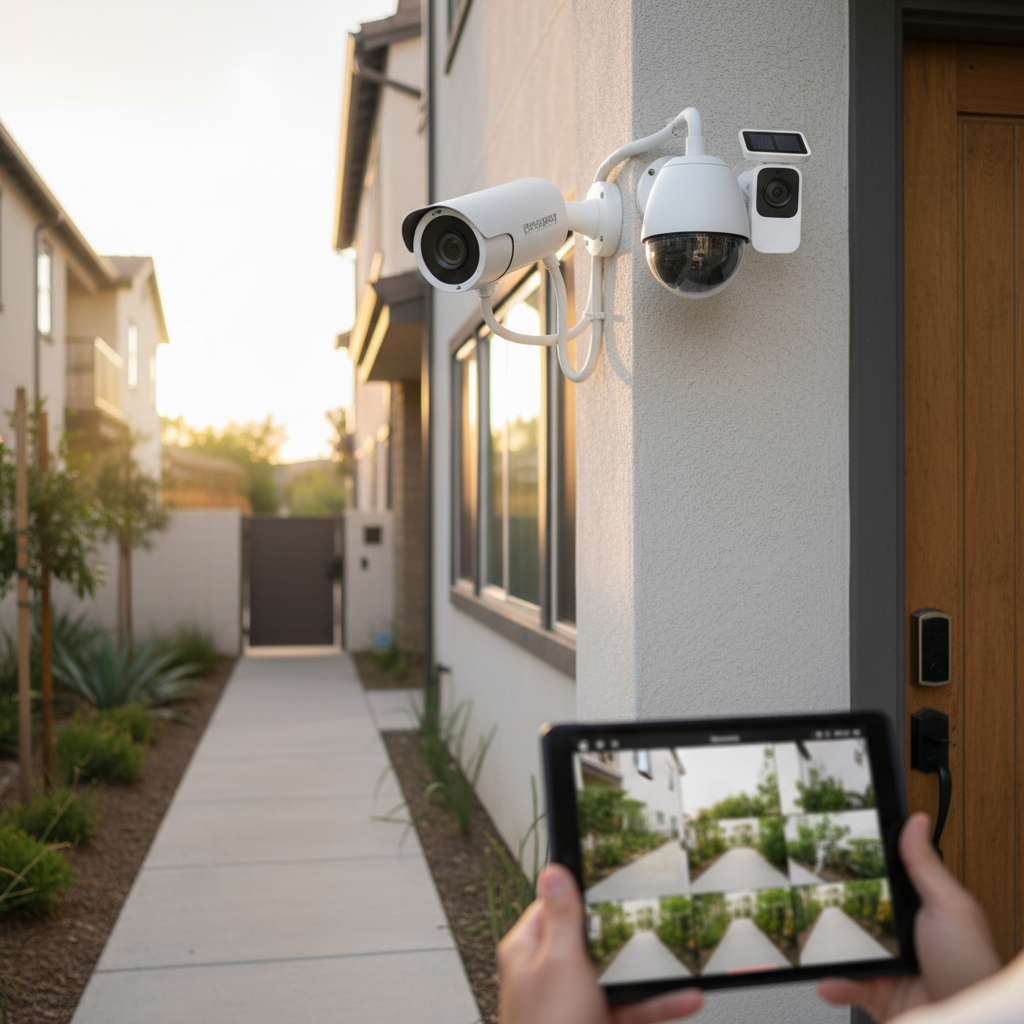
- Bullet Cameras: Long and cylindrical, often mounted on walls or ceilings, highly visible and designed to deter.
- Dome Cameras: Housed in a spherical casing, these are more discreet and harder to tamper with, offering a wider field of view.
- Turret Cameras (Eyeball Cameras): A hybrid of bullet and dome, they have a ball-and-socket design that allows easy angle adjustment while maintaining a discreet profile.
Each type presents distinct advantages and disadvantages. For instance, wireless, battery-powered cameras offer easy, non-invasive installation perfect for rental units, while wired IP cameras provide more reliable, continuous power and connectivity for critical areas. Two-way audio and color night vision enhance communication and evidence quality, making them valuable features for any rental property security setup.
Comparison Table of Outdoor Camera Types
Choosing the right outdoor camera involves weighing various factors against your property’s specific needs and budget. This table provides a quick overview of key criteria across common types suitable for rental properties.
| Feature | Wireless (Battery) Camera | Wired IP Camera | PTZ Camera | Floodlight Camera |
|---|---|---|---|---|
| Resolution | 1080p to 2K | 1080p to 4K+ | 1080p to 4K | 1080p to 2K |
| Field of View | 130-160 degrees (fixed) | 90-180 degrees (fixed/var.) | 360-degree pan, 90-degree tilt | 130-160 degrees (fixed) |
| Weather Resistance | IP65/IP66 | IP66/IP67 | IP65/IP66 | IP65/IP66 |
| Night Vision | IR or Color | IR or Color | IR or Color | Color (via spotlight) |
| Smart Features | Motion, Person Detect, Two-Way Audio | AI analytics, Two-Way Audio | Tracking, Presets, Two-Way Audio | Motion, Siren, Two-Way Audio |
| Installation Ease | Very Easy | Moderate (requires wiring) | Moderate | Moderate (requires wiring) |
| Power Source | Battery (rechargeable/solar) | Wired (PoE or adapter) | Wired | Wired |
| Typical Price Range | $80 – $200 | $100 – $400+ | $150 – $500+ | $150 – $350 |
Key Criteria When Choosing an Outdoor Camera
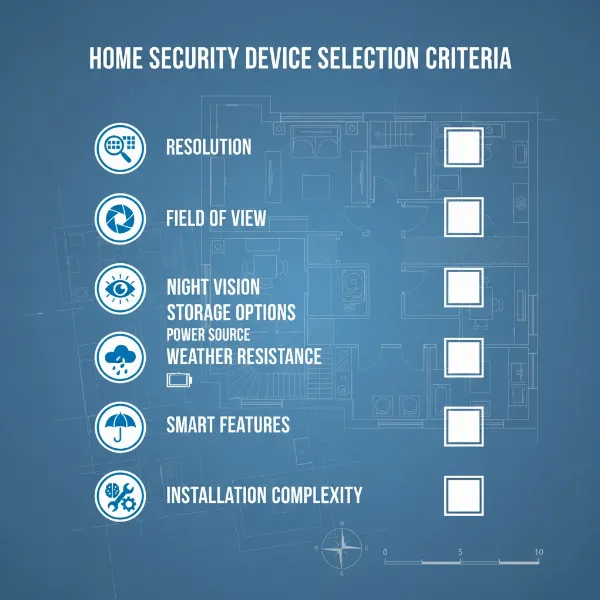
Selecting the ideal outdoor camera for your rental property requires careful consideration of several technical and practical aspects. Prioritizing these criteria will ensure you invest in a system that effectively meets your security objectives.
- Resolution: The clarity of your footage is paramount. While 1080p HD offers good general surveillance, 2K (1440p) or 4K (2160p) cameras provide significantly more detail, making it easier to identify faces, license plates, and other critical information. Higher resolution is particularly beneficial for capturing usable evidence from a distance.
- Field of View (FoV): This determines how wide an area your camera can see. A wide-angle lens (100 degrees or more) is often preferred for outdoor use as it minimizes blind spots and reduces the number of cameras needed to cover a large perimeter, such as a driveway or common area.
- Weather Resistance: Outdoor cameras must withstand diverse environmental conditions. Look for an IP (Ingress Protection) rating of at least IP65 or IP66, which indicates protection against dust, rain, and jets of water, ensuring durability in harsh weather.
- Night Vision: Effective nighttime monitoring is crucial. Traditional infrared (IR) night vision provides clear black-and-white images. However, color night vision technology, often achieved through powerful sensors or integrated spotlights, offers superior detail and context, allowing for better identification in low-light conditions.
- Smart Features: Modern cameras integrate intelligent functionalities that enhance security and reduce false alarms:
- Motion Detection: Alerts you to movement within the camera’s view.
- Person/Vehicle Detection: Differentiates between people, vehicles, and other moving objects (like animals or rustling leaves) to send more relevant alerts.
- Activity Zones: Allows you to define specific areas within the camera’s view for motion detection, ignoring irrelevant areas.
- Two-Way Audio: Enables you to speak and listen through the camera, useful for communicating with visitors or deterring unwanted guests.
- Storage Options: How your footage is saved is a critical decision:
- Local Storage (SD Card/NVR/DVR): Stores footage directly on the device or a local recorder, avoiding recurring cloud fees. Ideal for privacy and independent operation.
- Cloud Storage: Uploads footage to a secure server, accessible remotely. Often requires a subscription but provides off-site backup in case the camera is damaged or stolen.
- Power Source:
- Wired: Offers reliable, continuous power without battery concerns. May require professional installation.
- Battery-Powered: Provides flexibility in placement and easy installation. Requires periodic recharging or battery replacement.
- Solar-Powered: Utilizes a solar panel to continuously charge a battery, offering a maintenance-free solution in sunny locations.
- Legal & Privacy Considerations: For rental properties, adherence to privacy laws is paramount. Cameras should only be placed in outdoor common areas where there is no reasonable expectation of privacy, such as driveways, entrances, or shared walkways. It is strictly illegal to place cameras inside tenant units, bathrooms, or other private spaces. Additionally, be aware of state laws regarding audio recording; some states require two-party consent to record conversations, making video-only recording often the safest legal option for landlords. Always disclose the presence of cameras to tenants, ideally in the lease agreement, and ensure clear signage is in place.
Top 5 Best Outdoor Cameras for Rental Property Owners
For rental property owners, a combination of reliability, ease of use, robust features, and value is key. Here are five top outdoor camera recommendations that excel in these areas, suitable for various rental property needs.
1. Arlo Pro 4 Spotlight Camera
Brand: Arlo
Pros:
- Wire-Free 2K HDR Video: Delivers crisp, detailed footage with excellent dynamic range.
- Integrated Spotlight & Color Night Vision: Provides clear color video even in low light.
- 160-Degree Field of View: Covers a wide area, reducing the number of cameras needed.
- Two-Way Audio & Siren: Enables communication and deterrence.
- Flexible Installation: Completely wire-free, easy to mount anywhere.
- Subscription Options: Offers cloud storage, but also works without a subscription for basic features.
Cons: - Requires a subscription for advanced features like cloud recording and intelligent alerts.
- Battery life can vary based on activity.
Why it’s great for rentals: Its wire-free design makes installation simple and non-invasive, perfect for rental properties where drilling might be restricted. The high-quality video and integrated spotlight provide excellent security and deterrence.
|
Our Picks for the Best Outdoor camera in 2026
As an Amazon Associate I earn from qualifying purchases.
|
||
| Num | Product | Action |
|---|---|---|
| 1 | Ring Outdoor Cam Plus, Battery (newest model), Home or business security, Wide-Angle 2K Video with Ring Vision, Low-Light Sight for full-color night vision, Mount-Anywhere Versatility, Black |

|
| 2 | Blink Outdoor 4 – Wireless smart security camera, two-year battery life, 1080p HD day and infrared night live view, two-way talk. Sync Module Core included – 3 camera system |
|
| 3 | Ring Outdoor Cam (Stick Up Cam), Weather-resistant home or business security camera, outdoor ready, Live View, Color Night Vision, Two-Way Talk, motion alerts, Works with Alexa, White |
|
| 4 | aosu Security Cameras Outdoor Wireless, 4 Cam-Kit, No Subscription Required, Solar-Powered, Home Security Cameras System with 360° Pan & Tilt, Auto Tracking, 2K Color Night Vision, Easy Setup |
|
| 5 | GMK Security Cameras Wireless Outdoor 4 Pack, 2K Battery Powered Cameras for Home Security, Color Night Vision, Motion Detection, 2-Way Talk, IP65 Waterproof, Remote Access, Cloud/SD Storage |
|
| 6 | eufy Security 3K Dual Camera, SoloCam S340, Solar Security Cameras Wireless Outdoor, Cameras for Home Security, 360°Coverage, Pan & Tilt, No Blind Spots, No Monthly Fee, HomeBase S380 Compatible |
|
| 7 | 2026 Upgraded 2K Security Cameras Wireless Outdoor, Free Cloud Storage, 1-6 Months Battery Life, Waterproof, 2-Way Talk, AI Motion Detection Spotlight Siren Alarm Cameras for Home Security |
|
| 8 | All-new Blink Video Doorbell + Outdoor 4 – Wireless smart security cameras, head-to-toe HD view, two-year battery life. Sync Module Core included – 2 camera system + Video Doorbell |
|
| 9 | Security Cameras Wireless Outdoor 355° Pan Rotating 2K Color Night Vision Cameras for Home Security WiFi Battery Outdoor Camera Motion Detection 2-Way Talk IP65 Spotlight Siren SD/Cloud Storage 2 Pack |
|
| 10 | WYZE Cam v4 (Latest Model), 2.5K AI Security Camera, Indoor/Outdoor Cameras for Home Security, Baby Monitor & Pet Camera, Vibrant Color Night Vision, No Subscription Required, Free Expert Help |
|
2. Eufy SoloCam S340
Brand: Eufy
Pros:
- Dual-Lens 3K Resolution & Optical Zoom: Offers incredible detail and the ability to zoom in on specific areas.
- Integrated Solar Panel: Provides continuous power, eliminating the need for battery changes.
- 360-Degree Pan & Tilt: Covers vast areas with a single camera, reducing blind spots.
- Local Storage (No Monthly Fees): Stores footage on an internal SD card, preserving privacy and avoiding ongoing costs.
- AI Person/Vehicle Detection: Minimizes false alarms.
Cons: - Higher upfront cost.
- Solar charging effectiveness depends on sunlight exposure.
Why it’s great for rentals: The solar panel makes it an incredibly low-maintenance option. Its 3K resolution, optical zoom, and 360-degree coverage ensure comprehensive monitoring with excellent detail, all without recurring subscription fees.
3. Wyze Cam v4
Brand: Wyze
Pros:
- Extremely Affordable: Offers exceptional value for its features.
- 2K QHD Video & Color Night Vision: Delivers clear images day and night.
- Weatherproof Design: Suitable for outdoor use.
- Motion-Activated Spotlight: Enhances nighttime visibility and acts as a deterrent.
- Local and Cloud Storage Options: Flexible storage solutions, with basic cloud storage often included.
Cons: - Requires a wired power source.
- Advanced AI features usually require a subscription.
Why it’s great for rentals: For property owners needing a cost-effective solution without compromising essential features, the Wyze Cam v4 is a strong contender. Its robust performance at a budget-friendly price point makes it ideal for covering multiple outdoor areas.
4. Ring Stick Up Cam Pro
Brand: Ring
Pros:
- 1080p HD Video with HDR: Provides clear video with improved lighting balance.
- Multiple Power Options: Available in battery, wired, and solar versions, offering installation flexibility.
- Two-Way Talk with Audio+: Enhanced audio quality for clearer communication.
- 3D Motion Detection & Bird’s Eye View: Advanced motion sensing for precise alerts.
- Seamless Integration with Ring Ecosystem: Ideal for owners already using Ring doorbells or alarms.
Cons: - Full features, including video history, require a Ring Protect subscription.
- Battery life can be impacted by frequent activity.
Why it’s great for rentals: Ring’s reputation and ecosystem integration make this a reliable choice, especially for landlords managing multiple properties with existing Ring devices. The flexible power options allow for versatile deployment.
5. Google Nest Cam (Outdoor or Indoor, Wired)
Brand: Google Nest
Pros:
- 1080p HDR Video: Excellent image quality with advanced processing.
- Intelligent Alerts: Best-in-class AI can differentiate between people, vehicles, and animals for highly accurate notifications.
- 24/7 Recording Option (with Nest Aware Plus): Provides continuous monitoring for critical areas.
- Robust Build Quality: Designed to withstand various weather conditions.
- Sleek, Unobtrusive Design: Blends well into most exteriors.
Cons: - Wired installation is more involved.
- Requires a Nest Aware subscription for video history and advanced AI.
- Higher price point.
Why it’s great for rentals: For critical outdoor locations requiring constant, reliable monitoring with superior AI intelligence, the wired Google Nest Cam is a top performer. Its intelligent alerts reduce false alarms, ensuring landlords receive only the most important notifications.
Outdoor Camera Installation Guide
Installing outdoor cameras at your rental property doesn’t have to be a complicated or damaging process, especially when you consider options tailored for rental environments. The key is to prioritize non-invasive methods and strategic placement.
-
Choose Appropriate Locations:
- Focus on Common Areas: Ideal spots include main entryways, driveways, parking lots, shared walkways, and the perimeter of the building. These are public spaces where privacy expectations are lower.
- Avoid Private Areas: Absolutely do not point cameras into windows, private patios, balconies, or inside tenant units.
- Optimal Height: Mount cameras high enough to prevent tampering (8-10 feet) but low enough to capture clear facial features.
- Line of Sight: Ensure a clear view of the area you want to monitor, free from obstructions like trees or bushes.
-
Gather Necessary Tools and Materials:
- For wire-free cameras: The camera itself, a ladder, screwdriver, and possibly non-damaging mounting accessories (adhesive strips, vinyl siding clips, gutter mounts).
- For wired cameras: Add drill, cable clips, weatherproof outdoor cable, power source/outlet, and potentially a junction box.
-
Install the Camera:
- Wire-Free/Battery Cameras (Recommended for Rentals):
- Attach the mounting bracket using strong adhesive strips or specialized vinyl siding hooks that slide under siding without drilling.
- Gutter mounts can also provide an elevated view by clamping onto rain gutters.
- Snap the camera into place and adjust the angle.
- Ensure the battery is charged, or if solar-powered, position the panel for maximum sunlight.
- Wired Cameras:
- Mark and drill pilot holes for the mounting bracket.
- Secure the bracket and attach the camera.
- Carefully run the power cable along walls or through conduits, ensuring it’s protected from weather and out of reach. Connect to a weatherproof outdoor outlet or existing wiring (consult an electrician if unsure).
- For IP cameras, connect the network cable to your router or a PoE (Power over Ethernet) switch.
- Wire-Free/Battery Cameras (Recommended for Rentals):
-
Connect to Power and Network:
- For battery/solar cameras, simply ensure they are charged/receiving sunlight.
- For wired cameras, plug into the power source.
- For wireless cameras, follow the manufacturer’s app instructions to connect to your Wi-Fi network. Ensure a strong signal at the camera’s location.
-
Configure Camera and Settings:
- Download the camera’s companion app.
- Follow the on-screen prompts to pair the camera with your account.
- Crucially: Set up motion detection zones to focus on relevant areas and minimize false alarms.
- Adjust sensitivity settings for motion detection.
- Configure notification preferences.
- Ensure proper recording settings (e.g., continuous recording, motion-activated recording).
-
Test and Adjust:
- Walk through the detection zones to test motion alerts and recording.
- Review live and recorded footage to ensure clear images and optimal coverage.
- Adjust the camera angle as needed for the best view and to avoid recording private areas.
- Check night vision functionality after dark.
“For rental properties, choosing cameras with flexible, non-damaging installation options like battery power and adhesive mounts not only simplifies the process but also helps maintain tenant relations and comply with lease agreements regarding property alterations.” – Admin, Reviewmagz.com, Surveillance Technology Expert
Tips for Using and Maintaining Outdoor Cameras
To ensure your outdoor cameras provide reliable security for years to come, regular maintenance and smart usage practices are essential. These simple steps can extend the lifespan of your devices and ensure optimal performance.
- Regular Cleaning: Dust, dirt, spiderwebs, and water spots can obscure the camera lens, reducing video quality. Gently wipe the lens and casing with a soft, damp cloth every few months. Avoid harsh chemicals that could damage the lens coating.
- Check Connections and Power Regularly: For wired cameras, periodically inspect cables for wear, fraying, or loose connections. For battery-powered cameras, monitor battery levels via the app and recharge or replace them as needed. If using solar panels, ensure they are clean and free from debris to maximize charging efficiency.
- Keep Software Updated: Camera manufacturers frequently release firmware updates to improve performance, add new features, and patch security vulnerabilities. Check the camera’s app regularly for available updates and install them promptly. This ensures your system remains secure and runs efficiently.
- Protect from Physical Impacts: While outdoor cameras are built to be robust, extreme weather, falling branches, or accidental impacts can still cause damage. Consider installing a protective cover or repositioning the camera if it’s in a highly vulnerable spot.
- Monitor Storage: If using local storage (SD card), periodically check its capacity and ensure old footage is being overwritten or archived as desired. For cloud storage, confirm your subscription is active and that recordings are successfully uploading.
- Review Alerts and Footage: Don’t ignore alerts. Regularly reviewing motion-triggered events helps you understand patterns, identify potential issues quickly, and fine-tune detection settings to minimize false alarms.
- Maintain Wi-Fi Signal Strength: For wireless cameras, a strong and stable Wi-Fi connection is crucial. If you notice connectivity issues, consider repositioning your router or using a Wi-Fi extender to boost the signal to the camera.
Buying Guide: What to Know Before Purchasing an Outdoor Camera
Investing in outdoor cameras for your rental properties is a strategic decision that requires careful thought. Before making a purchase, consider these key aspects to ensure you choose the best system for your specific needs.
- Budget Assessment: Determine how much you’re willing to spend. Remember to factor in not only the upfront cost of the cameras but also any potential recurring expenses for cloud storage or professional monitoring subscriptions. Entry-level cameras can be very affordable, while high-end systems with advanced features will command a higher price. Balance cost with the level of security and convenience you require.
- Identify Specific Needs: What are your primary security concerns for the rental property? Are you looking to deter vandalism in a parking lot, monitor a main entryway, keep an eye on package deliveries, or secure a common recreation area? Your specific objectives will guide the features you prioritize (e.g., wide-angle for broad coverage, high resolution for identification, two-way audio for communication).
- Essential Features List: Based on your needs, create a checklist of must-have features. This might include 2K or 4K resolution, color night vision, strong weather resistance (IP65/IP66), smart motion detection (with person/vehicle differentiation), and flexible power options (battery/solar for easy installation). For rental properties, non-damaging installation and local storage options are often highly valued.
- Reputable Brands and Reviews: Stick to well-known and trusted brands in the security camera market. These companies typically offer better product support, more reliable software, and consistent firmware updates. Read independent reviews from other property owners or security experts to gauge real-world performance and user satisfaction.
- Warranty and Customer Support: A good warranty provides peace of mind, protecting your investment against manufacturing defects. Check the length of the warranty and the ease of accessing customer support should you encounter any issues with the camera.
- Legal Compliance and Transparency: Reiterate your understanding of local and state laws regarding surveillance. Ensure cameras are only placed in public common areas, avoid audio recording unless legally permissible with consent, and always inform tenants about the presence and placement of cameras. Transparency builds trust and helps prevent legal issues.
Conclusion
Securing your rental property with outdoor cameras is a smart and proactive step toward protecting your investment and fostering a safer environment for your tenants. By carefully considering factors such as video resolution, weather resistance, intelligent features, and privacy implications, you can select a surveillance system that meets your specific needs without unnecessary complications. From wire-free wonders offering easy installation to robust wired systems providing continuous, high-definition monitoring, the options are diverse and powerful. Implementing the right outdoor cameras not only acts as a strong deterrent to crime but also equips you with invaluable peace of mind, knowing your properties are under vigilant watch.
What specific outdoor security challenge are you hoping to solve at your rental property?
Frequently Asked Questions
Are outdoor cameras legal at a rental property?
Yes, outdoor cameras are generally legal at rental properties, provided they are placed in common outdoor areas where there is no reasonable expectation of privacy, such as driveways or entrances. It is illegal to place cameras in private spaces like inside tenant units or bathrooms, and landlords must adhere to state-specific laws regarding audio recording and disclosure.
Can I install a battery-powered outdoor camera at my rental without landlord permission?
Typically, battery-powered cameras that do not require permanent alterations to the property (e.g., using adhesive mounts or siding clips) can be installed without explicit permission. However, it is always best practice to review your lease agreement and inform your landlord to maintain transparency and avoid misunderstandings.
What resolution is best for an outdoor camera on a rental property?
For optimal security, a camera with at least 1080p HD resolution is recommended. However, 2K (1440p) or 4K (2160p) resolutions offer significantly more detail, which is crucial for identifying individuals or license plates from a distance, enhancing the quality of any captured evidence.
Do outdoor cameras for rental properties require a monthly subscription?
Many outdoor cameras offer basic functionalities like live viewing and motion alerts without a subscription. However, features such as cloud video storage, extended video history, and advanced AI-powered alerts often require a paid monthly or annual subscription. Some brands offer local storage options to avoid recurring fees.
How do I maintain tenant privacy with outdoor cameras?
To respect tenant privacy, ensure all outdoor cameras are strictly pointed at public common areas (e.g., entryways, parking lots) and never into private spaces like windows, balconies, or inside units. Disable audio recording if not legally permissible in your state, and always communicate transparently with your tenants about the cameras’ presence and purpose.
What weather resistance rating should I look for?
For reliable outdoor performance, look for cameras with an IP (Ingress Protection) rating of at least IP65 or IP66. IP65 indicates protection against dust and water jets, while IP66 offers protection against more powerful water jets, ensuring the camera can withstand rain, snow, and dust.
Can outdoor cameras deter crime at rental properties?
Yes, visibly placed outdoor cameras are a significant deterrent to potential criminals. Studies suggest that the mere presence of surveillance cameras can reduce the likelihood of burglaries and other illicit activities, making your rental property a less appealing target.