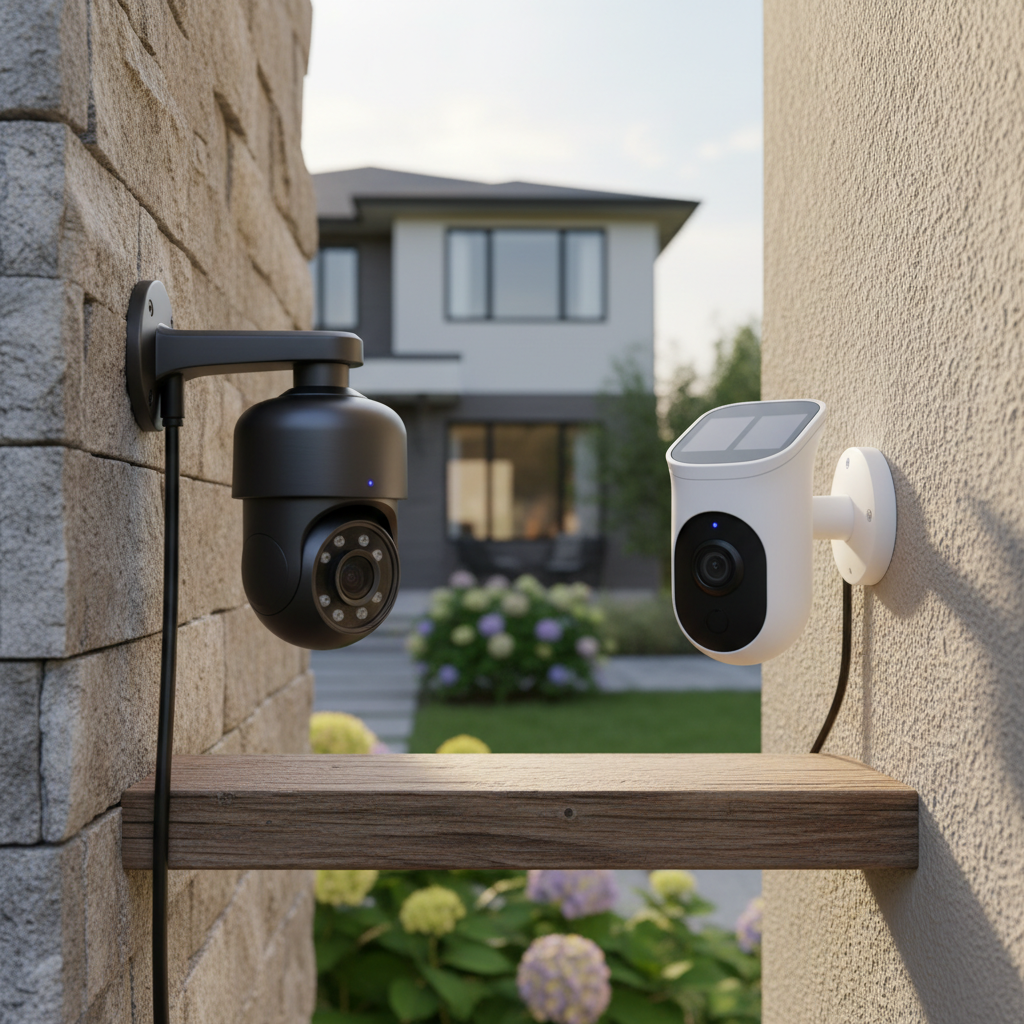
Securing your home has never been more critical, with outdoor cameras playing a pivotal role in deterring threats and providing peace of mind. As technology advances, homeowners face a crucial decision: to invest in a wired or a wireless outdoor camera system. Each option offers distinct advantages and disadvantages, impacting everything from installation ease to long-term reliability and security. This comprehensive guide will explore the nuances of both wired and wireless outdoor cameras, helping you determine which solution best suits your specific needs and property, ensuring you make an informed decision in the ever-evolving landscape of home security.
Outdoor Cameras: An Essential Security Solution
In an era where personal and property security is paramount, outdoor cameras have become an indispensable component of any robust home protection strategy. These vigilant eyes provide continuous surveillance, acting as a powerful deterrent to potential intruders and offering critical evidence should an incident occur. Statistics reveal that homes with security systems are significantly less likely to be targeted by burglars, underscoring the preventative power of visible cameras. Beyond crime prevention, outdoor cameras enable homeowners to monitor packages, keep an eye on pets, and check on family members, extending security far beyond just preventing theft. They offer a constant connection to your property, allowing you to react quickly to any unusual activity and maintain a vigilant watch, no matter where you are.
Popular Outdoor Camera Types
The market for outdoor security cameras is diverse, offering a range of technologies, features, and designs to meet varying security demands. Understanding these categories is the first step toward selecting the ideal system for your home.
Based on Technology
- Analog Cameras: These traditional cameras transmit video signals over coaxial cables to a Digital Video Recorder (DVR). While typically more affordable, their resolution is often lower than modern IP cameras.
- IP (Internet Protocol) Cameras: IP cameras connect to your network, transmitting digital video over Ethernet cables. They offer superior image quality, often up to 4K resolution, and integrate advanced features like Power over Ethernet (PoE), simplifying installation by providing both power and data through a single cable.
- Wireless Cameras: These cameras use Wi-Fi or cellular networks to transmit video data, reducing the need for extensive cabling. While many wireless cameras still require a power source, “wire-free” models operate entirely on batteries, offering maximum flexibility in placement. Cellular cameras are ideal for remote locations without Wi-Fi access, though they incur data plan costs.
|
Our Picks for the Best Outdoor camera in 2026
As an Amazon Associate I earn from qualifying purchases.
|
||
| Num | Product | Action |
|---|---|---|
| 1 | Ring Outdoor Cam Plus, Battery (newest model), Home or business security, Wide-Angle 2K Video with Ring Vision, Low-Light Sight for full-color night vision, Mount-Anywhere Versatility, Black |

|
| 2 | eufy Security 3K Dual Camera, SoloCam S340, Solar Security Cameras Wireless Outdoor, Cameras for Home Security, 360°Coverage, Pan & Tilt, No Blind Spots, No Monthly Fee, HomeBase S380 Compatible |
|
| 3 | GMK Security Cameras Wireless Outdoor 4 Pack, 2K Battery Powered Cameras for Home Security, Color Night Vision, Motion Detection, 2-Way Talk, IP65 Waterproof, Remote Access, Cloud/SD Storage |
|
| 4 | 2026 Upgraded 2K Security Cameras Wireless Outdoor, Free Cloud Storage, 1-6 Months Battery Life, Waterproof, 2-Way Talk, AI Motion Detection Spotlight Siren Alarm Cameras for Home Security |
|
| 5 | Ring Outdoor Cam (Stick Up Cam), Weather-resistant home or business security camera, outdoor ready, Live View, Color Night Vision, Two-Way Talk, motion alerts, Works with Alexa, White |
|
| 6 | All-new Blink Video Doorbell + Outdoor 4 – Wireless smart security cameras, head-to-toe HD view, two-year battery life. Sync Module Core included – 2 camera system + Video Doorbell |
|
| 7 | WYZE Cam v4 (Latest Model), 2.5K AI Security Camera, Indoor/Outdoor Cameras for Home Security, Baby Monitor & Pet Camera, Vibrant Color Night Vision, No Subscription Required, Free Expert Help |
|
| 8 | Blink Outdoor 4 – Wireless smart security camera, two-year battery life, 1080p HD day and infrared night live view, two-way talk. Sync Module Core included – 3 camera system |
|
| 9 | aosu Security Cameras Outdoor Wireless, 4 Cam-Kit, No Subscription Required, Solar-Powered, Home Security Cameras System with 360° Pan & Tilt, Auto Tracking, 2K Color Night Vision, Easy Setup |
|
| 10 | Security Cameras Wireless Outdoor 355° Pan Rotating 2K Color Night Vision Cameras for Home Security WiFi Battery Outdoor Camera Motion Detection 2-Way Talk IP65 Spotlight Siren SD/Cloud Storage 2 Pack |
|
Based on Features
- Infrared (IR) Cameras: Equipped with infrared LEDs, these cameras provide clear black-and-white night vision, essential for monitoring in low-light or complete darkness.
- Zoom Cameras: Featuring optical or digital zoom capabilities, these allow users to magnify specific areas of the footage without significant loss of detail, useful for identifying distant objects or faces.
- PTZ (Pan-Tilt-Zoom) Cameras: These advanced cameras offer motorized control, allowing users to remotely pan (move horizontally), tilt (move vertically), and zoom the camera lens. This provides a wide coverage area and the ability to track movement.
- Cameras with Microphones and Speakers: Offering two-way audio, these cameras enable communication with visitors or deter intruders with a spoken warning, enhancing interactive security.
Based on Shape
- Bullet Cameras: Characterized by their long, cylindrical shape, bullet cameras are highly visible and often used as a deterrent. They typically offer a fixed view and are mounted on walls or ceilings.
- Dome Cameras: Encased in a protective dome, these cameras are more discreet and vandal-resistant, making them suitable for areas where aesthetics and protection from tampering are priorities.
- Turret Cameras (Eyeball Cameras): A hybrid between bullet and dome, turret cameras have a ball-and-socket design within a compact housing, allowing for easy adjustment of the camera’s angle without the glare issues sometimes associated with dome covers.
Wired vs. Wireless Outdoor Cameras: A Detailed Comparison
Choosing between wired and wireless outdoor cameras hinges on a variety of factors, from installation preferences to long-term performance expectations. Both systems bring unique strengths and weaknesses to the table.
Wired Outdoor Cameras
-
Advantages:
- Reliability: Wired connections provide a stable, consistent signal, less prone to interference from Wi-Fi congestion or environmental factors. This ensures continuous, uninterrupted recording.
- Security: Hardwired systems are generally more difficult to hack compared to wireless ones, offering an added layer of digital security.
- Power: Many wired cameras utilize Power over Ethernet (PoE), drawing both power and data through a single cable, eliminating the need for separate power outlets and ensuring continuous operation without battery concerns.
- Image Quality: Often capable of higher bandwidth, wired cameras can support superior video resolution (e.g., 4K) and frame rates, leading to clearer, more detailed footage.
- Extended Range: Wired systems can cover larger properties more effectively, as signal strength isn’t limited by Wi-Fi range.
-
Disadvantages:
- Installation Complexity: Running cables through walls, ceilings, or underground can be a significant undertaking, often requiring professional installation, drilling, and more time and effort.
- Limited Flexibility: Once installed, wired cameras are fixed in place, making it difficult to reposition them without additional wiring work.
- Cost: Initial installation costs can be higher due to labor and materials for cabling.
Wireless Outdoor Cameras
-
Advantages:
- Easy Installation: Wireless cameras are significantly easier to install, often involving simple mounting and connection to your home’s Wi-Fi network. Many are DIY-friendly.
- Flexibility & Portability: Their lack of extensive wiring allows for greater flexibility in placement and easy repositioning, making them ideal for renters or temporary setups.
- Scalability: Adding new cameras to a wireless system is typically straightforward, often just requiring pairing with the existing network.
- Power Options: Beyond plug-in models, many wireless cameras are battery-powered (wire-free) or solar-powered, offering true wire-free operation and placement in areas without direct power access.
-
Disadvantages:
- Reliance on Wi-Fi: Performance is dependent on a strong, stable Wi-Fi signal. Signal interference, range limitations, or network congestion can lead to dropped connections or degraded video quality.
- Battery Maintenance: Battery-powered cameras require periodic recharging or battery replacement, which can be inconvenient. Solar panels can mitigate this but depend on sunlight.
- Security Vulnerabilities: While often encrypted, wireless networks can be more susceptible to hacking if not properly secured with strong passwords and robust encryption protocols.
- Potential Subscription Fees: Many wireless camera brands offer cloud storage and advanced features through subscription plans, adding to the long-term cost.
- Less Robust: Compared to wired systems, wireless cameras might experience more signal drops or be less reliable in extreme weather if their wireless connection is compromised.
“The ideal security solution often isn’t a one-size-fits-all answer. It’s about matching the technology to the unique demands of your environment and your personal priorities.” – Admin, Reviewmagz.com
Comparison Table: Wired vs. Wireless Outdoor Cameras
| Feature | Wired Outdoor Cameras | Wireless Outdoor Cameras |
|---|---|---|
| Installation | Complex, often professional, drilling/cabling required | Easy, DIY-friendly, minimal wiring (power), or wire-free |
| Reliability | Highly reliable, stable connection, less interference | Dependent on Wi-Fi strength, prone to interference/drops |
| Security (Digital) | Generally higher, harder to hack | Can be vulnerable if Wi-Fi isn’t properly secured |
| Video Quality | Consistent high resolution (up to 4K), high frame rates | Good resolution, but can degrade with poor Wi-Fi or bandwidth limitations |
| Power Source | Constant (PoE or wired to outlet), no battery concerns | Battery, solar (needs sunlight), or wired to an outlet |
| Placement | Limited by cable routes, fixed location | Highly flexible, can be placed almost anywhere within Wi-Fi range |
| Maintenance | Low (once installed, rarely needs attention) | Higher (battery checks/recharging for wire-free models) |
| Cost (Initial) | Higher due to installation labor | Lower for DIY installation, but may have higher long-term subscription costs |
| Scalability | Can be complex to add more cameras (more wiring) | Easy to add more cameras, simple pairing |
| Storage | Local (NVR/DVR), often no subscription | Local (SD card), Cloud (often subscription-based) |
| Range | Can cover large properties effectively | Limited by Wi-Fi signal range |
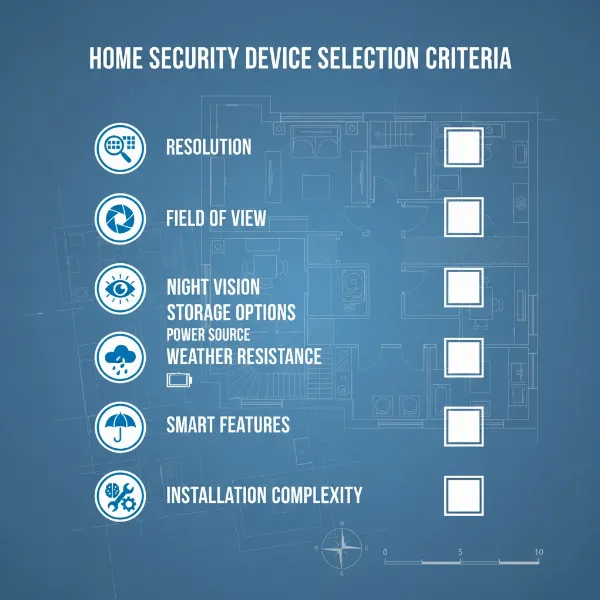
Key Criteria When Choosing an Outdoor Camera
Selecting the perfect outdoor camera requires a careful evaluation of several critical factors that impact performance, reliability, and usability.
Resolution
The clarity of your camera’s footage is paramount for identification and evidence. While 1080p (Full HD) is a good baseline, consider cameras with 2K or 4K (Ultra HD) resolution for sharper, more detailed images, making it easier to identify faces, license plates, or small details even when zoomed in. Higher resolution also helps in covering a wider area effectively.
Viewing Angle (Field of View – FoV)
A wider field of view means the camera can cover a larger area, potentially reducing the number of cameras you need. Look for models offering 130 to 180 degrees FoV to encompass expansive spaces like driveways, backyards, or entryways. Some cameras also offer pan-tilt-zoom (PTZ) functionality, allowing you to remotely adjust the viewing angle and zoom in on specific areas.
Weather Resistance (IP Rating)
Outdoor cameras must withstand the elements. An Ingress Protection (IP) rating indicates a camera’s resistance to dust and water. For most outdoor use, an IP65 rating (protected against dust and low-pressure water jets) is sufficient. For areas with heavy rain or extreme conditions, look for IP66 (protected against powerful water jets) or IP67 (protected against temporary submersion) for enhanced durability. Additionally, check the camera’s operating temperature range to ensure it can function reliably in your local climate extremes.
Night Vision
Effective night vision is crucial for 24/7 surveillance. Most cameras offer standard infrared (IR) night vision, providing clear black-and-white footage in the dark. For better detail and color accuracy, opt for cameras with color night vision, which uses advanced sensors or integrated spotlights to capture full-color video even in low-light conditions. The range of night vision (how far it can see in the dark) is also an important specification to consider.
Smart Features
Modern outdoor cameras come equipped with intelligent features that significantly enhance security and convenience. These include:
- Motion Detection: Triggers recording and alerts when movement is detected.
- Person/Vehicle Detection (AI-powered): Differentiates between humans, vehicles, and other motion (like animals or rustling leaves) to reduce false alarms.
- Activity Zones: Allows you to define specific areas within the camera’s view for motion detection, ignoring irrelevant movements outside these zones.
- Two-Way Audio: Enables you to speak and listen through the camera, allowing for communication with visitors or deterring intruders.
- Built-in Spotlights and Sirens: Act as active deterrents, illuminating suspicious activity and sounding an alarm.
Storage Options
How your footage is stored is a critical consideration for accessibility and cost.
- Local Storage: Many cameras offer a microSD card slot for on-device storage or connect to a Network Video Recorder (NVR) or Digital Video Recorder (DVR). This provides ownership of your footage and avoids monthly fees.
- Cloud Storage: Footage is uploaded to secure cloud servers. This offers off-site backup, protecting recordings even if the camera is damaged or stolen. Cloud storage typically requires a subscription fee.
Power Source
Your chosen power method impacts installation and ongoing maintenance.
- Wired (Plug-in): Connects to a standard electrical outlet. Reliable, but limits placement to areas near power.
- Power over Ethernet (PoE): A single Ethernet cable provides both power and data, simplifying wiring for IP cameras.
- Battery-Powered (Wire-Free): Offers maximum placement flexibility as no power cables are needed. Requires periodic recharging or battery replacement.
- Solar-Powered: Utilizes a small solar panel to continuously charge a battery, providing an eco-friendly and low-maintenance option for sunny locations.
Top Outdoor Cameras Worth Considering
The market is flooded with excellent outdoor security cameras, each with unique strengths. Here are some highly-rated models that represent a good blend of features, reliability, and value, with a focus on both wired and wireless capabilities.
1. Arlo Essential XL Security Camera 2K (Wireless)
The Arlo Essential XL stands out for its exceptional battery life and robust design. This fully wireless camera offers clear 2K HDR video, color night vision, and a wide 160-degree field of view. Its durable, weatherproof exterior ensures reliability in various climates, while accurate motion detection delivers real-time alerts to your smartphone. The “XL” variant boasts an extended battery life, often lasting up to eight months on a single charge, making it a low-maintenance option for comprehensive outdoor coverage. It also integrates seamlessly with various smart home platforms.
2. Nest Cam (battery) / Nest Cam with Floodlight (Wireless/Wired)
Google’s Nest Cam (battery) is a versatile, easy-to-install wireless option providing 1080p video, intelligent person, vehicle, and animal detection. It offers a useful three hours of local video backup in case of internet outage and supports 5GHz Wi-Fi for stable connectivity. For those needing active deterrence and continuous power, the Nest Cam with Floodlight combines the excellent Nest camera with powerful, motion-activated LED lights, though this version requires hardwired installation. Both models offer clear video and integrate well within the Google Home ecosystem.
3. Eufy SoloCam S340 / EufyCam S330 (Wireless, Solar-Powered)
Eufy excels in providing feature-rich, subscription-free security solutions. The SoloCam S340 is a prime example, offering dual-camera functionality for a wide and close-up view, 3K resolution, and 360-degree pan-and-tilt capabilities, all powered by an integrated solar panel. The EufyCam S330 (available in multi-camera kits) offers similar solar-powered 4K clarity with AI detection and local storage via a HomeBase. These cameras are celebrated for their sharp imagery, long battery life (augmented by solar charging), and absence of monthly fees for core features.
4. Ring Floodlight Cam Wired Pro (Wired)
For those prioritizing a wired solution with powerful active deterrence, the Ring Floodlight Cam Wired Pro is a top contender. This hardwired camera delivers 1080p HDR video, a broad 140-degree field of view, and two ultra-bright 2000-lumen LED floodlights. It features advanced 3D Motion Detection with radar technology, customizable motion zones, two-way audio with noise cancellation, and a 110-decibel siren. While installation requires an electrical connection, its robust features and reliable wired connection make it an excellent choice for high-traffic areas.
5. TP-Link Tapo Wire-Free MagCam (Wireless)
The TP-Link Tapo Wire-Free MagCam offers an affordable yet capable wireless solution. It records in sharp 2K resolution, features color night vision, and includes built-in spotlights for enhanced visibility and deterrence. This camera boasts a long battery life and offers both local storage (via microSD card) and cloud recording options. Its wire-free design and magnetic mount make installation and repositioning incredibly simple, providing flexibility for homeowners looking for effective surveillance without the hassle of wires.
Guide to Installing an Outdoor Camera
Proper installation is crucial for maximizing your outdoor camera’s effectiveness and ensuring its longevity. While wired installations can be complex, many wireless cameras are designed for DIY setup.
-
Choose the Right Location:
- Strategic Placement: Identify key entry points (front door, back door, garage), vulnerable areas (windows, dark corners), and high-traffic zones.
- Optimal Height: Mount cameras 8-10 feet off the ground, high enough to deter tampering but low enough to capture clear facial features.
- Line of Sight: Ensure a clear, unobstructed view of the area you want to monitor. Avoid pointing directly at strong light sources like the sun or bright streetlights, which can cause glare.
- Wi-Fi Signal (for wireless): For wireless cameras, confirm a strong Wi-Fi signal at the chosen location using your smartphone. A weak signal will result in poor performance.
- Power Access (for wired/plug-in wireless): Ensure easy access to a power outlet or be prepared to run electrical wiring. For PoE cameras, plan your Ethernet cable routes.
-
Gather Tools and Materials:
- Basic Tools: Drill, screwdriver, ladder, pencil for marking.
- Mounting Hardware: Screws, anchors (usually included with the camera).
- Cables (for wired): Ethernet cables (for IP/PoE) or coaxial/power cables (for analog), cable clips or conduit for protection.
- Weatherproofing: Silicone sealant for cable entry points, if needed.
-
Mount the Camera:
- Mark and Drill: Hold the camera or mounting bracket in place, mark screw holes, and drill pilot holes.
- Secure the Mount: Attach the mounting bracket firmly to the surface.
- Attach Camera: Secure the camera to its bracket.
-
Connect Power and Network:
- Wired Cameras: Run power and data cables (or a single PoE cable) from the camera to your NVR/DVR or network switch. Secure cables neatly along walls or through conduit to protect them from weather and tampering.
- Wireless Cameras (Plug-in): Plug the camera into a nearby outdoor-rated power outlet.
- Wireless Cameras (Battery/Solar): No direct power connection needed. Ensure solar panels are positioned for maximum sunlight exposure.
- Network Connection (Wireless): Follow the manufacturer’s app instructions to connect the camera to your home’s Wi-Fi network. This usually involves scanning a QR code or going through a guided setup process.
-
Configure and Test:
- App Setup: Use the camera’s dedicated mobile app to complete the setup process. This typically involves naming the camera, setting up motion detection zones, and configuring alert preferences.
- Adjust Angle: View the live feed on your smartphone or monitor and adjust the camera’s angle for optimal coverage.
- Test Functionality: Trigger motion alerts, test two-way audio, and verify night vision capabilities. Ensure recordings are being stored correctly (local or cloud).
“While wireless cameras offer unparalleled ease of installation, don’t underestimate the importance of a strong Wi-Fi signal. It’s the lifeline of your wire-free security.” – Admin, Reviewmagz.com
Tips for Using and Maintaining Outdoor Cameras
To ensure your outdoor cameras remain effective and have a long lifespan, regular use and maintenance are essential.
- Regular Cleaning: Dust, cobwebs, rain spots, and debris can obscure the camera’s lens, reducing video clarity. Gently wipe the lens and camera body with a soft, damp cloth at least once a month. Avoid harsh chemicals.
- Check Connections Periodically: For wired cameras, inspect cables for wear, fraying, or loose connections. Ensure all connections are secure and weatherproof. For wireless cameras, regularly check your Wi-Fi signal strength and router performance to prevent connectivity issues.
- Software and Firmware Updates: Camera manufacturers frequently release firmware updates to improve performance, add new features, and patch security vulnerabilities. Always keep your camera’s software up to date via the mobile app.
- Monitor Power Sources:
- Battery-Powered: Keep an eye on battery levels through the app and recharge or replace batteries as needed. Consider solar panel accessories to reduce charging frequency.
- Wired/PoE: Ensure consistent power supply. If you experience outages, consider a UPS (Uninterruptible Power Supply) for your NVR/DVR or router.
- Protect from Physical Damage: While cameras are often weatherproof, providing additional shelter (e.g., under an eave or a protective cover) can extend their lifespan by reducing direct exposure to extreme weather, sun, and potential physical impacts.
- Review Footage Regularly: Periodically check recorded footage to ensure the camera is capturing what you expect and that video quality is consistent. This helps identify any issues early.
- Backup Critical Footage: If using local storage, regularly back up important footage to another device or cloud service to prevent loss.
Buying Guide: What to Know Before You Buy an Outdoor Camera
Before making a purchase, a strategic approach ensures you choose a system that truly meets your home security demands.
- Define Your Budget: Outdoor cameras range widely in price. Determine how much you’re willing to spend, considering not just the camera unit but also potential installation costs (for wired systems) and ongoing subscription fees (for cloud storage or advanced features on many wireless models).
- Assess Your Specific Needs:
- Property Size & Layout: For large properties, wired cameras might offer more reliable coverage. For smaller areas or renters, wireless flexibility can be key.
- Key Monitoring Areas: Where do you need surveillance most? Entry points, driveways, backyards? This will influence the number and type of cameras (e.g., wide-angle vs. PTZ).
- Desired Features: Do you need 4K resolution, color night vision, AI person detection, two-way audio, or spotlights? Prioritize features based on your security concerns.
- Internet Connectivity: Do you have strong, stable Wi-Fi outdoors? If not, a wired system or a cellular wireless camera might be necessary.
- Wired vs. Wireless Decision:
- Wired (Reliability & Security First): Choose if you prioritize uninterrupted, highly secure 24/7 recording, have a large property, or can accommodate complex wiring.
- Wireless (Flexibility & Ease First): Choose if you value easy installation, flexible placement, portability, or need coverage in hard-to-wire areas. Be prepared for battery maintenance or ensuring a strong Wi-Fi signal.
- Consider Storage & Subscriptions: Decide between local storage (SD card, NVR/DVR) for no ongoing fees or cloud storage for off-site backup, understanding that cloud services often come with monthly subscriptions.
- Research Reputable Brands: Stick to well-known brands with a good track record for reliability, customer support, and regular software updates. Brands like Arlo, Nest, Eufy, Ring, and Lorex are popular for good reason.
- Check Warranty and Support: Understand the warranty period and what it covers. Good customer support can be invaluable if you encounter issues during installation or operation. Read user reviews to gauge real-world performance and support experiences.
Conclusion
The choice between wired and wireless outdoor cameras ultimately boils down to a balance between reliability, ease of installation, and specific feature requirements. While wired systems offer unparalleled stability and security, wireless models provide unmatched flexibility and convenience. Modern advancements have significantly blurred the lines, with many hybrid solutions and feature-rich wireless options offering robust protection. By carefully considering your property’s unique needs, your budget, and the critical features discussed, you can confidently select an outdoor camera system that not only deters threats but also brings invaluable peace of mind to your home. Which aspects of outdoor camera technology are most important for your security setup?
Frequently Asked Questions
Do wireless outdoor cameras always require a Wi-Fi connection?
Not always. While most wireless cameras rely on a Wi-Fi network for data transmission, some models, known as cellular cameras, use cellular networks (like 4G LTE) to send video footage. These are ideal for remote locations or large properties where Wi-Fi signals may not reach. However, cellular cameras typically require a data plan subscription.