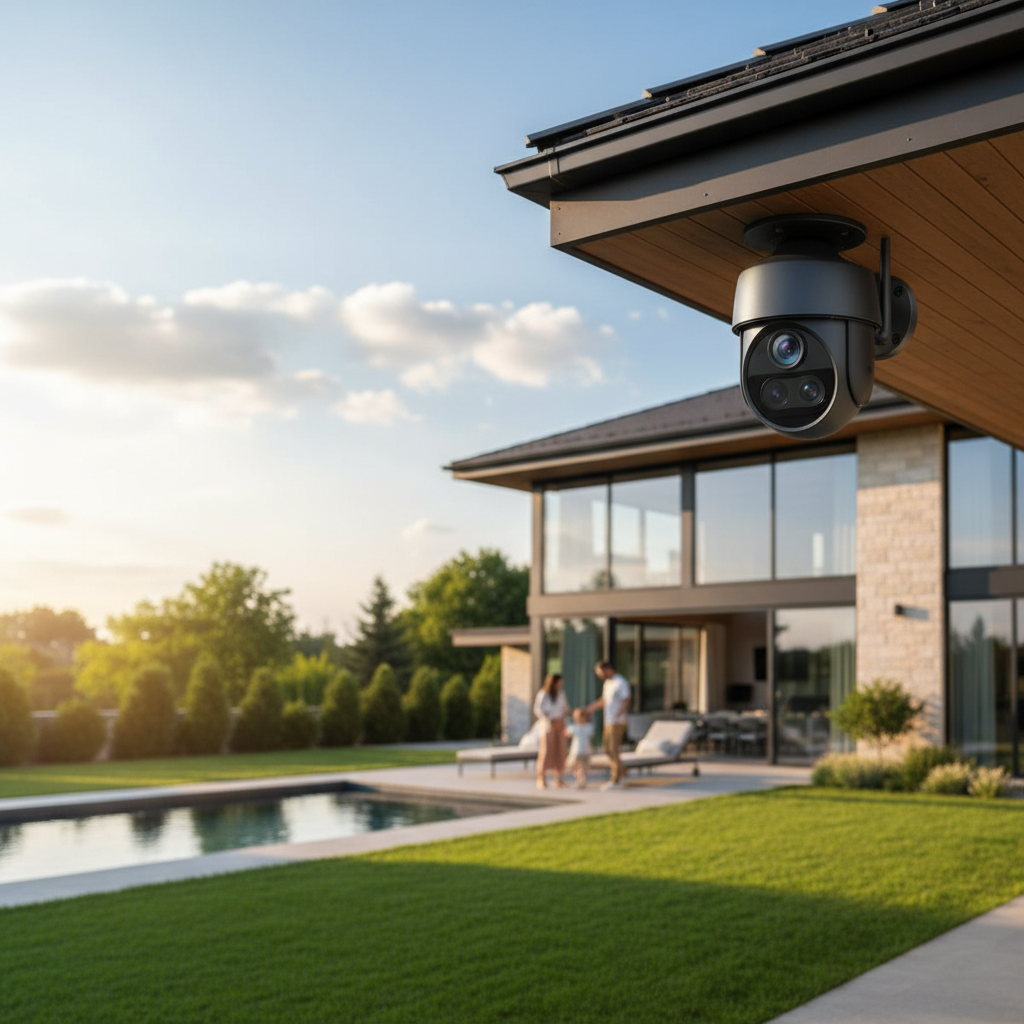
Are you constantly wondering if your home or business is truly safe when you’re not there? In an age where peace of mind is invaluable, the question of whether an outdoor camera is a worthwhile investment has never been more relevant. These vigilant sentinels offer a robust first line of defense, providing more than just surveillance; they offer assurance. From deterring potential threats to capturing crucial evidence, understanding the true value and capabilities of modern outdoor cameras can empower you to make an informed decision for your property’s protection. Let’s delve into the world of outdoor security and discover if it’s the right solution for you.
Outdoor Cameras: Your Essential Security Solution
In today’s dynamic world, safeguarding your property and loved ones is paramount. Outdoor cameras have emerged as an indispensable component of any comprehensive security strategy, acting as vigilant eyes that never sleep. Their primary role extends beyond mere recording; they serve as a powerful deterrent against a spectrum of criminal activities, from petty vandalism to serious burglaries. The visible presence of a camera alone can often be enough to make would-be intruders reconsider their plans.
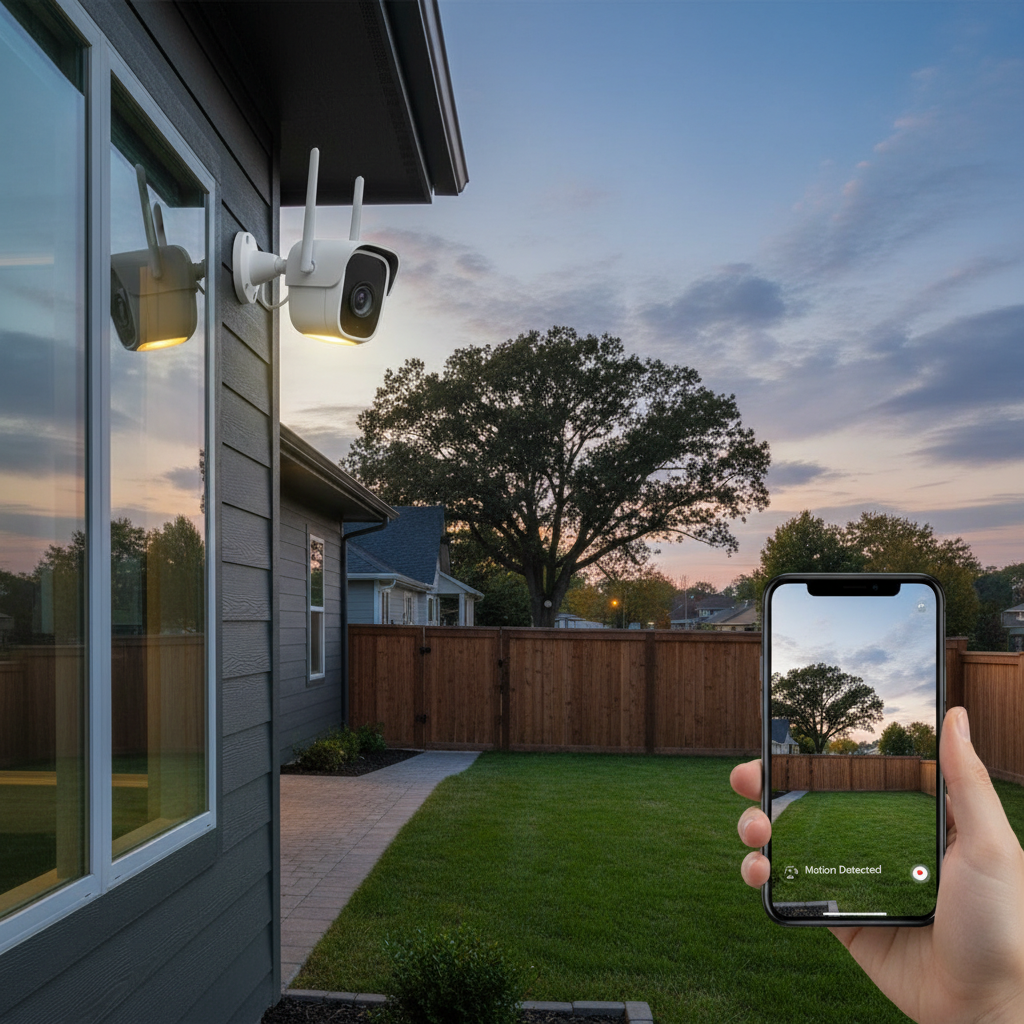
Beyond deterrence, outdoor cameras provide tangible benefits by offering undeniable evidence should an incident occur. Clear footage can be critical for law enforcement investigations and insurance claims, ensuring that justice can be pursued and losses mitigated. Many contemporary systems also offer remote monitoring capabilities, allowing you to check in on your property from anywhere in the world via a smartphone or computer. This constant connection fosters a sense of security, knowing that your perimeter is always under watch, whether you’re at work, on vacation, or simply in another room.
Popular Types of Outdoor Cameras
The market offers a diverse array of outdoor cameras, each designed with specific functionalities and environments in mind. Understanding the different types can help you pinpoint the ideal solution for your unique security needs.
By Technology
- Analog Cameras: These traditional cameras transmit video over coaxial cables to a digital video recorder (DVR). While often more budget-friendly, their resolution is typically lower than digital alternatives, though modern HD-CVI/TVI analog cameras offer improved quality.
- IP Cameras (Network Cameras): Utilizing internet protocols, IP cameras send video data over an Ethernet cable or Wi-Fi to a network video recorder (NVR) or cloud storage. They boast superior resolution, advanced features, and greater flexibility in placement.
- Wireless Cameras: These cameras connect to your home’s Wi-Fi network, reducing the need for extensive cabling for data transmission. While offering installation flexibility, they still require a power source, which might be a battery, solar panel, or nearby electrical outlet.
- Wired Cameras: Wired systems offer the most stable and reliable connection, ensuring consistent power and data transmission without interference. They typically require professional installation due to the need for running cables, but they provide robust, uninterrupted surveillance.
|
Our Picks for the Best Outdoor camera in 2026
As an Amazon Associate I earn from qualifying purchases.
|
||
| Num | Product | Action |
|---|---|---|
| 1 | All-new Blink Video Doorbell + Outdoor 4 – Wireless smart security cameras, head-to-toe HD view, two-year battery life. Sync Module Core included – 2 camera system + Video Doorbell |

|
| 2 | WYZE Cam v4 (Latest Model), 2.5K AI Security Camera, Indoor/Outdoor Cameras for Home Security, Baby Monitor & Pet Camera, Vibrant Color Night Vision, No Subscription Required, Free Expert Help |
|
| 3 | GMK Security Cameras Wireless Outdoor 4 Pack, 2K Battery Powered Cameras for Home Security, Color Night Vision, Motion Detection, 2-Way Talk, IP65 Waterproof, Remote Access, Cloud/SD Storage |
|
| 4 | Ring Outdoor Cam Plus, Battery (newest model), Home or business security, Wide-Angle 2K Video with Ring Vision, Low-Light Sight for full-color night vision, Mount-Anywhere Versatility, Black |
|
| 5 | 2026 Upgraded 2K Security Cameras Wireless Outdoor, Free Cloud Storage, 1-6 Months Battery Life, Waterproof, 2-Way Talk, AI Motion Detection Spotlight Siren Alarm Cameras for Home Security |
|
| 6 | eufy Security 3K Dual Camera, SoloCam S340, Solar Security Cameras Wireless Outdoor, Cameras for Home Security, 360°Coverage, Pan & Tilt, No Blind Spots, No Monthly Fee, HomeBase S380 Compatible |
|
| 7 | aosu Security Cameras Outdoor Wireless, 4 Cam-Kit, No Subscription Required, Solar-Powered, Home Security Cameras System with 360° Pan & Tilt, Auto Tracking, 2K Color Night Vision, Easy Setup |
|
| 8 | Security Cameras Wireless Outdoor 355° Pan Rotating 2K Color Night Vision Cameras for Home Security WiFi Battery Outdoor Camera Motion Detection 2-Way Talk IP65 Spotlight Siren SD/Cloud Storage 2 Pack |
|
| 9 | Ring Outdoor Cam (Stick Up Cam), Weather-resistant home or business security camera, outdoor ready, Live View, Color Night Vision, Two-Way Talk, motion alerts, Works with Alexa, White |
|
| 10 | Blink Outdoor 4 – Wireless smart security camera, two-year battery life, 1080p HD day and infrared night live view, two-way talk. Sync Module Core included – 3 camera system |
|
By Features
- Infrared (Night Vision) Cameras: Equipped with IR LEDs, these cameras capture clear black-and-white footage in complete darkness, extending your surveillance capabilities around the clock. Advanced models, known as Starlight or Color Night Vision cameras, can even produce color images in very low light conditions.
- Zoom Cameras: Featuring optical zoom lenses, these cameras allow you to magnify specific areas of interest without sacrificing image clarity, perfect for monitoring distant objects or expansive areas.
- PTZ (Pan-Tilt-Zoom) Cameras: These highly versatile cameras offer motorized control, allowing users to remotely pan horizontally, tilt vertically, and zoom in or out. They provide 360-degree coverage of large spaces, reducing the need for multiple fixed cameras. However, they are most effective when actively monitored.
- Cameras with Two-Way Audio: Integrated microphones and speakers enable real-time communication. This feature is invaluable for interacting with visitors, instructing delivery personnel, or verbally deterring intruders before they can cause damage.
By Form Factor
- Bullet Cameras: Easily recognizable by their cylindrical shape, bullet cameras are often chosen for their highly visible deterrent effect. They are typically wall-mounted and are excellent for long-range viewing, making them suitable for driveways, long pathways, or property perimeters.
- Dome Cameras: Designed with a discreet, spherical housing, dome cameras are more vandal-resistant and harder to reposition without tools. Their wide-angle views make them ideal for covering entryways, high-security areas, or retail spaces where a broader perspective is needed.
- Turret Cameras: Also known as eyeball cameras, turret cameras combine the compact design of a dome camera with the adjustable lens of a bullet camera. They offer excellent flexibility in positioning, can be rotated on multiple axes, and often feature enhanced night vision without the IR glare associated with dome covers.
[image-1|outdoor-camera-types-comparison|A side-by-side comparison of different outdoor camera types: bullet, dome, and PTZ, illustrating their distinct shapes and typical applications for home security.|
A professional, illustrative infographic-style image comparing three distinct outdoor security camera types: a classic cylindrical “bullet” camera, a discreet hemispherical “dome” camera, and a versatile “PTZ” camera with motorized pan-tilt-zoom functionality. Each camera type should have a small, clear icon or label indicating its name. The background should subtly show a modern home exterior, with lines extending from each camera type to areas they typically monitor (e.g., bullet camera for a long driveway, dome for a porch entrance, PTZ for a wide backyard). The style should be clean, clear, and easy to understand, using a cohesive color palette suitable for a tech review.
]
Comparative Table of Outdoor Camera Types
Choosing the right outdoor camera involves weighing various features against your specific security demands. Here’s a comparative overview to help clarify the differences:
| Feature | Analog Cameras | IP Cameras | Wireless Cameras | PTZ Cameras |
|---|---|---|---|---|
| Resolution | Lower (720p-1080p HD) | High (1080p, 2K, 4K) | Variable (1080p, 2K, 4K) | High (1080p, 2K, 4K) |
| Connectivity | Coaxial Cable | Ethernet Cable / Wi-Fi | Wi-Fi | Ethernet Cable / Wi-Fi |
| Field of View | Fixed, typically moderate | Fixed, often wide-angle | Fixed, often wide-angle | Dynamic (360° pan, 180° tilt, zoom) |
| Weather Resistance | Good (depending on model) | Excellent (IP66/IP67 rated) | Good to Excellent | Excellent (IP66/IP67 rated) |
| Night Vision | Basic IR | Advanced IR, Color Night Vision | IR, sometimes Color Night Vision | Advanced IR, Color Night Vision |
| Smart Features | Limited | Extensive (AI detection, alerts) | Moderate (motion alerts, two-way audio) | Extensive (AI tracking, preset tours) |
| Installation | Moderate (cabling) | Moderate (cabling/network setup) | Easy (less cabling, Wi-Fi setup) | Complex (cabling, software integration) |
| Price | Affordable | Moderate to High | Moderate | High |
Key Criteria for Choosing an Outdoor Camera
Selecting the perfect outdoor camera system requires careful consideration of several critical factors. Prioritizing these criteria will ensure your investment aligns with your security goals and budget.
Resolution
The clarity of your camera’s footage is paramount for identification purposes. While 1080p HD offers a good balance of quality and file size for most residential applications, higher resolutions like 2K (1440p) or 4K Ultra HD (2160p) provide significantly more detail. Higher resolution is especially beneficial for large areas or when needing to discern fine details such as faces or license plates. For example, a 4K camera can cover a wider area with fewer blind spots, potentially reducing the total number of cameras needed.
Field of View
The field of view (FOV) dictates how much area your camera can see. Wide-angle lenses, typically offering 120-180 degrees, are excellent for covering expansive spaces like backyards or driveways. Conversely, a narrower field of view provides more detail within a focused area. When choosing, consider the specific zones you need to monitor. A broader FOV can minimize blind spots, while a combination of wide-angle and more focused cameras might be optimal for comprehensive coverage.
Weather Resistance
Outdoor cameras must endure the elements year-round. Look for an Ingress Protection (IP) rating, which indicates a camera’s resistance to dust and water. An IP65 rating protects against dust and low-pressure water jets, suitable for most moderate climates. For harsher conditions, IP66 (high-pressure water jets) or IP67 (temporary submersion) ratings offer superior durability against heavy rain, snow, and dust. Temperature tolerance is also crucial; check the operating range to ensure the camera can function reliably in extreme heat or cold.
Night Vision
Since many incidents occur under the cover of darkness, robust night vision is non-negotiable. Standard infrared (IR) night vision provides clear black-and-white images. For enhanced detail and easier identification, consider cameras with color night vision technology, which utilizes advanced sensors or ambient light to render full-color video even in low-light conditions. Always check the effective night vision range to ensure it adequately covers your desired monitoring area.
“A common misconception is that all outdoor cameras offer the same level of protection. The truth is, without appropriate weatherproofing and advanced night vision, your ‘security’ camera might just be a fair-weather friend.” – Alex Chen, Security Systems Engineer
Smart Features
Modern outdoor cameras are equipped with intelligent features that enhance their effectiveness.
- Motion Detection: This feature triggers recording and alerts only when movement is detected, conserving storage and preventing false alarms.
- AI Detection: More advanced cameras use Artificial Intelligence to differentiate between people, vehicles, and animals, significantly reducing unwanted notifications caused by swaying trees or small critters.
- Activity Zones: This allows you to define specific areas within the camera’s view where motion detection should be active, ignoring non-critical zones.
- Facial Recognition: Some high-end models can identify familiar faces, allowing for tailored alerts or smart home automations.
Storage Options
How your footage is stored is vital for review and evidence collection.
- Local Storage: Often via an SD card or Network Video Recorder (NVR), local storage keeps footage private and avoids subscription fees, but has limited capacity.
- Cloud Storage: Footage is uploaded to secure remote servers, offering convenient access from anywhere and protection against camera damage or theft. This typically requires a subscription.
- Hybrid Storage: This combines local and cloud storage, providing redundancy and flexibility. Footage is often stored locally first, then backed up to the cloud.
Power Source
Your chosen power method impacts installation and ongoing maintenance.
- Wired (Power over Ethernet – PoE): A single Ethernet cable provides both power and data, offering the most reliable connection. Installation can be more complex but is ideal for stable setups.
- Wireless (Battery-Powered): These cameras offer maximum flexibility in placement as they require no power cables. However, they necessitate regular battery recharging or replacement.
- Solar-Powered: Eco-friendly and cost-effective, these cameras use solar panels to keep batteries charged, ideal for remote locations without easy access to power outlets, but depend on adequate sunlight.
Top Outdoor Cameras on the Market Today
The outdoor camera market is highly competitive, with numerous brands offering innovative solutions tailored to various needs. While specific models evolve rapidly, leading brands consistently deliver high-quality options. Companies like Arlo, known for their wire-free, battery-powered systems with excellent video quality and smart features, are popular choices for DIY enthusiasts. Ring offers strong integration with Alexa and various power options, including solar, making their floodlight and spotlight cameras highly versatile. Google Nest cameras excel in ease of installation and offer seamless integration within the Google Home ecosystem. Other reputable brands such as SimpliSafe, Lorex, and TP-Link Tapo provide a range of solutions from robust hardwired systems with 4K resolution to budget-friendly wireless options with good night vision and basic smart alerts. When exploring top picks, prioritize models that consistently receive high user ratings for durability, video clarity, night vision performance, and reliable motion detection, as these are the cornerstones of effective outdoor surveillance.
Outdoor Camera Installation Guide
Proper installation is crucial for maximizing your outdoor camera’s effectiveness and ensuring its longevity. While professional installation is recommended for complex wired systems, many wireless cameras are suitable for DIY setup.
-
Choose the Right Location:
- Strategic Placement: Aim for locations that provide a clear, unobstructed view of key entry points (front door, back door, garage), driveways, and vulnerable areas like ground-floor windows.
- Height: Install cameras at an optimal height (typically 8-10 feet) to prevent tampering while still capturing clear facial features.
- Connectivity: For wireless cameras, ensure the location is within reliable Wi-Fi range. For wired cameras, consider proximity to power outlets and network connections.
- Avoid Backlighting: Position the camera so that the main light source (e.g., the sun) is not directly behind the subject you want to monitor, as this can silhouette images.
-
Prepare Tools and Materials:
- Drill, screwdriver, ladder, mounting hardware (usually included), wire strippers (for wired cameras), and sealant.
- For wired installations, you might also need Ethernet cables, an NVR, and a power drill with appropriate bits for masonry or wood.
-
Connect Camera to Power and Network:
- Wireless: Charge batteries, or connect to a nearby power outlet. Follow the manufacturer’s app instructions to connect to your Wi-Fi network.
- Wired/PoE: Run Ethernet cables from the camera to your NVR or PoE switch. Connect the NVR to your router. Ensure all connections are secure and weatherproofed.
-
Configure Camera and Install Features:
- Use the accompanying mobile app or software to pair the camera, set up motion detection zones, adjust sensitivity, and configure recording preferences (e.g., continuous recording, motion-activated).
- Enable two-way audio, cloud storage, and smart alerts as needed.
-
Test and Adjust View:
- After mounting, use the live view feature on your app to fine-tune the camera’s angle and ensure it covers the intended area effectively.
- Check night vision performance in the dark.
- Walk through the detection zones to verify that motion alerts are triggered correctly.
[image-2|outdoor-camera-installation-steps|A clear, step-by-step illustration of installing an outdoor security camera on a home exterior, showing key considerations like power, Wi-Fi, and optimal viewing angle.|
A concise, clean illustration showing a person installing an outdoor security camera on the corner of a house. The image should highlight three key steps: a hand connecting wires/power to the camera, a Wi-Fi signal icon radiating from the camera towards the house, and a visual representation of the camera’s wide field of view covering the garden and driveway. The art style should be illustrative and easy to understand, with a focus on practical application. The house should be modern and residential.
]
Tips for Using and Maintaining Outdoor Cameras
To ensure your outdoor cameras provide reliable security for years to come, regular maintenance and smart usage practices are essential.
- Clean Regularly: Dust, dirt, spiderwebs, and water spots can obscure the lens, degrading image quality. Gently wipe the lens and casing with a soft, damp cloth periodically.
- Check Connections and Power: Inspect wired connections for corrosion or damage. For wireless cameras, monitor battery levels regularly and ensure solar panels are clean and exposed to adequate sunlight.
- Update Software: Firmware updates often include security patches, bug fixes, and new features. Keep your camera’s software up to date via the manufacturer’s app to ensure optimal performance and protection against vulnerabilities.
- Protect from Physical Damage: While outdoor cameras are durable, extreme impacts or deliberate tampering can still occur. Consider placing cameras in slightly sheltered spots or using protective housings if available, especially in areas prone to strong winds or falling debris.
- Review Footage Periodically: Even without incident, occasionally reviewing recorded footage helps ensure your cameras are capturing what they should and that settings are still optimal.
Outdoor Camera Buying Guide: What You Need to Know
Before making a purchase, arm yourself with knowledge to navigate the options effectively. This buying guide covers essential considerations to help you confidently select the right outdoor camera.
Projected Budget
Outdoor cameras range from under $50 to several hundred dollars, depending on features, brand, and resolution. Determine a realistic budget, but remember that investing in quality often pays off in reliability and performance. Consider not just the camera’s upfront cost but also potential subscription fees for cloud storage.
Specific Usage Needs
What exactly do you need the camera for?
- Deterrence: A highly visible bullet camera might be best.
- Evidence Collection: High-resolution cameras with excellent night vision are crucial.
- Active Monitoring: PTZ cameras with remote control are ideal.
- Package Protection: A camera with a wide-angle view of your porch and two-way audio would be beneficial.
- Large Area Surveillance: A system with multiple cameras or a PTZ unit may be necessary.
Essential Features
Prioritize the features that directly address your needs:
- High Resolution (at least 1080p, preferably 2K or 4K): For clear, discernible images.
- Robust Weather Resistance (IP66/IP67): For year-round reliability in any climate.
- Effective Night Vision (Color Night Vision is a bonus): To ensure 24/7 surveillance.
- Smart Motion Detection (AI for people/vehicle detection): To minimize false alerts.
- Reliable Storage Options (local, cloud, or hybrid): To ensure footage is always accessible.
Reputable Brands
Stick with established brands known for their product quality, customer support, and regular software updates. Brands like Arlo, Ring, Google Nest, SimpliSafe, Lorex, and TP-Link Tapo are generally well-regarded in the industry. Research user reviews and expert recommendations for specific models.
Warranty and Support
A good warranty provides peace of mind. Check the manufacturer’s warranty period and their customer support options. Reliable support is invaluable should you encounter any issues during installation or operation.
Conclusion
Deciding whether an outdoor camera is worth it ultimately boils down to your individual security priorities and peace of mind. As we’ve explored, these devices offer significant benefits, from deterring crime and capturing crucial evidence to enabling remote monitoring and integrating with smart home ecosystems. With an ever-evolving market, you have more options than ever to choose a system that perfectly fits your budget and specific needs. By carefully considering factors like resolution, weather resistance, night vision, and smart features, you can make an informed decision that enhances the safety and security of your property. Isn’t it time to take control of your home’s perimeter and gain that invaluable sense of security?
Frequently Asked Questions
What is the average lifespan of an outdoor security camera?
The lifespan of an outdoor security camera can vary, but most reputable brands design their cameras to last between 5 to 10 years. Factors like build quality, weather exposure, and consistent software updates play a significant role in their longevity. Regular maintenance, such as cleaning and checking connections, can also extend their operational life.
Can outdoor cameras integrate with smart home systems?
Yes, many modern outdoor cameras are designed to integrate seamlessly with popular smart home ecosystems like Amazon Alexa, Google Home, and Apple HomeKit. This integration allows for voice control, viewing live feeds on smart displays, and creating automated routines (e.g., turning on lights when motion is detected by the camera).
Do outdoor cameras require a subscription for all features?
Not necessarily. While many cameras offer basic functionalities like live viewing and motion alerts without a subscription, advanced features such as cloud storage, AI-powered object detection (people, vehicles), and extended video history often come with a monthly or annual subscription fee. Local storage options can help avoid these recurring costs.
How much internet bandwidth does an outdoor camera use?
The internet bandwidth usage of an outdoor camera depends on its resolution, frame rate, and whether it’s recording continuously or only on motion detection. A 1080p camera might use 1-2 Mbps for live streaming, while a 4K camera could use 10-20 Mbps. Using motion-activated recording and lower quality settings can significantly reduce bandwidth consumption.
Can cold weather affect battery-powered outdoor cameras?
Yes, extremely cold temperatures can significantly impact the performance and battery life of battery-powered outdoor cameras. Cold weather can cause batteries to drain faster, reducing their overall efficiency. Some cameras are designed with wider temperature tolerances, but it’s a critical consideration for those in colder climates.
What is the difference between IP65, IP66, and IP67 ratings for outdoor cameras?
These IP ratings indicate a camera’s protection against solids and liquids. IP65 means protection against dust and low-pressure water jets. IP66 offers protection against dust and high-pressure water jets, making it suitable for heavy rain. IP67 provides protection against dust and temporary submersion in water, offering superior resilience.
Is it possible to install an outdoor camera without drilling?
Yes, some outdoor cameras, particularly lightweight, battery-powered models, can be installed without drilling using strong adhesive mounts or magnetic bases. However, for maximum security and stability, especially for heavier or wired cameras, drilling and securing with screws is generally recommended to prevent tampering or dislodgement.