Living in an apartment offers convenience and community, but it also presents unique challenges when it comes to personal security, especially concerning outdoor spaces. You might wonder how to effectively monitor your entryway, balcony, or even a designated parking spot without violating lease agreements or neighbor privacy. The good news is that securing your apartment’s exterior is entirely possible with the right outdoor camera. This guide will navigate you through essential considerations, popular camera types, crucial features, and top recommendations, empowering you to make an informed decision for enhanced peace of mind.
Outdoor Cameras: An Essential Security Solution for Apartments
In today’s world, an outdoor camera is far more than just a gadget; it’s a vital component of a comprehensive apartment security strategy. These devices serve as a constant watchful eye, deterring potential intruders and providing critical evidence if an incident occurs. For apartment dwellers, where shared spaces and varying levels of property ownership introduce complexities, external surveillance offers an invaluable layer of protection for personal property, deliveries, and even the safety of your immediate surroundings. They can significantly reduce the risk of package theft, vandalism, and unauthorized access, transforming anxiety into assurance.
Types of Outdoor Cameras Suitable for Apartments
Selecting the right type of outdoor camera for an apartment involves balancing security needs with practical limitations like lease agreements and shared property rules. While many camera types exist, some are inherently more suitable for apartment living due to their installation flexibility and discreet design.
By Connectivity and Power:
- Wireless (Battery-Powered): These are often the most apartment-friendly options. Battery-powered cameras eliminate the need for drilling or running unsightly wires, making them ideal for renters who cannot make permanent modifications to the property. They offer significant flexibility in placement and can be easily moved or removed when you relocate. However, remember to monitor battery life and recharge or replace as needed.
- Wireless (Solar-Powered): An excellent eco-friendly alternative, solar-powered cameras utilize a small solar panel to keep their batteries charged. They offer the same placement flexibility as battery-powered units but require adequate sunlight exposure to function optimally. They are virtually maintenance-free once installed, negating the need for frequent battery changes.
- Wired (Plug-in): These cameras connect to an electrical outlet for continuous power. While offering reliable, uninterrupted operation, they require proximity to an outdoor power source and potentially visible wiring, which might be restricted by your lease or aesthetically undesirable.
- Wired (PoE – Power over Ethernet): PoE cameras receive both power and data through a single Ethernet cable. They offer robust connectivity and superior reliability, often preferred for more permanent installations. However, due to the wiring requirements, they are generally less suitable for apartment tenants unless specifically permitted and professionally installed, often by landlords for common areas.
By Form Factor and Features:
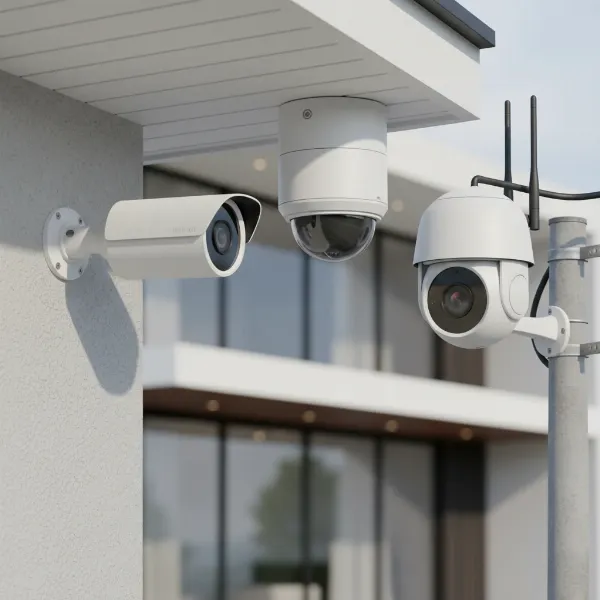
- Bullet Cameras: Recognizable by their cylindrical shape, bullet cameras are highly visible and often used as a deterrent. They offer a fixed view and are typically mounted to walls or eaves.
- Dome Cameras: Encased in a protective dome, these cameras are more discreet and vandal-resistant. Their spherical housing makes it harder for intruders to determine the camera’s exact field of view.
- Turret Cameras (Eyeball Cameras): Similar to dome cameras but without the protective plastic cover over the lens, turret cameras offer easy adjustment of the lens angle while retaining a somewhat discreet profile.
- PTZ (Pan-Tilt-Zoom) Cameras: These advanced cameras allow you to remotely control their horizontal (pan), vertical (tilt), and zoom functions. While offering extensive coverage, they are often larger, more expensive, and might be considered overkill or too conspicuous for individual apartment use, especially in shared outdoor spaces.
For apartment dwellers, the emphasis should heavily lean towards wireless (battery or solar-powered) cameras due to ease of installation, portability, and compliance with rental agreements.
[image-1|apartment-outdoor-camera-types|Various types of outdoor cameras suitable for apartment security, illustrating bullet, dome, and wireless options.|
A realistic illustration of three distinct outdoor security cameras. One is a sleek, white bullet camera mounted on a neutral-colored wall. Another is a compact, dark grey dome camera mounted on a ceiling. The third is a small, battery-powered wireless camera with a subtle modern design, possibly attached with an adhesive mount, suitable for an apartment balcony. The background shows a hint of an apartment building exterior with a balcony railing. Soft, natural lighting. Editorial style.]
Comparison Table: Apartment Outdoor Camera Features
Choosing an outdoor camera involves weighing various features against your specific needs and apartment living constraints. Here’s a comparison of key aspects to consider:
| Feature | Basic (Good) | Mid-Range (Better) | Premium (Best) |
|---|---|---|---|
| Resolution | 1080p Full HD | 2K (1440p) | 4K (2160p) Ultra HD |
| Field of View | 100-120 degrees | 120-140 degrees | 140+ degrees, sometimes PTZ |
| Weather Resistance | IP65 (dust and water jet resistant) | IP66 (dust-tight, powerful water jet resistant) | IP67 (dust-tight, submersible up to 1m for 30 min) |
| Night Vision | Basic Infrared (B&W up to 20-30 ft) | Enhanced IR, some color night vision (low light) | Advanced Color Night Vision, brighter spotlights |
| Motion Detection | Standard PIR sensor, basic alerts | Customizable zones, object differentiation (people/vehicles) | AI-powered (facial recognition, package detection), activity zones |
| Two-Way Audio | Basic microphone and speaker | Clearer audio, noise cancellation | High-fidelity audio, instant response |
| Power Source (Apartment Focus) | Battery-powered (recharge needed every 1-3 months) | Battery with solar panel option (less recharge) | Battery with long life (6-12 months), or plug-in if allowed |
| Storage | Cloud subscription (basic plan) | Cloud + Local SD card option | Flexible cloud plans, generous local storage |
| Smart Home Integration | Basic (Alexa/Google Assistant) | Moderate (IFTTT, specific smart hubs) | Extensive (HomeKit, Matter, advanced routines) |
| Deterrent Features | None or basic siren | Spotlight, customizable siren | Advanced siren, “Smart Deter” (AI-triggered actions) |
Key Criteria When Selecting an Apartment Outdoor Camera
When choosing an outdoor camera for your apartment, several factors demand careful consideration. These criteria will help ensure you select a device that not only enhances security but also aligns with your living situation and legal obligations.
Resolution
The clarity of your camera’s footage is paramount for identification.
- 1080p (Full HD) is a standard baseline, offering sufficient detail for general monitoring and identifying faces or license plates at close range.
- 2K (1440p) or 4K (2160p) Ultra HD cameras provide significantly sharper images, which can be crucial for zooming in on details or covering larger areas. However, higher resolutions require more storage space and robust Wi-Fi bandwidth for smooth streaming and recording. For apartment use, 1080p is often adequate, but 2K offers a noticeable upgrade without excessive demands.
|
Our Picks for the Best Outdoor camera in 2026
As an Amazon Associate I earn from qualifying purchases.
|
||
| Num | Product | Action |
|---|---|---|
| 1 | aosu Security Cameras Outdoor Wireless, 4 Cam-Kit, No Subscription Required, Solar-Powered, Home Security Cameras System with 360° Pan & Tilt, Auto Tracking, 2K Color Night Vision, Easy Setup |

|
| 2 | GMK Security Cameras Wireless Outdoor 4 Pack, 2K Battery Powered Cameras for Home Security, Color Night Vision, Motion Detection, 2-Way Talk, IP65 Waterproof, Remote Access, Cloud/SD Storage |
|
| 3 | Ring Outdoor Cam Plus, Battery (newest model), Home or business security, Wide-Angle 2K Video with Ring Vision, Low-Light Sight for full-color night vision, Mount-Anywhere Versatility, Black |
|
| 4 | Blink Outdoor 4 – Wireless smart security camera, two-year battery life, 1080p HD day and infrared night live view, two-way talk. Sync Module Core included – 3 camera system |
|
| 5 | 2026 Upgraded 2K Security Cameras Wireless Outdoor, Free Cloud Storage, 1-6 Months Battery Life, Waterproof, 2-Way Talk, AI Motion Detection Spotlight Siren Alarm Cameras for Home Security |
|
| 6 | Ring Outdoor Cam (Stick Up Cam), Weather-resistant home or business security camera, outdoor ready, Live View, Color Night Vision, Two-Way Talk, motion alerts, Works with Alexa, White |
|
| 7 | Security Cameras Wireless Outdoor 355° Pan Rotating 2K Color Night Vision Cameras for Home Security WiFi Battery Outdoor Camera Motion Detection 2-Way Talk IP65 Spotlight Siren SD/Cloud Storage 2 Pack |
|
| 8 | All-new Blink Video Doorbell + Outdoor 4 – Wireless smart security cameras, head-to-toe HD view, two-year battery life. Sync Module Core included – 2 camera system + Video Doorbell |
|
| 9 | eufy Security 3K Dual Camera, SoloCam S340, Solar Security Cameras Wireless Outdoor, Cameras for Home Security, 360°Coverage, Pan & Tilt, No Blind Spots, No Monthly Fee, HomeBase S380 Compatible |
|
| 10 | WYZE Cam v4 (Latest Model), 2.5K AI Security Camera, Indoor/Outdoor Cameras for Home Security, Baby Monitor & Pet Camera, Vibrant Color Night Vision, No Subscription Required, Free Expert Help |
|
Field of View
The camera’s field of view (FoV) determines how much area it can capture. A wider FoV means fewer blind spots and comprehensive coverage with fewer cameras. Look for cameras offering at least 120 degrees horizontally to cover apartment entryways, balconies, or parking spots effectively. Some cameras offer ultra-wide lenses (140-180 degrees) or fisheye views, which can be beneficial for covering a broad expanse with a single device.
Weather Resistance
Since your camera will be exposed to the elements, its ability to withstand various weather conditions is crucial. Look for an IP (Ingress Protection) rating, such as:
- IP65: Protected against dust and low-pressure water jets from any direction. Suitable for most outdoor conditions.
- IP66: Protected against dust and powerful water jets. Ideal for areas prone to heavy rain.
- IP67: Dust-tight and protected against temporary immersion in water. Offers maximum protection, though rarely essential for typical outdoor apartment setups.
Ensure the camera is rated for the typical temperature fluctuations in your region.
Night Vision
Many incidents occur under the cover of darkness, making robust night vision capabilities essential.
- Infrared (IR) Night Vision: Most common, uses IR LEDs to illuminate the scene, producing clear black-and-white footage in complete darkness. The effective range varies between models.
- Color Night Vision: Achieved through advanced sensors, built-in spotlights, or ambient light amplification, color night vision provides more detail and a clearer understanding of events at night. This feature is highly beneficial for identifying clothing colors or vehicle details.
Smart Features
Modern outdoor cameras come packed with intelligent features that enhance their effectiveness:
- Motion Detection: Essential for triggering recordings and alerts. Look for customizable sensitivity settings and activity zones to minimize false alarms from pets or passing traffic.
- AI-Powered Detection: Advanced cameras can differentiate between people, vehicles, animals, and packages, sending more precise alerts and reducing unnecessary notifications.
- Two-Way Audio: Allows you to speak to visitors or deter intruders remotely. It’s also useful for communicating with delivery personnel.
- Integrated Spotlight and Siren: These act as active deterrents, scaring off intruders with bright lights and loud alarms when motion is detected.
- Remote Access and App Control: The ability to view live feeds, access recordings, and manage settings from your smartphone or tablet anywhere is a fundamental feature.
- Smart Home Integration: Compatibility with platforms like Amazon Alexa, Google Assistant, or Apple HomeKit allows for voice control and integration into broader smart home routines.
Storage
Where your footage is stored impacts accessibility, security, and ongoing costs.
- Cloud Storage: Footage is uploaded to secure remote servers, accessible from anywhere. Most services require a monthly or annual subscription fee.
- Local Storage (SD Card/NVR): Footage is stored directly on an SD card within the camera or on a Network Video Recorder (NVR) on your property. This offers greater privacy and avoids subscription fees, though an NVR is typically for more extensive wired systems. For apartments, SD card storage is a popular and convenient option.
Power Source
The power source directly impacts installation ease and reliability, especially for renters.
- Battery-Powered: Offers the most flexibility for apartment installation, as no wiring or drilling is required. Easy to move. Consider models with long battery life or solar panel compatibility.
- Solar-Powered: A great companion to battery-powered cameras, extending their operational life significantly and reducing maintenance.
- Wired (Plug-in/PoE): Provides continuous power without battery concerns. However, it requires access to an outdoor power outlet or complex wiring, which is often not feasible or permitted for apartment tenants.
Installation & Lease Compliance
This is arguably the most crucial aspect for apartment dwellers. Before purchasing, always review your lease agreement and consult with your landlord or property management.
- Permission is Key: Most leases prohibit making permanent alterations like drilling holes or running wires on the exterior. Installing any camera that modifies the property typically requires explicit written permission.
- Wireless Advantage: Battery-powered and solar-powered wireless cameras that use magnetic mounts or strong adhesive strips are often the only viable options without landlord approval, as they cause no property damage.
- Common Areas: Be aware that common areas like hallways, shared entryways, or parking lots are generally not yours to modify or monitor with your personal camera without explicit permission from property management, which is rarely granted due to privacy concerns.
“For apartment residents, prioritizing cameras that are truly wireless and require minimal to no installation—like those with strong adhesive mounts—is not just convenient, it’s often a strict requirement for lease compliance and maintaining good relations with your landlord.” – Liam Anderson, Security Systems Consultant
Privacy Considerations
Respecting privacy is non-negotiable. Your camera should only monitor your personal property and any areas you have the legal right to observe.
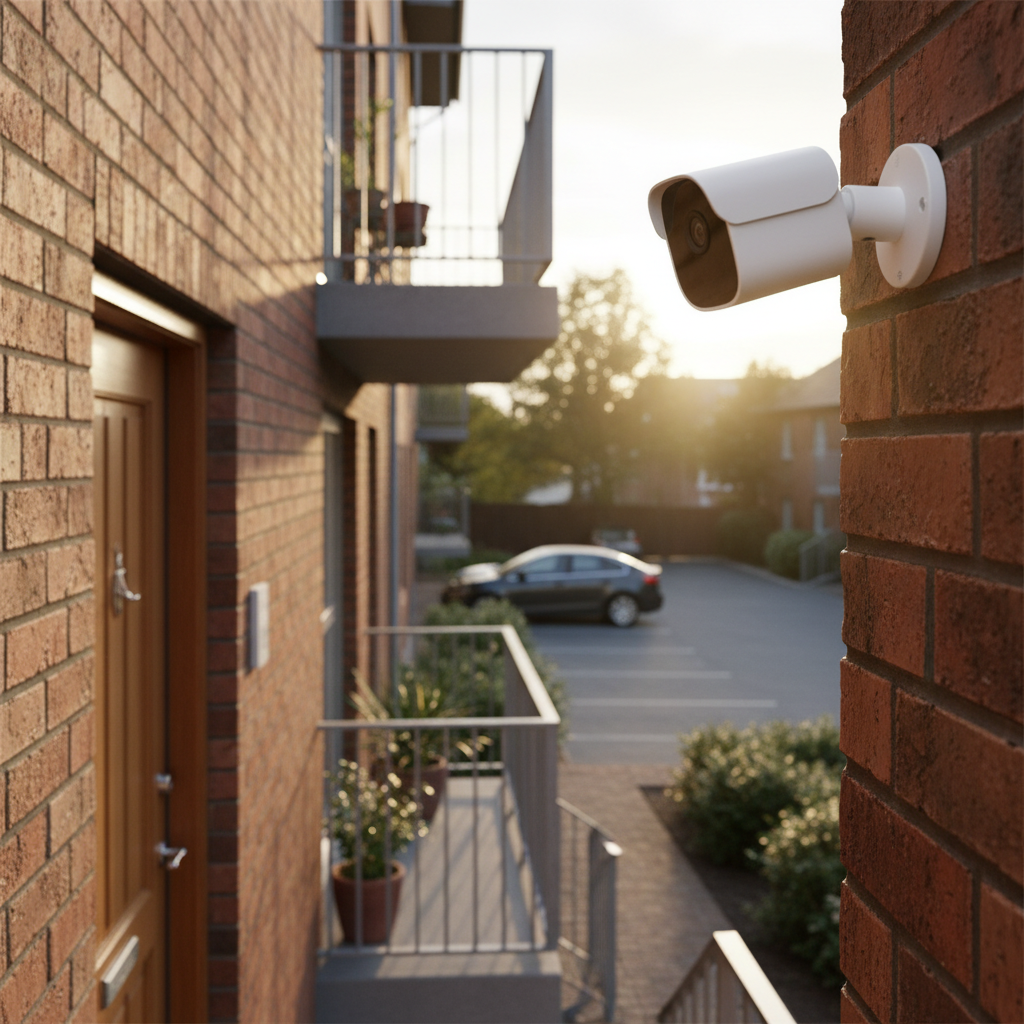
- Avoid Neighboring Property: Never point your camera into a neighbor’s window, balcony, or private patio.
- Common Areas: Avoid capturing footage of shared walkways or common areas where individuals have a reasonable expectation of privacy, unless you have explicit permission and proper signage.
- Audio Recording Laws: Be mindful of state-specific laws regarding audio recording. Some states require “two-party consent,” meaning all parties being recorded must consent to audio capture. In such cases, you may need to disable audio recording.
[image-2|outdoor-camera-privacy-apartment|An outdoor camera discreetly mounted on an apartment balcony, carefully angled to monitor only the resident’s private space, avoiding neighbor’s windows or common areas.|
A modern, compact outdoor security camera (e.g., a white battery-powered cube or small dome) is subtly mounted on a clean, grey apartment balcony railing. The camera lens is clearly angled downwards, focusing only on the balcony floor and the immediate private area. In the background, hints of other apartment units are visible, but the camera’s view is deliberately not infringing on their privacy. The scene is well-lit by natural daylight, emphasizing discretion and privacy. Editorial style with a focus on respectful surveillance.]
Top 7 Outdoor Cameras for Apartment Security
Given the unique requirements of apartment living, here are seven top outdoor cameras that balance performance, ease of installation, and compliance.
-
Arlo Ultra 2 Spotlight Camera:
- Pros: 4K HDR video, 180-degree wide-angle view, integrated spotlight, color night vision, two-way audio, wire-free installation, long battery life, local storage option with Arlo SmartHub.
- Cons: Premium price, requires Arlo SmartHub for some features, cloud storage requires subscription.
- Best for: Comprehensive coverage and high-resolution detail for larger balconies or specific entry points where quality is paramount.
-
Blink Outdoor 4:
- Pros: Affordable, completely wire-free with long-lasting AA batteries (up to 2 years), easy DIY setup, 1080p video, infrared night vision, two-way audio, works with Alexa.
- Cons: Basic features, cloud storage requires subscription, no local storage without a Sync Module.
- Best for: Budget-conscious apartment dwellers seeking simple, effective, and truly wireless outdoor monitoring.
-
EufyCam 2C Pro:
- Pros: 2K HD video, 180-day battery life, wire-free, IP67 weather resistance, local storage via HomeBase (no subscription), integrated spotlight, color night vision.
- Cons: HomeBase required, may be more visible than smaller cameras.
- Best for: Users who prioritize local storage, robust battery life, and clear 2K resolution without ongoing cloud fees.
-
Ring Stick Up Cam Battery:
- Pros: 1080p HD video, battery-powered (rechargeable quick-release pack), versatile mounting (wall, ceiling, stand), two-way audio, motion-activated alerts, integrates with Ring ecosystem and Alexa.
- Cons: Cloud storage requires Ring Protect subscription, can be more conspicuous.
- Best for: Those already in the Ring ecosystem or looking for a flexible, easy-to-install battery camera with strong smart home integration.
-
Wyze Cam Outdoor v2:
- Pros: Very affordable, wire-free, 1080p HD video, local storage (microSD card), IP65 weather resistance, color night vision, two-way audio, magnetic mount.
- Cons: Battery life typically shorter than premium brands, requires a base station, some advanced features are subscription-based (Cam Plus).
- Best for: Budget-friendly entry into outdoor security with good features and local storage capability.
-
TP-Link Tapo Wire-Free MagCam (TC85):
- Pros: 2K video, wire-free with a year-long battery life, built-in spotlight, color night vision, smart AI detection, easy magnetic installation, local storage via microSD.
- Cons: Less established ecosystem than some competitors, some advanced features might be subscription.
- Best for: Users seeking high-resolution 2K video with impressive battery life and easy, non-invasive installation.
-
Google Nest Cam (Battery):
- Pros: 1080p HD video, wire-free, sophisticated AI (people, animal, vehicle detection out of the box), excellent integration with Google Home, local backup storage, durable design.
- Cons: Limited free cloud history, full features require Nest Aware subscription, higher price point.
- Best for: Google Home users who want seamless integration and advanced, built-in AI detection for smart alerts.
Installing an Outdoor Camera at Your Apartment
Installing an outdoor camera in an apartment requires a thoughtful approach, prioritizing both security and compliance with your lease and local regulations. Here’s a step-by-step guide to ensure a smooth setup.
1. Check Your Lease and Seek Permission
Before anything else, thoroughly review your lease agreement for clauses regarding exterior modifications, security cameras, or attachments to common property. If unsure, or if your chosen camera requires any drilling or permanent fixture, always contact your landlord or property management for written permission. Being transparent can prevent future conflicts. Focus on low-impact, non-invasive installation methods like magnetic mounts or strong adhesive strips, which are less likely to violate lease terms.
2. Choose the Right Location
Strategic placement is key to effective surveillance and privacy compliance.
- Doorway/Entry: The most common and useful spot. Aim to cover the immediate area directly outside your door to monitor deliveries and visitors.
- Balcony: If you have one, a camera can monitor access to your apartment and any items stored on the balcony.
- Window (Indoor-facing-out): As a last resort, if outdoor installation is strictly forbidden, an indoor camera pointed out a window can offer some visibility. However, reflections, window glare, and bug screens can significantly impair image quality and night vision.
- Avoid Common Areas: Do not point your camera into shared hallways, stairwells, or common walkways unless explicitly permitted and properly signed.
- Respect Privacy: Ensure the camera’s field of view does not capture neighboring windows, balconies, or private areas. Use privacy zones within the camera’s app settings if available.
3. Prepare Tools and Materials
For most apartment-friendly wireless cameras, minimal tools are needed:
- The camera itself, with any included mounts.
- A fully charged battery (if battery-powered).
- A stable step stool or ladder (if mounting higher).
- Cleaning supplies for the mounting surface (e.g., rubbing alcohol for adhesive mounts).
- Smartphone or tablet for setup.
4. Mount and Connect Your Camera
Follow the manufacturer’s specific instructions for mounting.
- Adhesive/Magnetic Mounts: Clean the surface thoroughly before applying adhesive. For magnetic mounts, ensure the surface is metallic and strong enough, or use the included adhesive-backed metal plate.
- No-Drill Mounts: Some cameras offer specialized no-drill clamps or suction cup mounts designed for railings or windows.
- Power: If it’s a plug-in wired camera, ensure the power cord reaches an outdoor-rated outlet safely, without creating tripping hazards.
Once mounted, connect the camera to your apartment’s Wi-Fi network following the app’s instructions. This usually involves pairing the camera with a base station (if applicable) and then connecting it to your Wi-Fi.
5. Configure Settings and Test
- App Setup: Open the camera’s companion app. This is where you’ll finalize settings, name your camera, and configure detection zones.
- Adjust Angle: Fine-tune the camera’s angle to get the optimal view of your desired area, ensuring no privacy infringements.
- Detection Zones: Set up specific motion detection zones to focus on critical areas and avoid triggering alerts from public foot traffic (if your camera can see a walkway).
- Test Motion Detection: Walk through the detection zone multiple times to confirm the camera triggers correctly and sends alerts to your phone. Check both day and night performance.
- Two-Way Audio Test: If equipped, test the two-way audio functionality to ensure clear communication.
Tips for Using and Maintaining Your Apartment Outdoor Camera
Proper usage and regular maintenance will extend the lifespan of your outdoor camera and ensure its optimal performance, providing continuous security for your apartment.
- Regular Cleaning: Dust, dirt, spiderwebs, and water spots can obstruct the lens, reducing video clarity. Gently wipe the lens and surrounding area with a soft, damp cloth every few weeks or as needed. Avoid abrasive cleaners.
- Check Battery Life (for Wireless Cameras): If you have a battery-powered camera, regularly check its battery status via the app. Many apps send notifications when the battery is low. Establish a routine for recharging or replacing batteries to avoid downtime. Consider a solar panel accessory to minimize manual recharging.
- Monitor Connectivity: Ensure your camera maintains a strong Wi-Fi connection. A weak signal can lead to dropped footage, delays in alerts, or poor streaming quality. If issues arise, try moving your Wi-Fi router closer or consider a Wi-Fi extender.
- Update Firmware: Camera manufacturers frequently release firmware updates to improve performance, add new features, and patch security vulnerabilities. Enable automatic updates or check for them manually through the camera’s app.
- Review Footage Periodically: Even without specific incidents, occasionally reviewing recorded footage can help you become familiar with normal activity patterns around your apartment and quickly spot anything unusual.
- Protect from Extreme Elements: While outdoor cameras are weather-resistant, extreme conditions like prolonged direct sunlight, heavy hail, or intense cold can impact their performance or longevity. If possible, consider positioning the camera under a slight overhang or using an optional weather shield for added protection.
- Manage Notifications: Customize your motion detection sensitivity and activity zones to receive only relevant alerts. Too many false alarms can lead to notification fatigue, causing you to ignore important warnings.
- Secure Your Account: Use a strong, unique password for your camera’s app and enable two-factor authentication (2FA) for an extra layer of security.
Apartment Outdoor Camera Buying Guide: What to Know Before You Buy
Embarking on the journey to secure your apartment with an outdoor camera is an investment in your peace of mind. Here’s a concise guide to help you consolidate your thoughts before making a purchase.
First, define your specific needs and budget. Are you primarily concerned with package theft, monitoring a parking spot, or simply securing your front door? Your budget will influence the features and brands you can consider, but remember that many excellent, affordable options exist for apartment living.
Next, prioritize ease of installation and lease compliance. For renters, wireless, battery-powered cameras with non-invasive mounting options are almost always the best choice. Always get written landlord permission for anything involving drilling or permanent alterations. Remember the strict rules about common areas and respecting neighbors’ privacy; your camera should only monitor your designated private space.
Consider essential features such as 1080p or 2K resolution for clear video, a wide field of view, reliable night vision (infrared or color), and robust weather resistance (IP65/IP66). Smart features like customizable motion detection, AI-powered alerts (people/package detection), and two-way audio significantly enhance the camera’s utility. Think about storage options: do you prefer subscription-based cloud storage for convenience or local storage for privacy and cost savings?
Research reputable brands known for apartment-friendly solutions, such as Arlo, Blink, Eufy, Ring, Wyze, and Google Nest. Read reviews specific to apartment use to understand real-world experiences. Finally, always check the warranty and customer support offered by the manufacturer, as reliable support can be invaluable if you encounter any issues.
Conclusion
Choosing the ideal outdoor camera for your apartment doesn’t have to be a daunting task. By carefully considering your specific security needs, understanding the types of cameras available, prioritizing key features like ease of installation and privacy, and adhering to your lease agreement, you can confidently select a device that offers robust protection. From deterring potential threats to providing valuable evidence, an outdoor camera is an invaluable asset in safeguarding your apartment and giving you the peace of mind you deserve. Are you ready to take the next step in fortifying your apartment’s security?
Frequently Asked Questions
Can I install an outdoor camera if I rent my apartment?
Yes, but with crucial caveats. You must always check your lease agreement and obtain explicit written permission from your landlord or property management, especially if the installation involves drilling or permanent modifications. Many apartment-friendly cameras are wireless, battery-powered, and use non-invasive mounting methods (like strong adhesives or magnetic bases) that may not require explicit permission, but it’s always best to clarify.
What is the most important feature for an apartment outdoor camera?
Beyond basic video quality, ease of installation and compliance with lease terms are arguably the most critical features for an apartment outdoor camera. A camera that can be easily set up without property modifications (e.g., wire-free, battery-powered with adhesive mounts) ensures you can use it legally and without conflict.
Do apartment outdoor cameras record audio?
Many modern outdoor cameras include two-way audio, allowing them to record sound and enable conversation. However, it’s vital to be aware of state-specific “two-party consent” laws for audio recording. In such states, recording audio without the consent of all parties involved might be illegal, and you may need to disable this feature.
Where is the best place to put an outdoor camera on an apartment?
The best location is typically directly outside your apartment’s main entry door or on your private balcony, aimed to cover only your personal space. Avoid pointing the camera at neighboring windows, balconies, or common areas like shared hallways or sidewalks, as this can violate privacy expectations and legal regulations.
How do outdoor cameras for apartments get power?
Most apartment-friendly outdoor cameras are battery-powered, offering wire-free installation flexibility. Some models can be augmented with a small solar panel to extend battery life. Wired cameras that plug into an outlet or use Power over Ethernet (PoE) are also available but are generally less suitable for renters due to installation complexities and potential lease restrictions.